

gSender 1.6.0-Edge-3
gSender 1.6.0-Edge-3 is rolling out with a solid set of improvements and long requested fixes.
We are approaching the feature freeze for 1.6.0, so most remaining work before the March release will focus on stability, polish, and small behaviour adjustments. It’s likely we have one more Edge release that’ll prioritize various bugs and remaining improvements. If you have been waiting to try Edge, this is a good moment to jump in. As always, reports from early testers are extremely valuable.
This update includes several notable enhancements, including major gains in load time and improvements to remote mode.
Faster load and install times
Significant changes to the packing system and build process have produced much faster startup across all tested devices.
A load time of roughly 25 seconds or longer has been reduced to about 4. Similar improvements appear on every device, including gControl.
This has been one of the most common complaints about gSender, so we are pleased with the progress and expect further gains.
Check out the load time comparisons below:
1.5.7 on PC (~25 seconds)
Edge on PC (~5 seconds)
Edge on gControl (~7 seconds)
Installation is also noticeably faster.
Silicon Mac builds, Mac Signing, and new Electron version
We’ve updated the Electron version for packaging to the latest release, which means dropping support for earlier macOS versions. The minimum OS requirements are now as follows:
- macOS: Monterey (v12, released 2021) and up
- Windows: Windows 10
- Linux:
- Ubuntu 18.04 and newer
- Fedora 32 and newer
- Debian 10 and newer
- We are building and providing both an Intel (universal) build and now a Silicon (ARM64) version of gSender for macOS. Silicon users should notice a performance improvement.
- We are now also signing our macOS builds, so hooray! Coming soon to an app store near you!
Better portrait mode
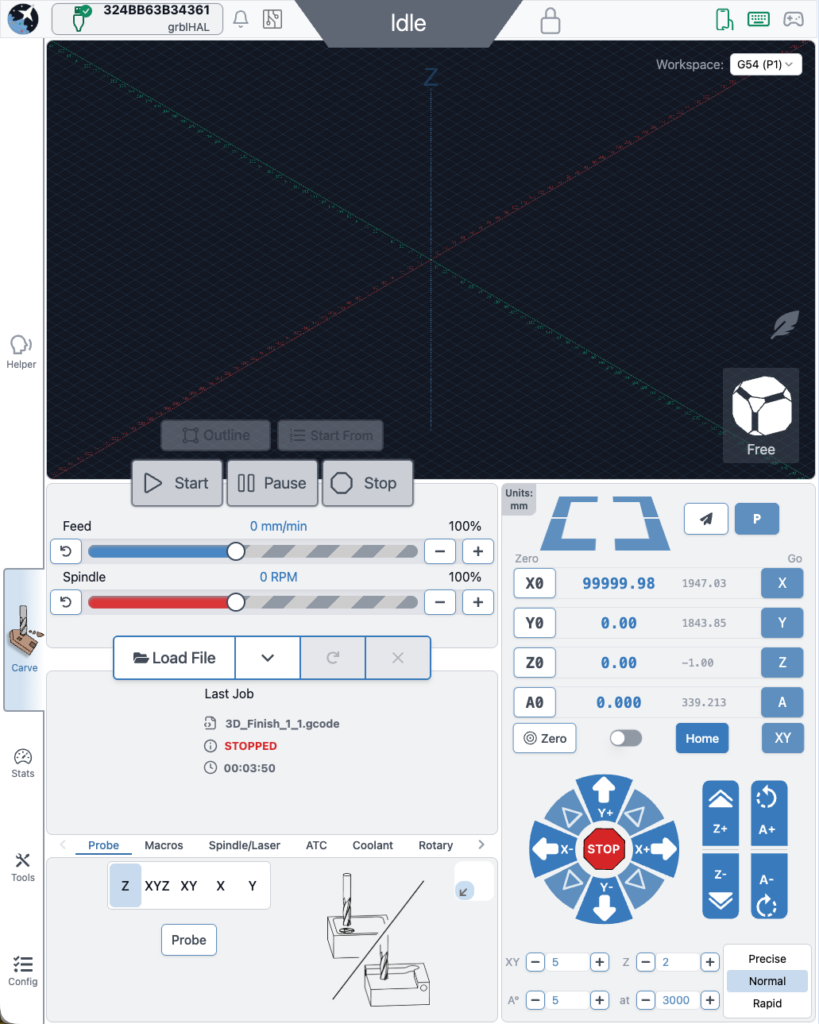
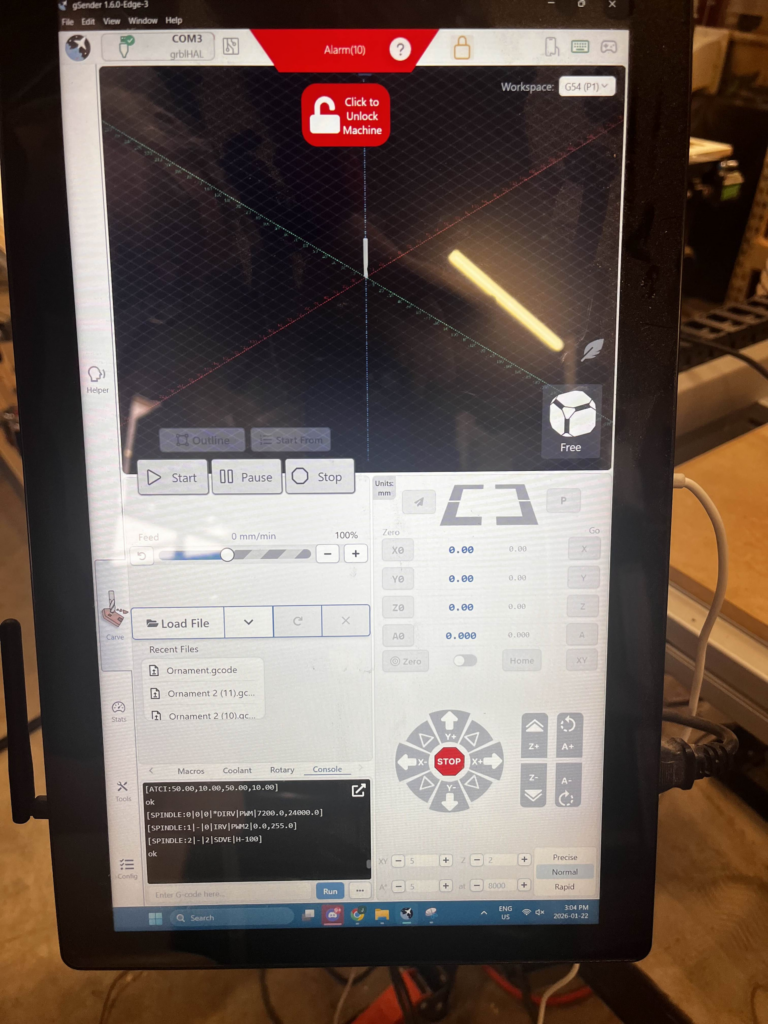
We continue refining layout behaviour to make better use of space across different display configurations.
- Larger, clearer buttons in portrait mode and elsewhere
- Improved spacing and alignment
- More adjustments planned throughout the Edge cycle
ATC installation tool / Accessory Installation Tool
A new guided installation tool walks users through setting up supported CNC accessories.
- First supported workflow is ATC setup
- Future plans include spindle, laser, and first time CNC setup guides
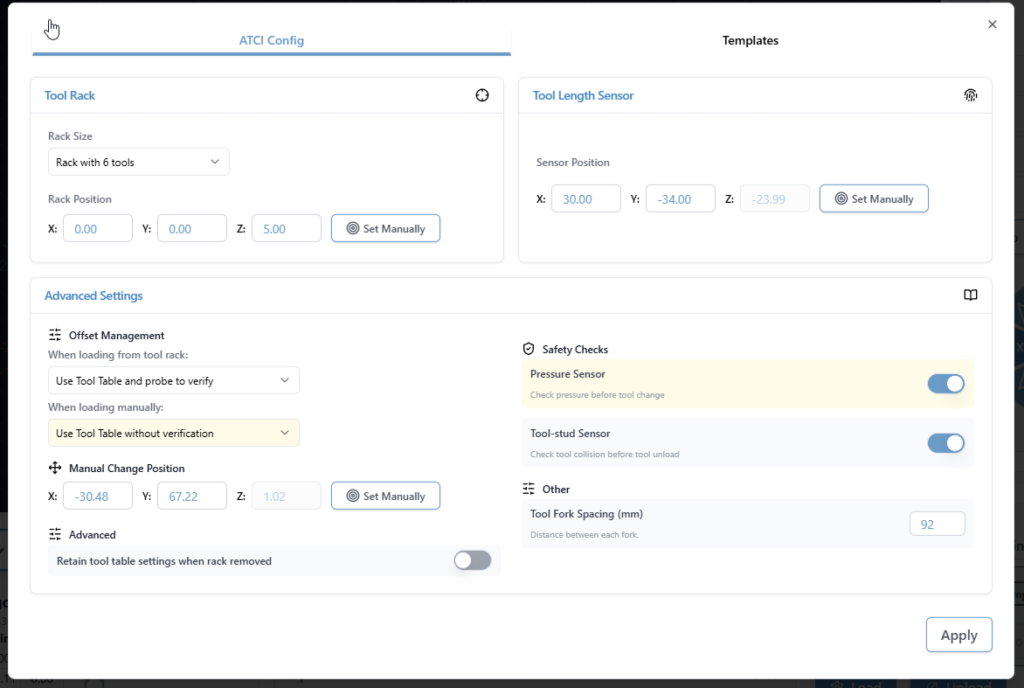
ATC configuration
The ATC configuration tool has been streamlined.
- Combined and reorganized options
- Improved flow and clarity
- Updated interface for a smoother configuration experience
ATC Visualization and Tool Table
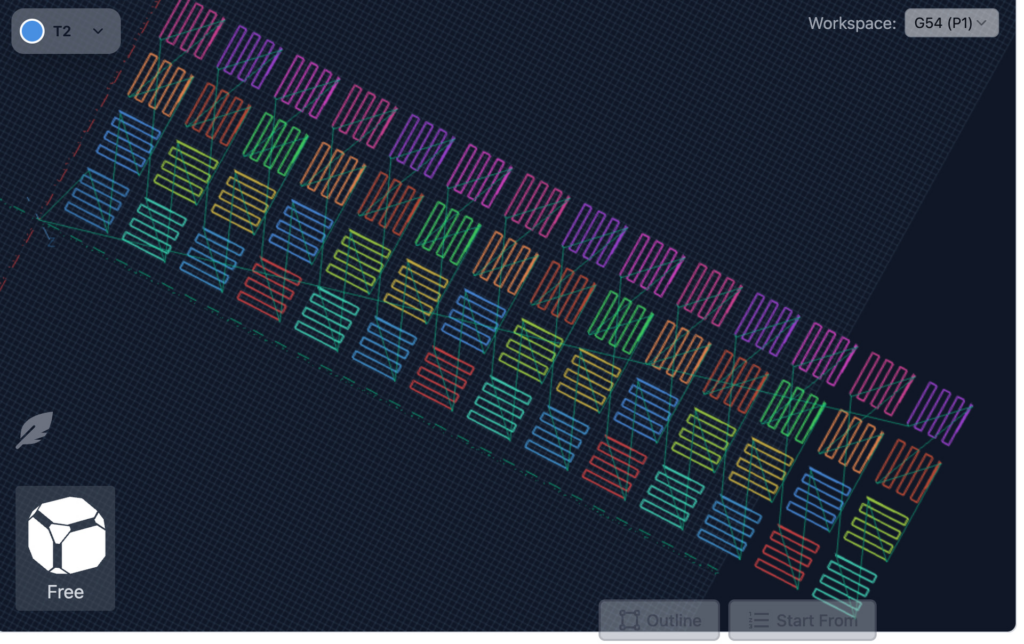
- Updated colours to a designated set of 12 for better toolpath distinction. It’s now funky fresh
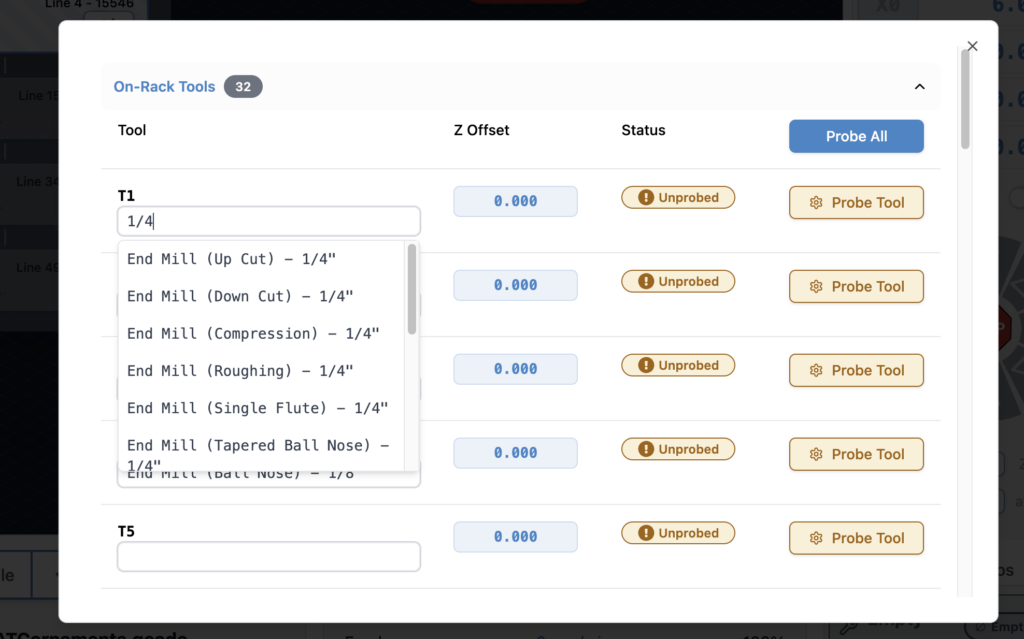
- Tool table tool nicknames are now selectable from a database of common bits, which includes search and still the ability to type in a custom note for a specific T command.
SD and FTP support
- FTP support added, allowing uploads over Ethernet instead of USB only
- Simplified workflow with a single refresh/list button
- Automatic SD mount attempts when the tool opens
- Dark mode and portrait mode updates
- Progress bar improvements
- Safety checks to disable the tool when connected to grbl or grblHAL devices without Ymodem or FTP support
EEPROM and configuration improvements
- Added support for new settings in the upcoming grblCore release
- EEPROM tool now handles all reported EEPROM settings, not only those surfaced in Config
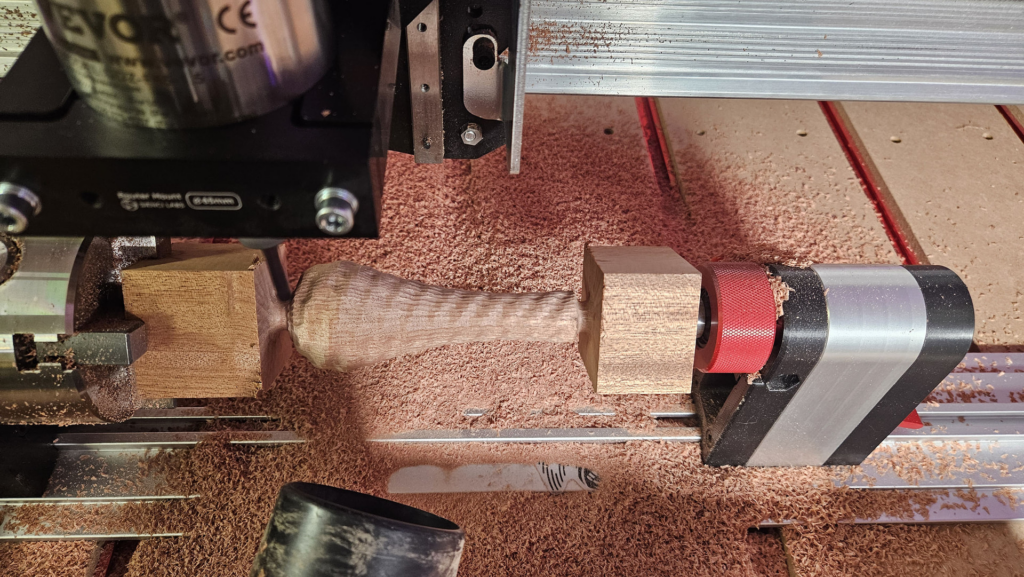
Rotary time estimation
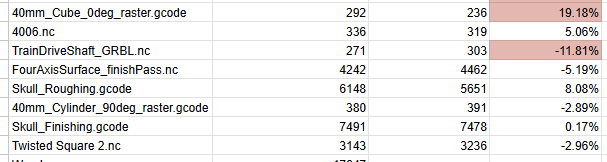
Time estimation for rotary jobs is now more accurate. Travel distance calculations now correctly account for A axis rotation, bringing estimates closer to real world results. Accuracy is approaching within 10 percent, with more refinement planned.
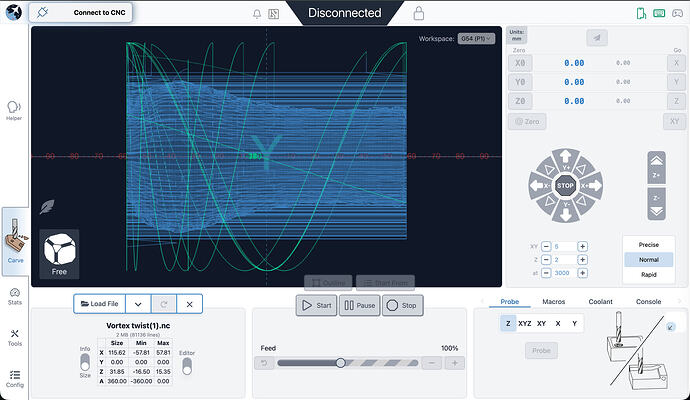
Visualization for rotary files has also improved. DeskProto typically sets Z to the surface and stores workpiece diameter in comments. gSender now uses that information to produce correct visualizations. Most gcode viewers cannot do this without explicit diameter data, so this is a meaningful improvement.
Remote mode
- Updated look and feel
- Settings now sync between desktop and remote clients, ensuring consistent preferences such as jog speeds, probe type, and units
Gamepad Updates
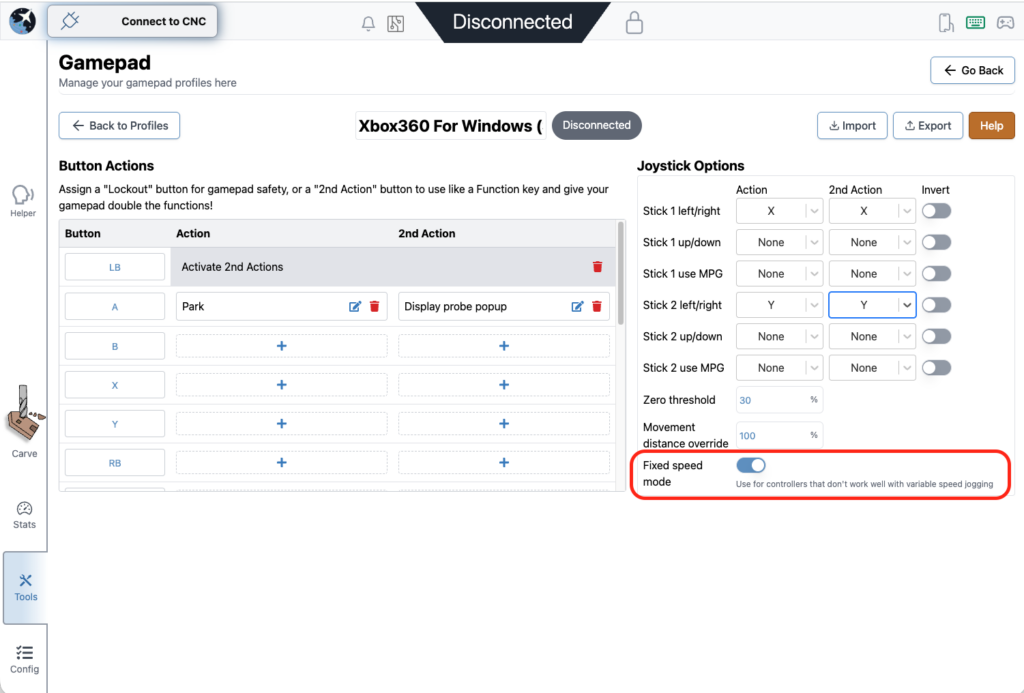
- Fixes to certain shortcuts on gamepad firing twice, specifically the park button and probe popup
- Added a new feature to disable dynamic speed and use a fixed value for thumbstick jogging
- All these changes were done by a community member. Thank you for your contribution Kesmit13!
Various fixes and improvements
- ATC functionality updates
- Fixed issues where tool offset was being incorrectly zeroed out on board reset
- $SpindleESH now sent correctly on spindle select for core firmware
- Gamepad jogging improvements, including fixed speed jogging
- TLO probe offsets captured mid toolpath to keep UI elements current
- Error and Alarm descriptions populated by grblHAL firmware
- Helper accessible across all gSender tools, not only the carve page
- Optional prompt on program close to prevent accidental exits
- AltMill 4X8 machine profile added
- Now using grblHAL error and alarm descriptions throughout the application
- AltMill ZxY plus Spindle configurations removed
- Added probe profile for BitZero 2 probe block (thanks Krudoy)
Download
gSender Edge is beta software, so expect occasional instability. You can install both gSender and gSender Edge side by side.
Thank you to everyone testing Edge and sending feedback. Your reports help shape the final 1.6.0 release.
You can find our Edge releases on GitHub:
https://github.com/Sienci-Labs/gsender/releases/tag/v1.6.0-Edge-3