This is a smattering of bug fixes alongside updates to MK3 profiles.
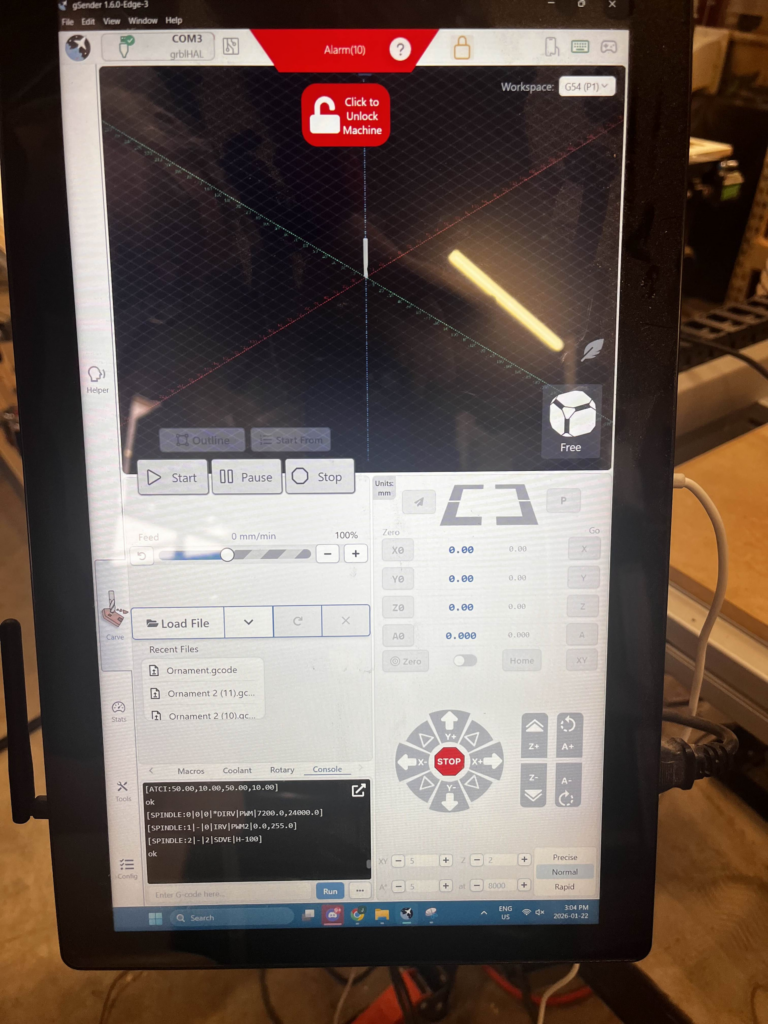
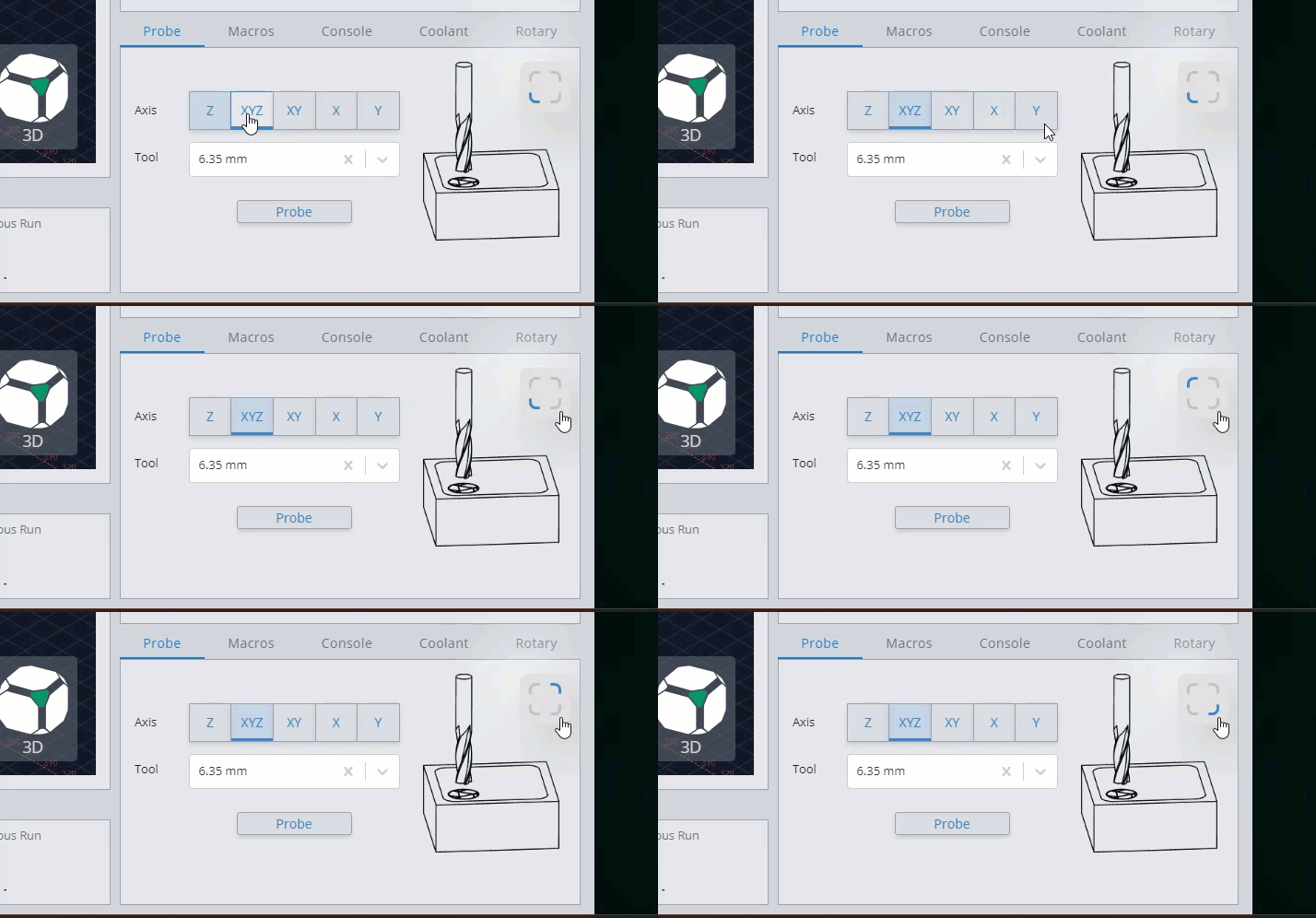
There is one major change in this build: We’re removing the corner selector on probing. It has overwhelmingly caused more problems for support than expected, and metrics show that probing the non-default corner (bottom left) is an incredibly rare act. We’ve taken steps in the past, including obvious warnings when a non-default corner was selected, yet it still continues to be a problematic functionality. While the developer team has explored further alternatives, the directives from management were to remove it entirely so we’ve done so.
All probing corner selectors have been reset to the default bottom left position.
Changes:
Removed corner selection on probing feature entirely. All corners have been reset to bottom left.
Flexible tool change routine again working as expected and not just silently completing each step.
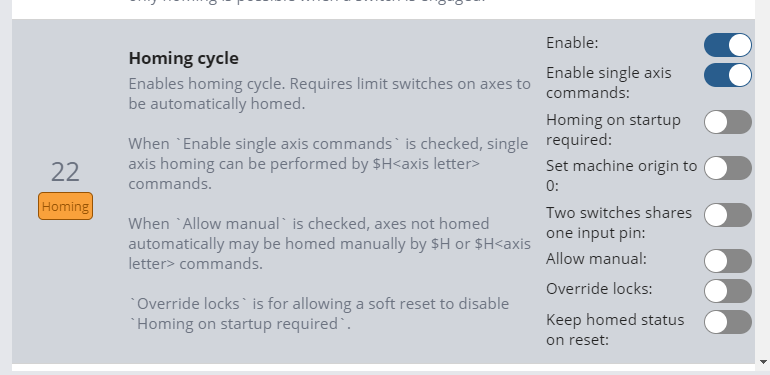
Added $290, $291, $292, and $293 to config page for custom homing pulloffs when compiled in to grblHAL as option
Updated MK3 profiles, including a custom X homing pulloff value.
Notifications are again notifying on Alarms and Errors in the notification center (apart from homing)
Added Voron Cascade profile
Toolchange ack keybind no longer gated behind non-Tool state so should be usable again
Pulloff uses $27 if home on 0 bit not set for various Z actions instead of a fixed value in several places
Pause button now disabled when workflow already paused/in a hold state
Fix for $I polling running endlessly in situations where AXS is never reported by the controller.
In cases where AXS not parsed by controller for grblHAL, default to counting position values reported by firmware.
$G types in console now correctly echoes the response in the console instead of being swallowed by the backend.
Added new config option – portrait macro bar – which adds usable macros at the bottom of the screen in portrait mode outside of the Macro widget.
Updated styling on next button and text in dark mode in Accessory Install wizards
Hey folks, I’m excited to share some of the work the gSender team has been doing that’ll be coming down the pipeline as Edge releases soon.
gSender 1.6.3 was recently released, but maintenance is not the only thing the team has been working on – we’re continuing to develop new features on our internal builds to expand our capabilities or meet the needs of common customer requests.
Today, I’d like to show some previews of just some of these new features, available soon for testing as 1.7.0-Edge-1.
Visualizer Improvements
Philosophy
The visualizer has long been the centerpiece of gSender’s interface, letting users see their position, explore their toolpath and tool changes, and connect what’s happening on screen with the physical machine. That said, while it’s received a number of improvements over the years, it’s largely been the same component library.
With this upcoming release, we’ve rewritten the existing library for massive performance improvements and new functionality.
New Visualizer Features
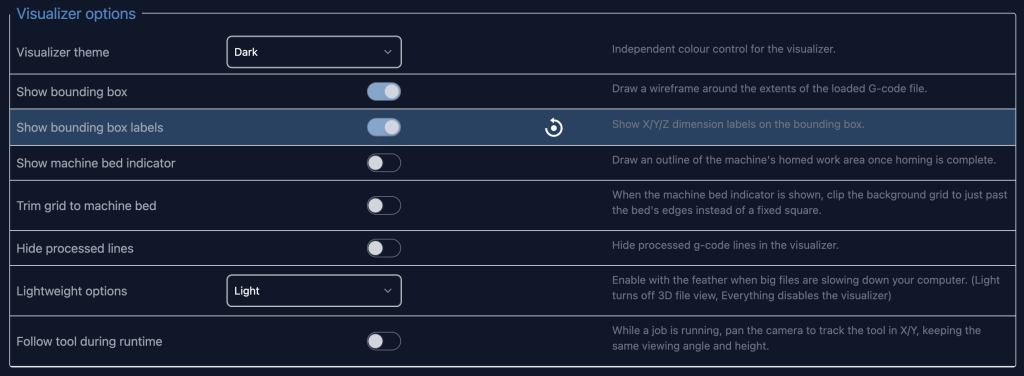
We’ve added so many new functionalities we’ve had to add a new config section just to handle it all, with more to come! That said, let’s go through some of the new features:
Config keeps growing!
Bounding Box and Labels
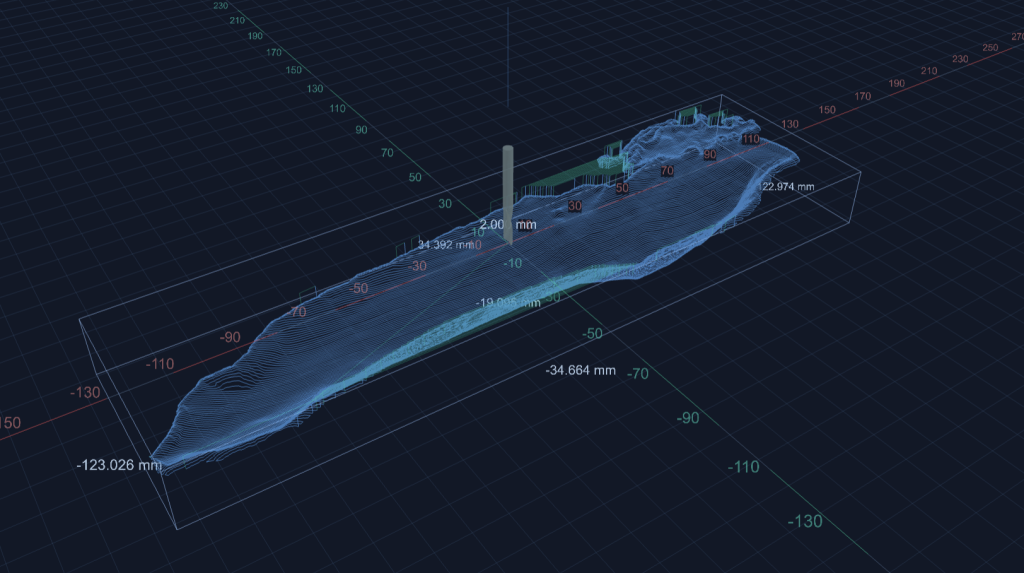
gSender has long included dimensions of your toolpath as part of the file information section. However, it’s not always visible and some users might want to see it represented in the visualizer itself. We’ve added an optional bounding box and labels, to show dimensions in the visualizer itself. This includes min and max values for all 3 axes.
Bounding box and labels
More Colour Themes
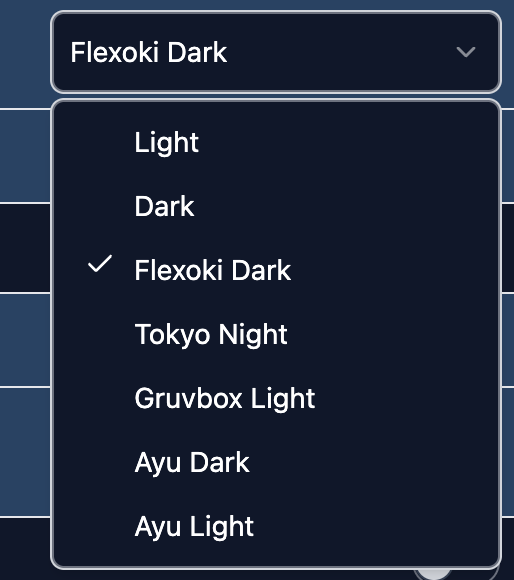
We’ve added a number of new color themes to the visualizer to spice up how your toolpaths look. We plan to expand this with community offerings in the future.
Some new theme options
Sharper View
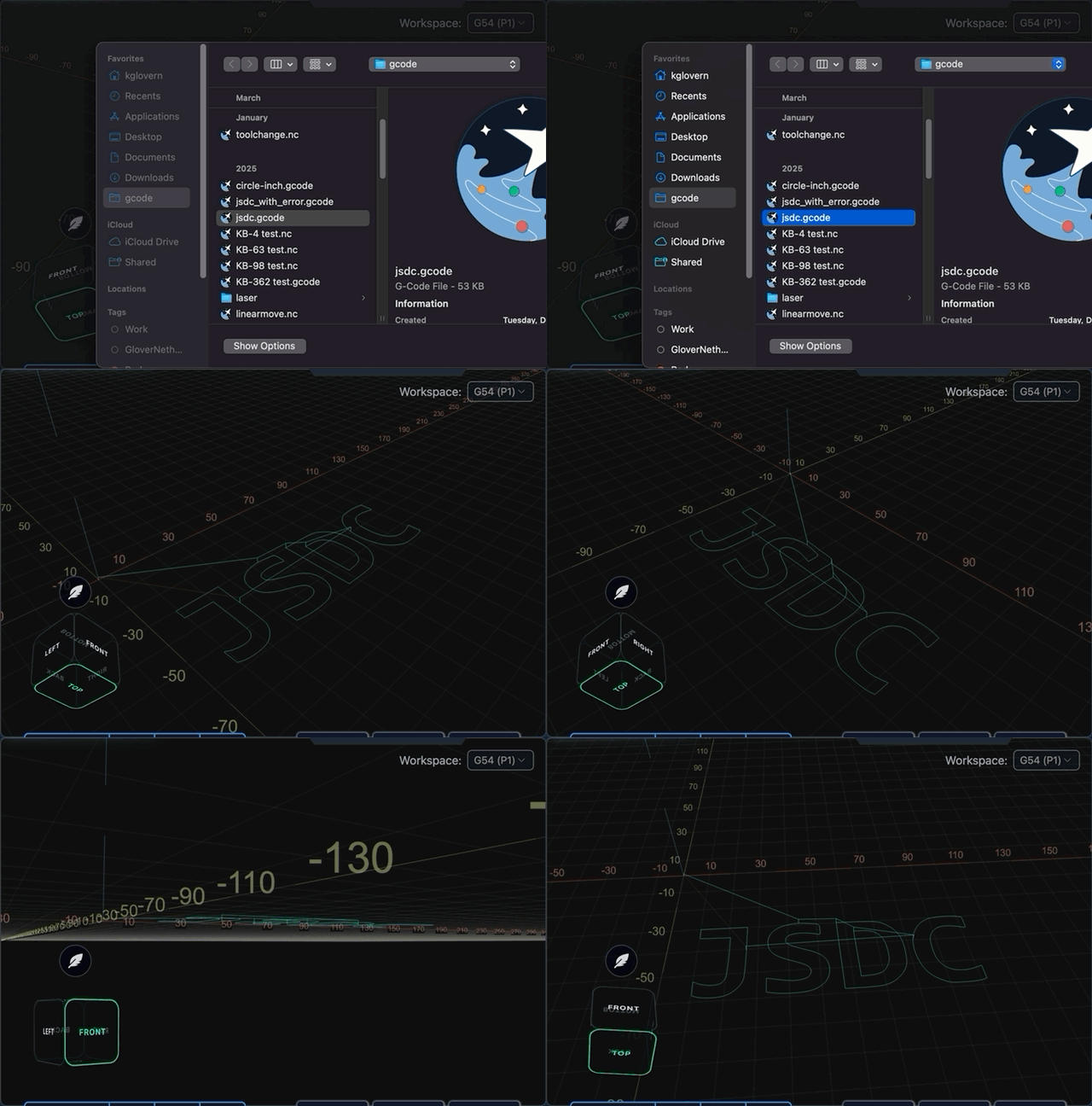
We’ve overhauled how toolpath lines are visualized along with webGL materials used. We’ve reduced the number of axis ticks to cut down on visual clutter and improve performance by reducing the number of sprites. Lines themselves should also look crisper than the previous implemenetation.
We’ve also added smoother camera controls, a fully 3d aware camera cube that lets you easily jump to faces, and better motion control on touch – which adds up to a much nicer experience when interacting with the visualizer.
New Visualizer
Better SVG Visualization
SVG visualization should be more performant, due to us aggressively deduping XY coordinates at different Zs. We’ve added a bounding box, and a reference point for where the toolpath zero is located, which is information that was missing in the previous implementation. It’s also now theme aware and includes tool change colors for any files with M6 commands.
On top of that, a simple crosshair now tracks position when running a job – so it’s not just a static image anymore, its a fully usable option when interacting with your CNC.
SVG Visualizer update
Machine Boundary and Keepout Indicators
One of the more confusing aspects for new CNC owners is the distinction between workspace coordinates and machine coordinates. With the new machine bed outline and trimming grid options, your visualizer is now a much closer representation of your machine in 3d space.
If your CNC has homing capabilites, when setting a zero, your visualizer will update to show where the toolpath will cut according to your max travel values, making it much more obvious if you run the risk of going outside your limits.
On top of this, if you have an ATC, the keepout area is highlighted, so you’re more aware of the potential to run into that before it happens.
Bringing the visualizer closer to the machine’s actual 3D workspace should make positioning and machine limits much easier to understand, especially for newer CNC users.
3D Visualization
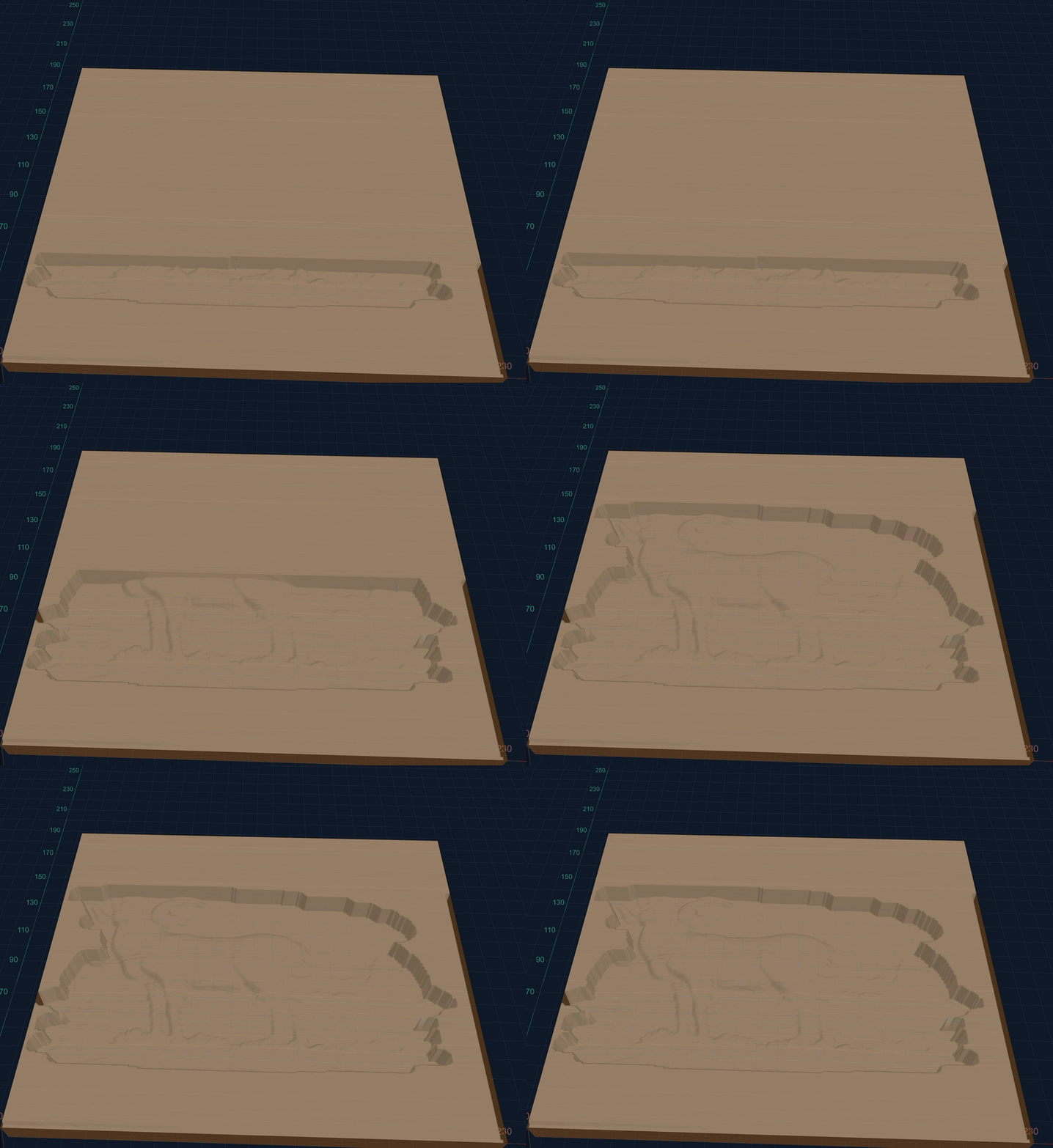
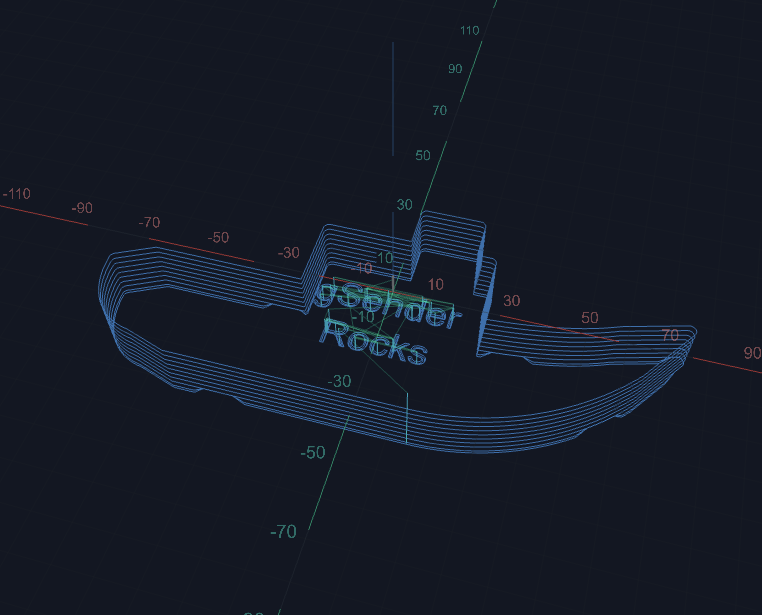
Not ready for Edge-1 but in the works is an even newer way to view your toolpaths – fully 3D! Know what your toolpath should look like before you cut a single chip. We’re not 100% sure where this will integrate yet, but we’re likely looking at a way to step through your file and see the end/in-progress results ahead of time.
Ramming our new visualizer down your throat
Plugins
Philosophy
One of the hardest parts of developing software such as gSender is determining which features we want to add next. Sometimes, functionality is so commonly requested that working on adding it just makes sense. Other times, it’s determined by engineering projects in-house, such as the ATC, which lead to a host of features in gSender. The hard part is determining how and when to tackle the lesser requested features – because not every feature is useful to every user and we don’t want to stray too far from the core value of gSender as an easy-to-use sending software.
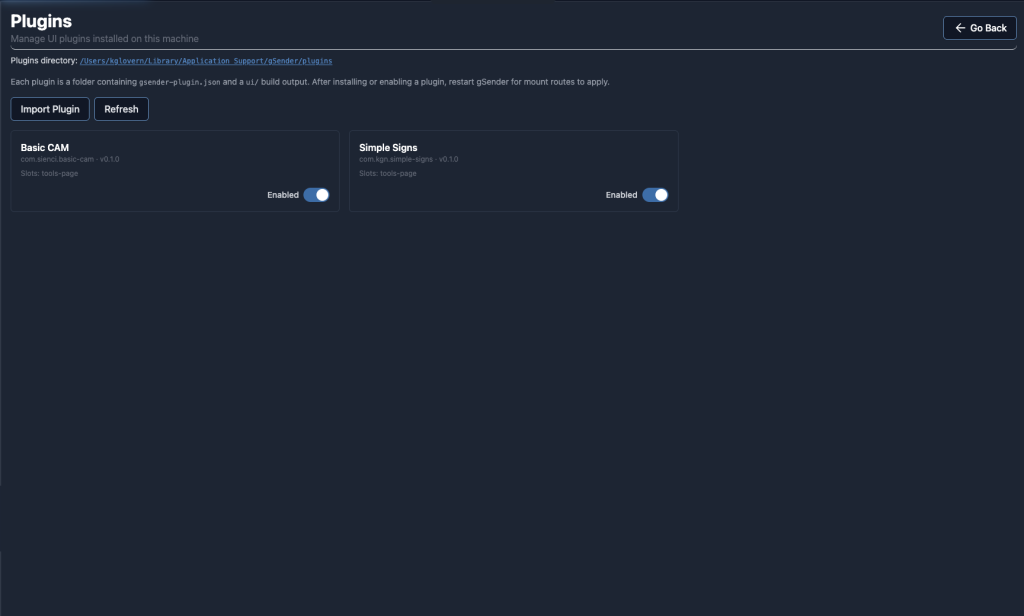
Due to this, we’re adding a Plugin system to gSender. A plugin is a standalone tool, usable within gSender, to accomplish any goal the developer sees fit. Plugins are shareable, letting users pick and choose what they want in their sender software.
This also lets the community at large develop features at their discretion for their specific use cases.
One major benefit is that this means functionality can be added to gSender outside the boundaries of major or minor releases – so both community and in-house plugins can become available more often than our normal release schedule.
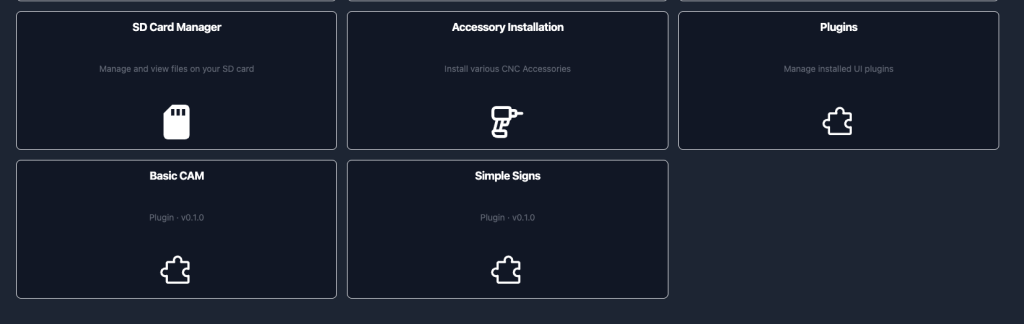
We’re still honing the user experience, but the goal is to have installing (or removing) a plugin as easy as point and click within gSender, with the ability to disable and remove a plugin with no further issues. Installed plugins are accessible via the Tools page, and managed via the plugins tool.
#image_title
We’re excited to see what the community at large can developer for gSender plugins – but we also have some samples to show off.
Plugins show up as tools
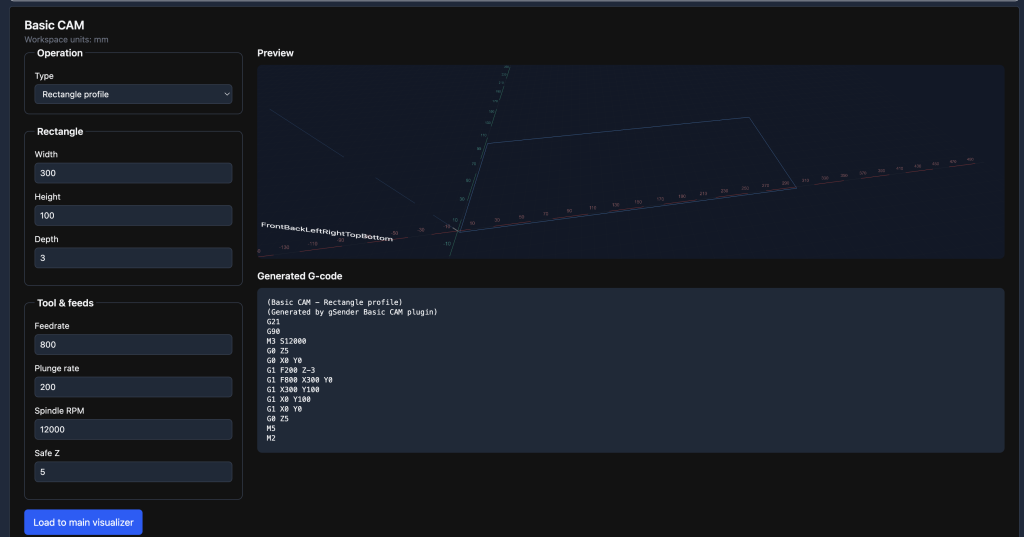
Sample Plugin – Simple Line and Shape CAM
3D Printing has Benchy as a first project, but CNC doesn’t really have an equivalent. You’ve setup your machine, installed your software, and have no easy way to enjoy the fruits of your labour without a massive context switch to some design software. It’d be nice if you could setup a simple project that you can run right away.
The basic cam plugin lets you do this. Setup a triangle, maybe some text, and you’ve got a basic sign – all from within gSender.
We’re going to continue to expand this tool to add a few more options (text coming, for example), but that’s the vibe and philosophy behind it. We hope other plugins that generate more complex g-code will be developed and shared by the community.
Simple cam is simple
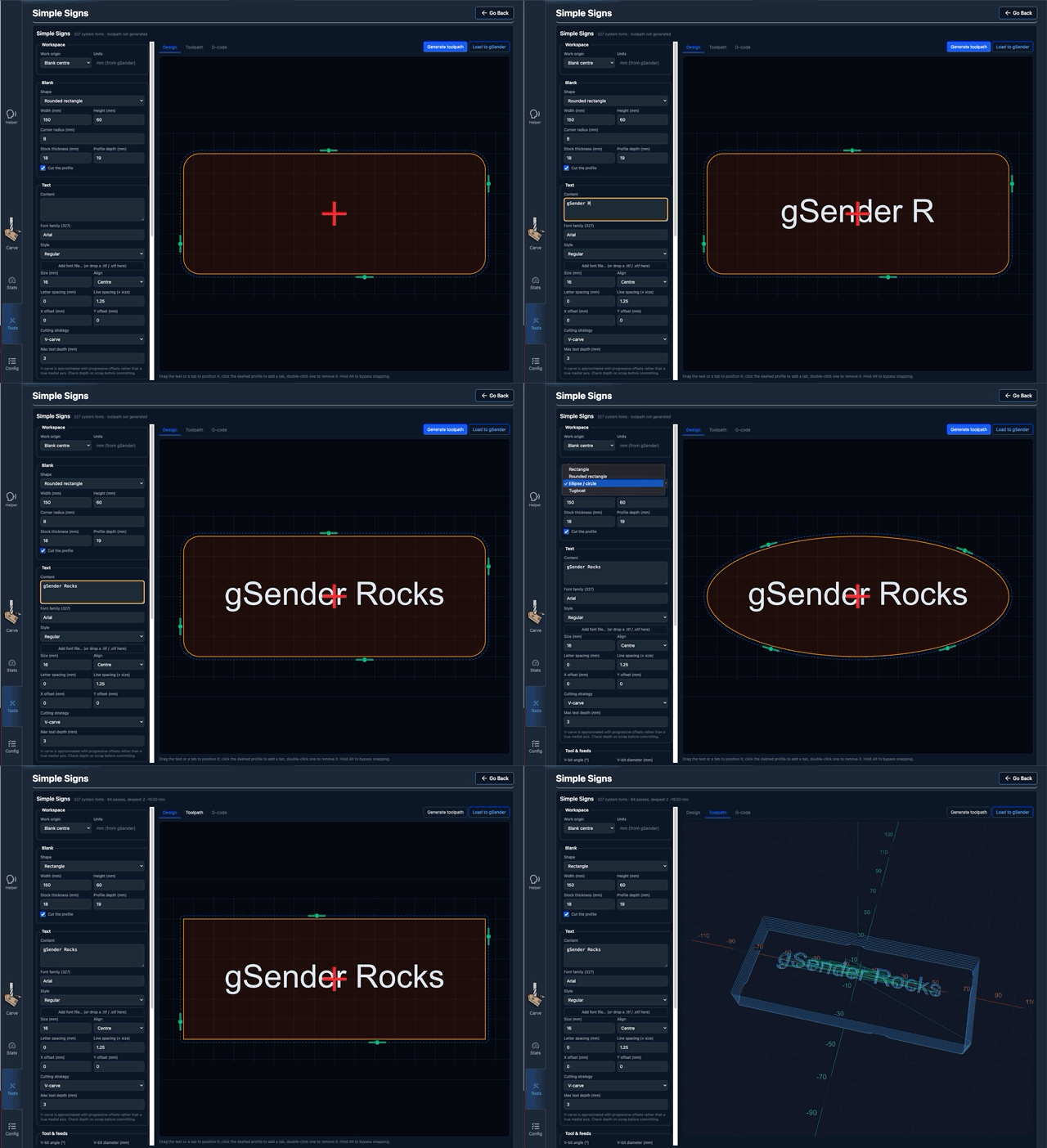
Sample Plugin – Simple Sign Maker
One of the problems with onboarding CNC users vs 3D printing users is the context switch from setting up your hardware and software to designing and exporting something to actually cut to see your machine in action.
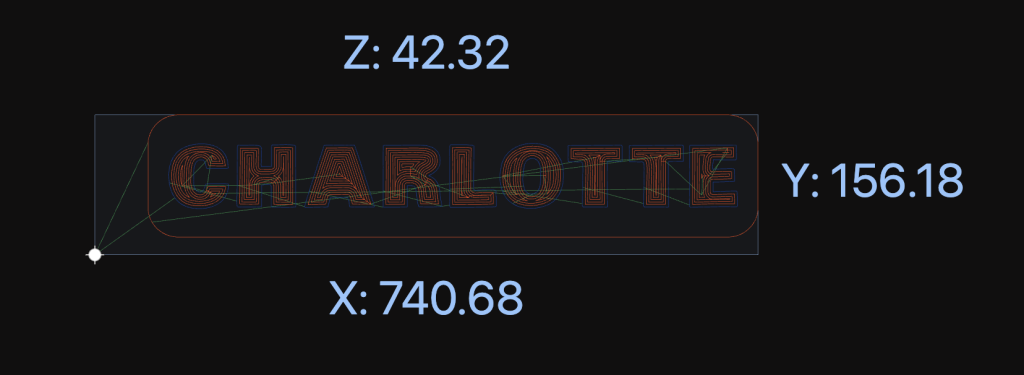
This plugin hope to address it by making it easy to add some text to a shape for a simple sign – so you can make chips fly and see the results of your efforts, and in the end get a little piece of wood with your name on it.
Pick a preset shape, pick your text and fonts, and you’re ready to carve.
I want to see chips
Adding or removing tabs is as simple as clicking on the profile – and they can be dragged around based on your workholding requirements
Tabbing out
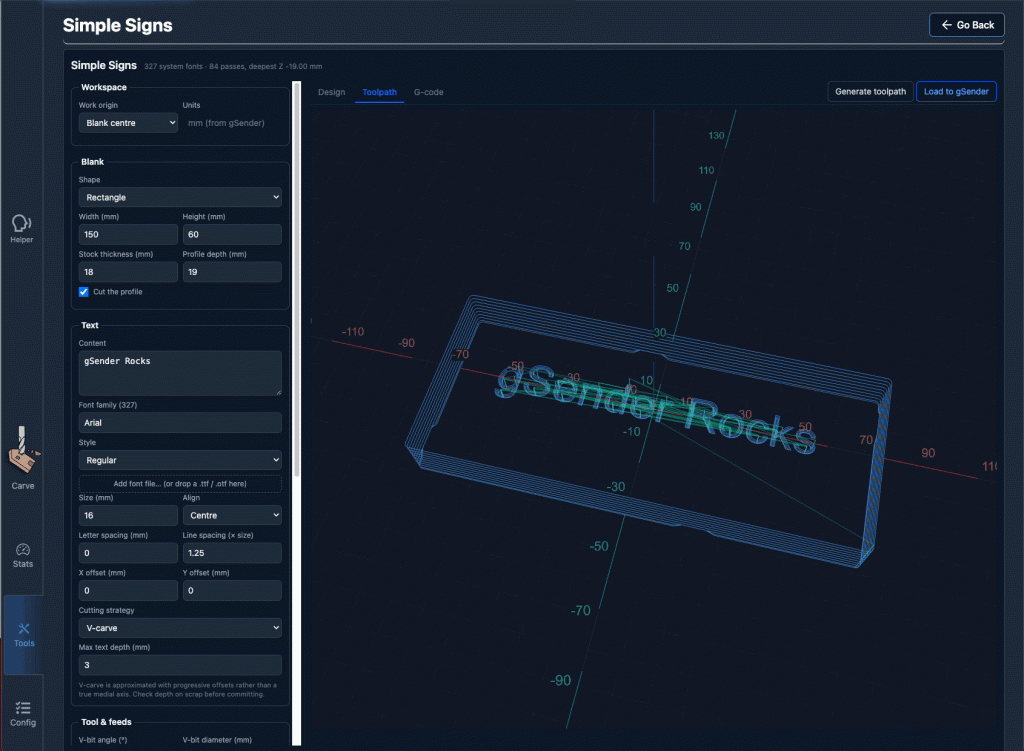
… And yes, we have a benchy
Toot toot
Pendant UI
Philosophy
gSender has been a Raspberry Pi-friendly application since inception. That said, it’s primarily a desktop application, and has historically required a fair amount of processing power to run well.
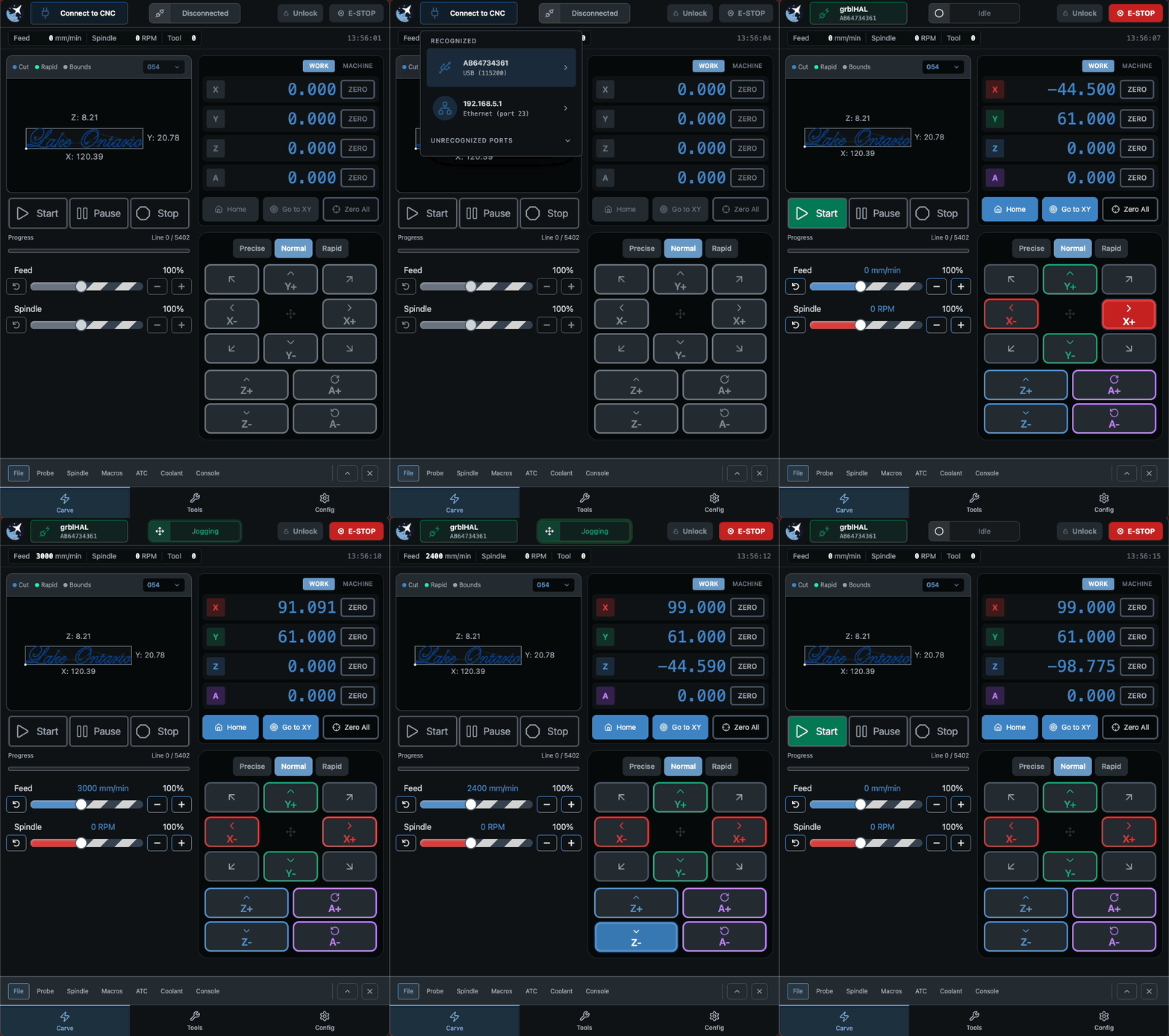
With recent optimizations, we’re looking at exploring alternative ways to interact with gSender, and are working on a pendant-style view. Designed from the ground up with touch focus in mind, this new pendant view is an entirely new user experience that runs well on integrated CM4 modules.
Featuring noticeably larger buttons, a SVG visualizer, and newly reorganized tools in expandable drawers, it’s the same old gSender in an all new responsive, and touch-forward view.
We hope to have this specific configuration available as both a standalone application and usable within main gSender proper for those who prefer it using an opt-in configuration.
We are internally exploring providing a bespoke CM4/touchscreen offering as a more affordable alternative to the gControl panel computer in the future using this specific application. That said, the application itself will always be free – and installable/usable on the gControl if you already own one and prefer this form factor.
Pendant in Action
Connection and Job Loading
Connection has been redesigned to be touch focused – one click to list, one click to connect, and you can hold to disconnect.
Machine status has been redesigned to be less intrusive, and includes a number of new animations depending on firmware state.
The visualizer itself is smaller, and limited to a top down view – but you still get important information like the origin and location as the job runs, along with various toolchanges.
Connecting and jogging around
Tool Drawers
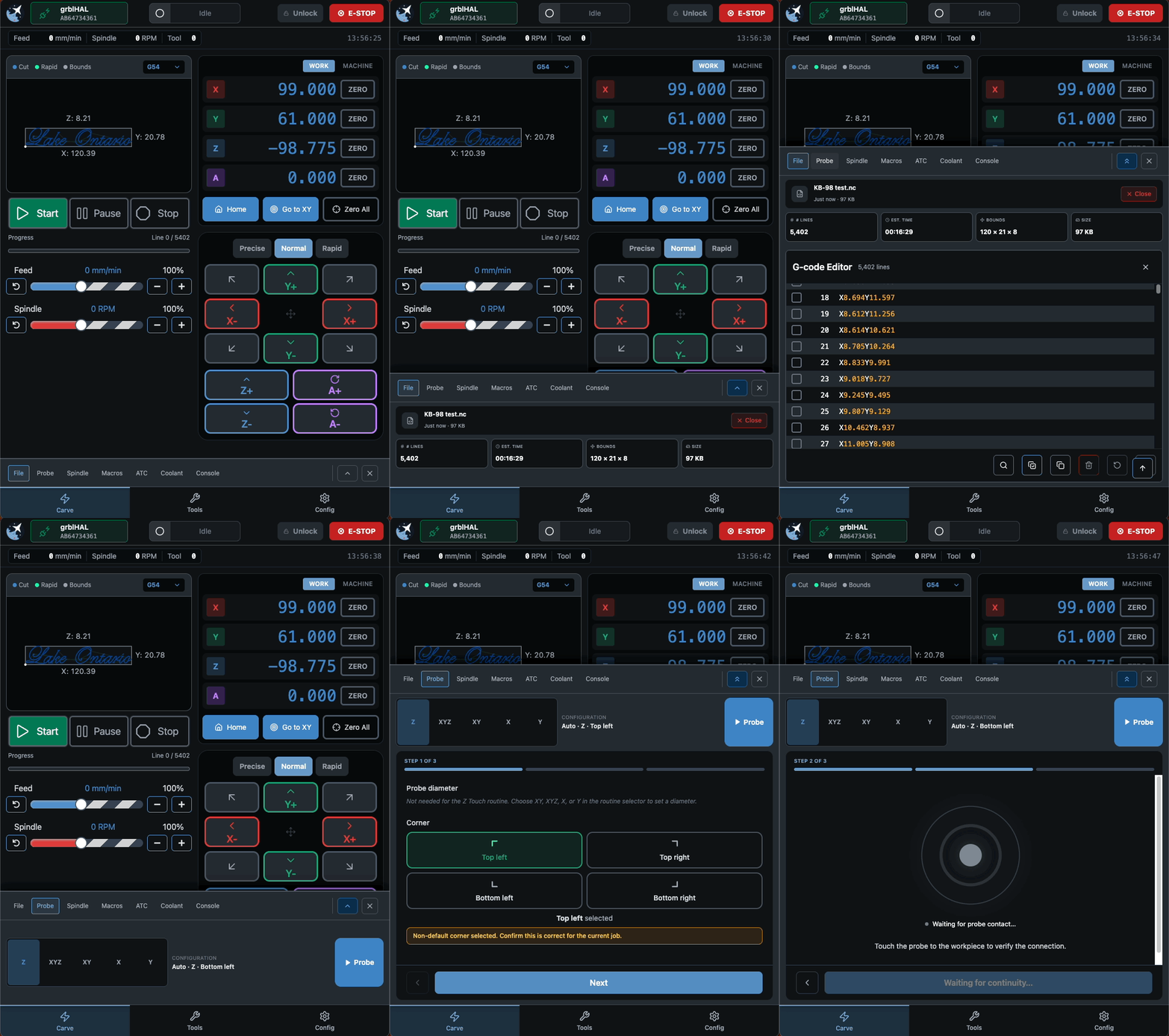
Most of the functionality has been moved into expandable drawers that are only visible when you need them. Drawers have 2 states – partial and fully expanded.
Partially expanded should be the quick info and actions you need. For example, for the file tab it’s the file info like name and bounding box.
For the fully expanded, it’s more rare configuration options or other functionality. As an example, when the file drawer is expanded with no file loaded, you get a full list of recent files. If a file is loaded, you get the contents of that file and the g-code editor.
Same philosophy for the probe drawer – partial expanded shows your current probe configuration and lets you just hit go. When fully expanded, you get a touch friendly guided process to configure your probe diameter, probe corner, and check continuity before running.
Don’t drop your drawers, expand them
Other Small Things
There’s a number of other features you may notice in the upcoming Edge release.
We’re expanding the helper to better tie into our resources, so if you get an error or alarm you’re better equipped to deal with it.
A number of new config options, including probe retract speed and backup settings directories are added.
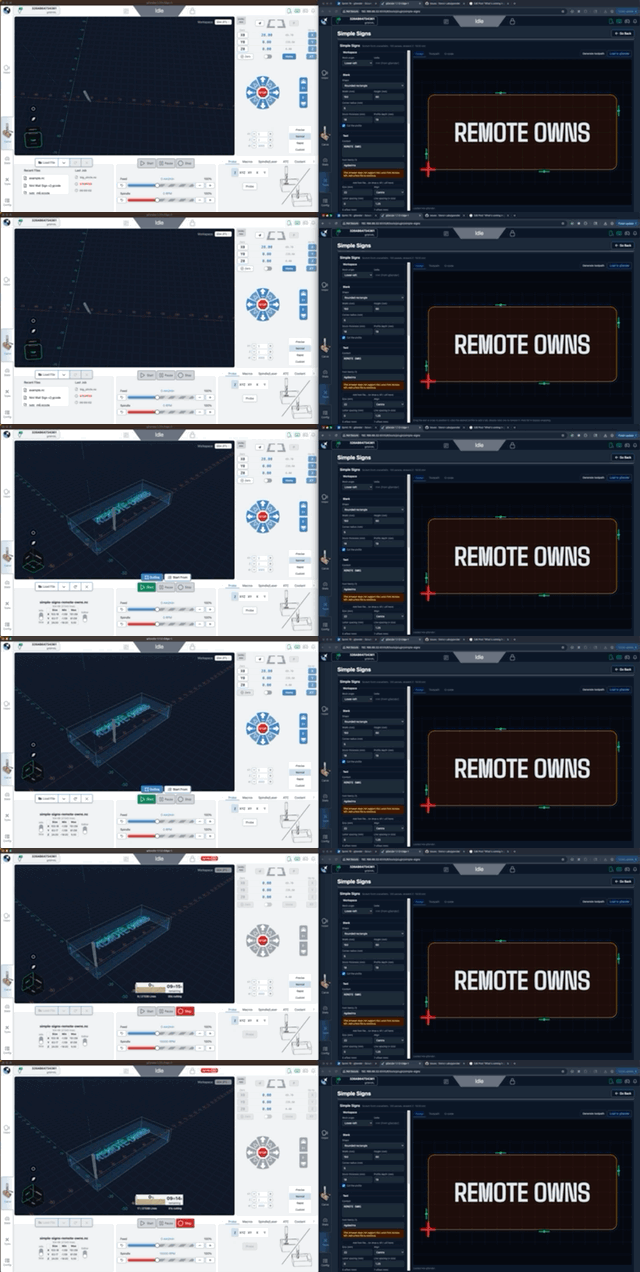
Remote mode now will automatically connect to an open Desktop connection – so no need to reconnect a second time on your remote client be it your phone, tablet, or a shop PC
There’s an added benefit to this for remote users – imagine designing something in a plugin connected remotely on your desktop PC, and with one click of “Load to gSender” it’s already loaded on the desktop client of your shop PC, ready to carve!
We’ve also made a host of bug fixes, UX improvements, and tweaks to dark mode. There will be a more comprehensive list of changes and new features in the official post on release.
…And Much Much More
This is a quick overview of some of the features you can expect in the upcoming Edge-1 release. We also have a number of future improvements and features we can’t wait to share with you – but that’ll have to wait until the next blog post.
We’re really looking forward to the community getting their hands on this version and giving us their feedback. No firm date, but mid-August seems likely for public release – although everything is available on Github for testing now, if you’re technically inclined.
Hey folks, gSender 1.6.3 with a number of fixes, behaviour improvements, and features.
Here’s what’s included in this update
New stuff you can use
Support for the new LongMill MK3 profiles.
A new flashing option for the upcoming SLB-Lite using UF2
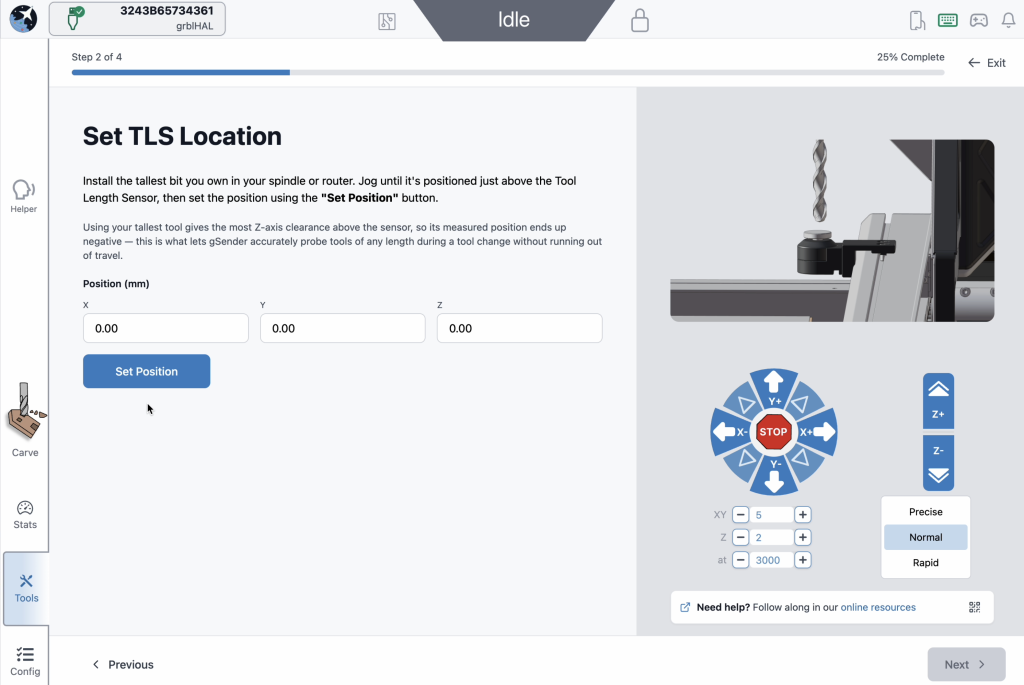
A new TLS installation wizard, found in the Accessory Installation tool. It walks you step by step through picking your probe locations and setting up your toolchanging routine.
#image_title
You can now set a custom feed rate for the final probe movement, instead of it always using the default Rapid speed.
The SD tool now lets you upload several files at once instead of one at a time.
The toolchange wizard now shows a “pending” state while it’s finishing up moves, and it pops up a little closer to when the actual tool change happens, so it feels more natural.
Smoother and more reliable
Changing toolchange or passthrough Config settings now applies right away, no more reconnecting or reloading your file.
Fixed a laser/PWM issue so it works properly without unexpected spindle behavior on grblHAL
Feeder Position variables pos{axis} and mpos{axis} are now always converted to millimeters, even if your machine is set to report in inches (13=1)
Homing status shows up more consistently for machines that are already homed when you connect.
Tool Timeline Probe status now considers non-0 values probed, not just negative values.
Job progress is easier to read with a new background behind the line count.
Made several changes to prevent your Config settings file (sender_rc) from getting corrupted, and if it somehow does, the app will no longer fail to start.
Firmware profile updates
Updated to support the latest grblHAL firmware, including changes to how lasers and PWM work.
Bugs squashed
Fixed the tool timeline showing the the original, non-remapped value when minimized
Fixed a probe dialog bug where connectivity tests would falsely show as passing if enabled when opened
Fixed a display issue in the Config tool when undoing changes to certain values.
Fixed the single-axis homing toggle appearing when homing disabled.
Fixed the park shortcut to worked when the firmware reports homed status
Fixed job progress not updating properly after tool changes pausing progress.
Full Changelog
Added LongMill MK3 profiles.
Added flashing path for new SLB-Lite using $UF2.
Added TLS installation wizard to the accessory installation tool.
Added ability to specify feed rate on final probe movements — default 0 continues to use G0; any other value uses G1 Fx where x is the configured value.
SD tool now allows uploading multiple files at the same time.
Added pending toolchange state to the toolchange wizard while already-planned lines finish their motions, and delayed wizard appearance until closer to the actual M6 command.
Updating the toolchange passthrough setting now updates the controller without reconnecting or reloading a file.
Updating the passthrough setting in Config updates that option without requiring a file reload or reconnect.
No longer swaps spindle min/max for grblHAL, so PWM can be used as a laser without issues.
pos{axis} and mpos{axis} feeder variables are now always returned in mm, regardless of report-in-inches ($13) status.
Homing status on connect for already-homed grblHAL devices is now more consistent.
Tool probe status now allows positive values — only 0 is considered unprobed.
Probe status badge in the tool timeline now only shows when using grblHAL with ATC=1 (tc.macro exists).
Added background to job progress line count for readability when the visualizer is disabled.
ATC options tool is now disabled if no SD card is mounted.
Improved reliability of Config Store truncation.
Added various updates to prevent the ConfigStore file (sender_rc) from becoming corrupted.
Corrupted ConfigStore files no longer block application startup.
Various firmware updates for the latest grblHAL core version.
Updated grblHAL profiles for the new firmware release — mostly related to laser/PWM2 behaviors.
Entering laser mode on grblHAL no longer swaps $30 and $31 with the laser equivalents.
Fixed tool timeline not reflecting the remapped tool number after minimizing.
Fixed issue where opening the run probe dialog with connectivity would cause all future connectivity tests to pass immediately.
Fixed issue where restoring an altered EEPROM value in Config without applying wouldn’t update the UI with the correct value in the Config tool.
Fixed toggling single-axis homing on and then off in the on-state not showing the original “go to” buttons.
Fixed backwards logic on the park shortcut, allowing usage when homed.
Fixed job progress not updating correctly after a tool change was handled via one of the wizard strategies.
As always, thanks for your continued support and feedback. If you run into anything unexpected, let us know!
gSender 1.6.2 is a smaller follow-up release focused on polishing up some edge-case issues that cropped up after 1.6.0, along with a number of workflow and usability improvements across the application. A lot of this work targets firmware compatibility, ATC/tool change flows, and smoothing out a few rough edges reported by the community over the last little while.
Data collection and analytics
You may also notice that gSender prompts you again about analytics/data collection preferences after updating. If this feels familiar, you may have already responded to this prompt quite a while ago and simply forgotten about it. We’ve recently changed analytics providers, so we wanted to give everyone another opportunity to review and update their preferences.
The data collected is primarily general usage metrics, operating system information, and tool usage data that helps us understand what parts of the application are being used most often and where issues may be occurring.
As always, analytics participation is completely optional and can be enabled or disabled at any time in the Config section of the application.
General Fixes and updates
Updated firmware defaults to better account for TLS/probe misconfiguration scenarios
Various firmware default updates and compatibility improvements for newer firmware versions
Uploading to SD cards over ethernet is working correctly again
Laser power slider now behaves as expected on newer firmware
Spindle selector now works correctly on newer firmware
Laser offsets now map correctly to the updated Config key structure
Flash utility will now automatically select grblHAL firmware when SLB_DFU is detected
Exiting rotary mode will once again properly restore previous machine values
Non-enabled spindles will no longer appear in the spindle dropdown list
Spindle dropdown will now attempt to refresh itself automatically if empty in the Spindle/Laser drawer
UX and Visual
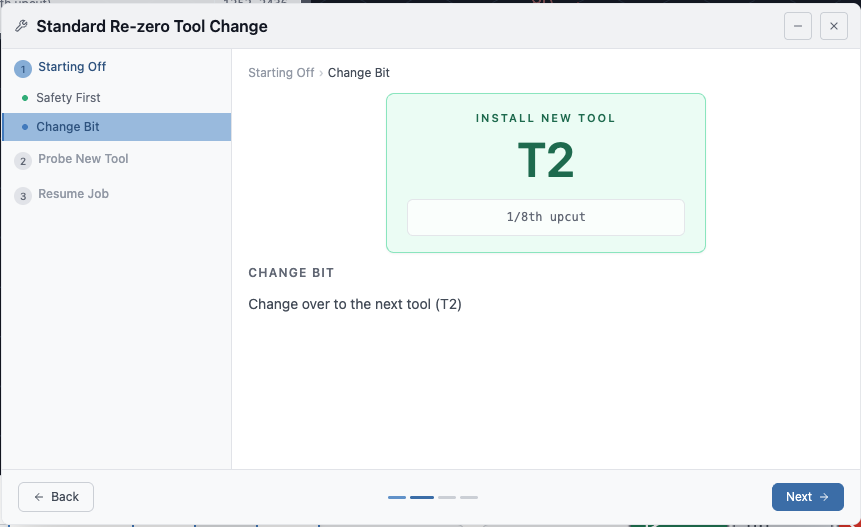
Numerous visual and workflow improvements to the tool change wizard
New Wizard
Tool change wizard will now resume the spindle before returning to the previous XY position.
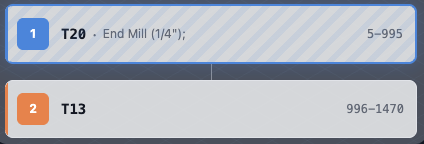
Tool change wizard and tool timeline now display annotation comments when no ATC nickname is set
Parsed Comments
Removed probed/unprobed status on firmware versions without a tool table
ATC Config will now store default values on first install instead of stored values
ATC Config will now warn in situations it failed to read the stored configuration file.
Squaring and motor tuning workflows now share the same jog popover for a more consistent experience
Spindle delay behaviour has been updated and is now an explicit configurable option for forced insertion when needed
Functionalities
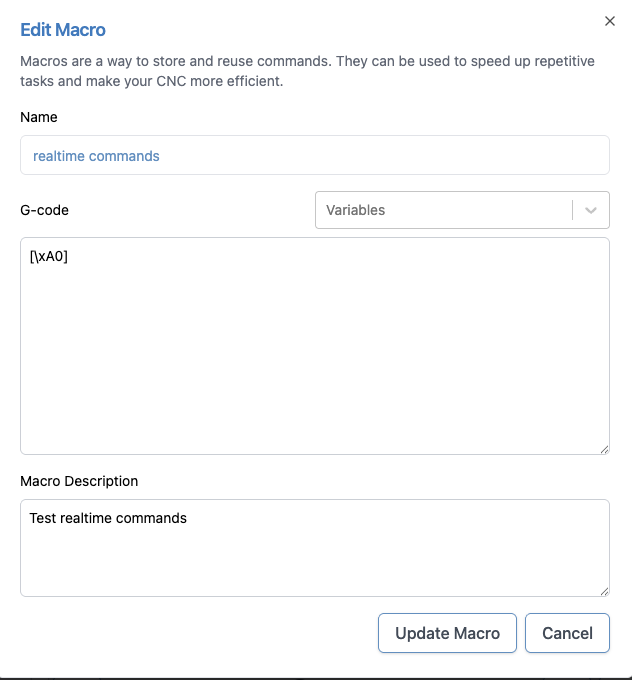
Macros can now send realtime commands using the [\xNN] format
1.6.0 was well received (thanks for all the feedback), but a few issues and edge cases popped up across different setups that we wanted to address quickly. 1.6.1 is focused on tightening things up, improving consistency, and smoothing out some rough edges.
Changes
Added option to skip the first tool change when using fixed strategy, with a prompt to confirm
Added application scaling support for larger monitors and devices (Config → Accessibility)
After several months of Edge releases, testing, and community feedback, gSender 1.6.0 is here.
This release represents a large step forward for gSender. Much of the work throughout the Edge cycle focused on building out deeper tooling workflows, expanding controller capabilities in order to support newer versions of grblHAL, and improving performance and stability across the application.
A huge thanks goes out to everyone who tested the Edge builds and provided feedback along the way — many of the improvements below came directly from that input.
Below is a look at the biggest changes that made it into 1.6.0.
Firmware Compatibility
This release expands compatibility with newer grblHAL firmware cores. Updates were made across the communication and configuration layers to better align with recent firmware changes and ensure gSender can properly take advantage of all new features in more recent grblHAL versions.
These improvements help maintain compatibility as the grblHAL ecosystem continues to evolve, allowing gSender to work more reliably with newer controller firmware, updated settings structures, and additional capabilities exposed by newer firmware releases.
Performance and Infrastructure Improvements
Several foundational improvements were made for 1.6.0:
Faster Startup Times
Startup performance has been significantly improved in this release.
A number of internal optimizations were made to the application initialization process, reducing the amount of work that needs to happen before the UI becomes usable. These changes include improvements to module loading, background initialization, and general application startup flow.
In practical terms, this means gSender launches noticeably faster, especially on systems where startup time was previously a concern.
For many users the application should now feel much more responsive when opening, getting you connected to your machine and ready to work sooner.
Build System Improvements
The internal build pipeline was updated, resulting in:
Faster development builds
Smaller packaged application size
Improved overall maintainability
Mac silicon version now provided and added signing for both Mac releases
Built-in G-code Editor
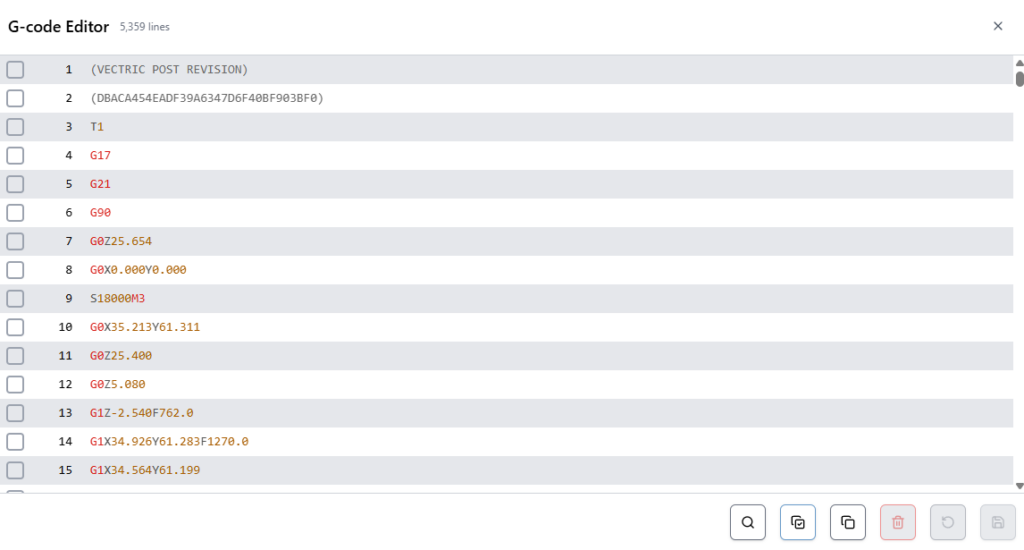
gSender now includes a built-in G-code editor for inspecting and modifying files directly inside the application.
The editor includes:
Syntax highlighting
Search functionality
Quick navigation to specific terms or lines
Basic editing and saving capabilities
The editor also acts as an additional progress indicator while running jobs, highlighting which lines have been processed.
Editor
SD Card File Management
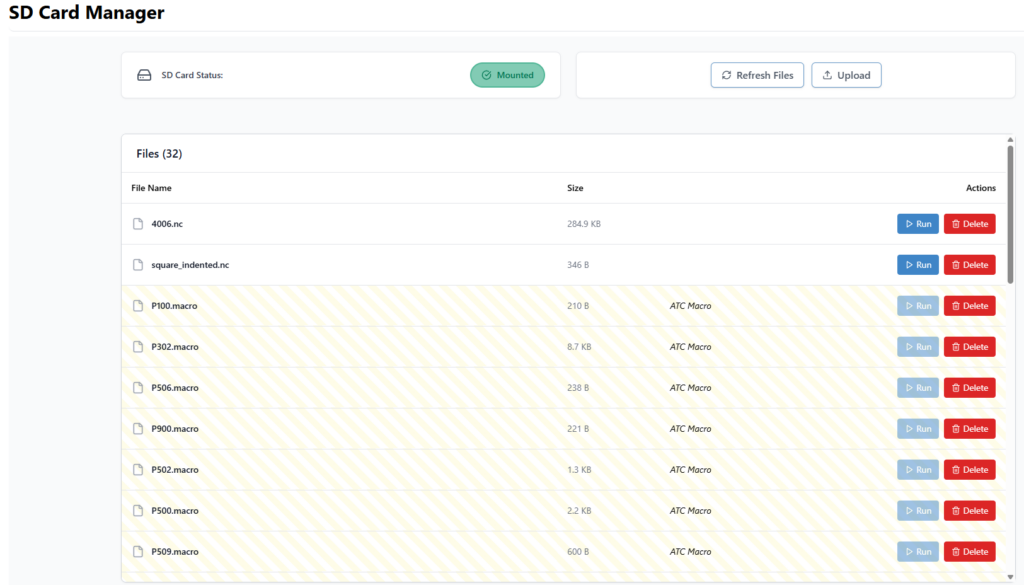
SD card functionality has been expanded significantly.
gSender can now interact directly with files stored on the controller’s SD card for grblHAL devices. It uses yModem protocol for USB connections, and FTP when connected over ethernet.
You can:
View files on the SD card
Upload files
Run files
Delete files
Files can be uploaded using drag-and-drop or file selection, making it easy to move jobs onto the controller.
When running jobs from the SD card, gSender now displays progress feedback similar to streaming jobs directly from the application.
SD Card Tool
Automatic Tool Changer (ATC) Support
One of the largest areas of work this cycle was full ATC workflow support.
gSender now includes an integrated system for managing tools, tracking tool changes, and working with the Sienci ATC more easily.
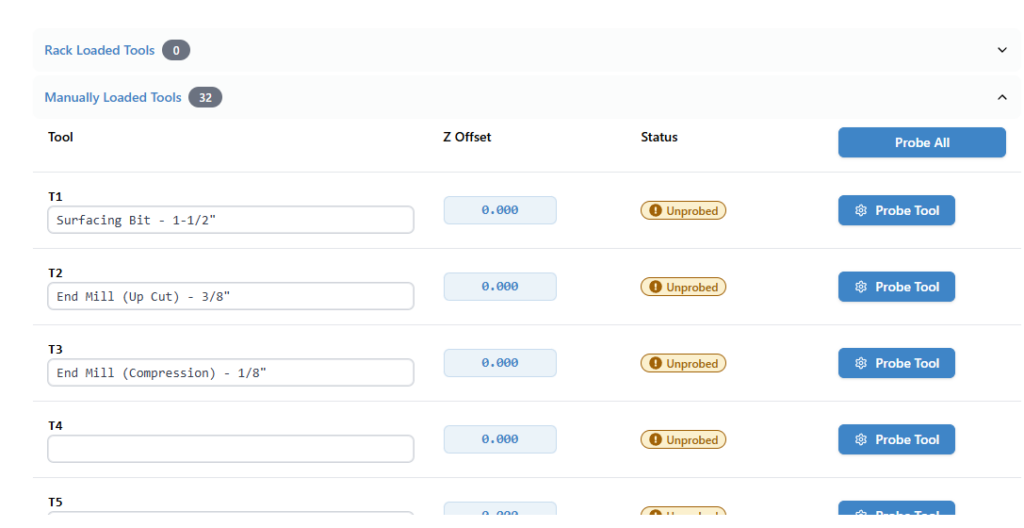
Tool Table
A new Tool Table allows you to manage all tool-related information in one place.
You can now:
Store tool offsets
Assign nicknames to tools
Probe individual tools or complete racks
This makes it much easier to maintain consistent tool setups across jobs.
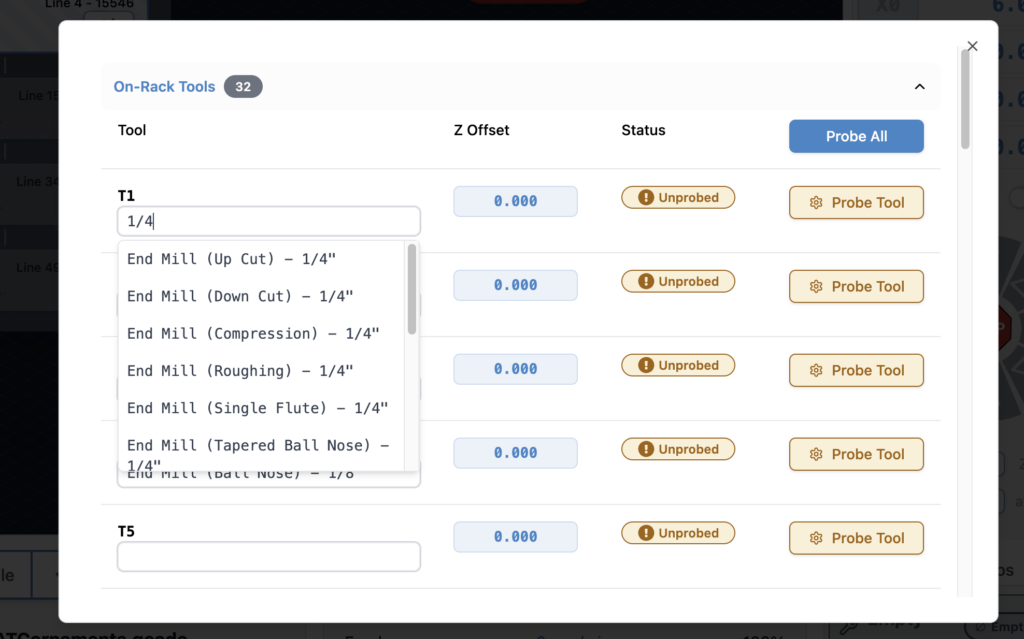
Tool Table – now with easier nicknames!
Tool Timeline
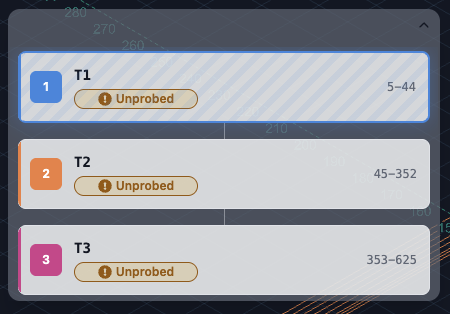
Tool changes during a job are now represented in a Tool Timeline, giving a clear view of when tool changes occur and which tool is currently active.
This helps users quickly understand multi-tool programs and track job progress more easily.
Tool Timeline
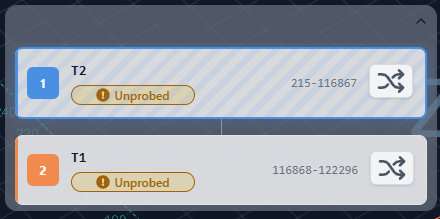
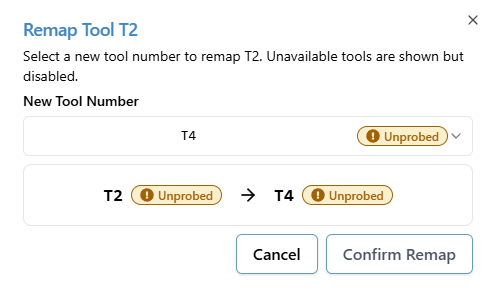
Tool Remapping
Tool remapping allows you to adapt a G-code file’s tool numbers to your machine setup without editing the file itself.
This is particularly helpful when:
CAM tool numbers don’t match rack positions
You want to run the same job with a different tool configuration
Tool racks change between jobs
Remapping can now be configured directly inside gSender before running a job.
Remap Dialog
ATC Workflow Controls
New controls were added to support day-to-day ATC operation.
You can now:
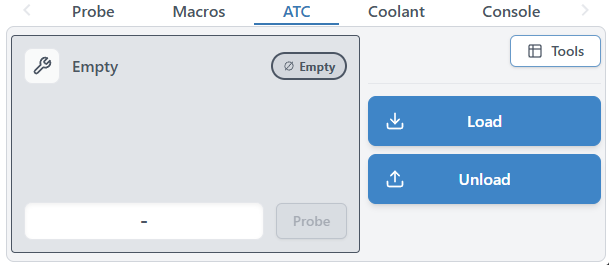
Load tools – both manually and using the rack
Unload tools – both manually and using the rack
These actions tie directly into ATC macros and make managing tool states much easier during operation.
ATC Widget
Accessory Installation Tool
To make getting started with an Automatic Tool Changer easier, gSender now includes an ATC setup tool that helps guide users through the initial configuration process.
The setup tool walks through the core steps required to configure an ATC system, including importing macro templates, defining rack size and behaviour, and writing the required configuration files to the controller’s SD card. This removes much of the manual setup that was previously required and helps ensure the necessary macros and configuration files are installed correctly.
The goal of the setup tool is to simplify the process of bringing an ATC system online, reducing the chances of configuration mistakes and making it easier for users to get up and running with automated tool changes.
We’ve already also implemented a spindle install tool, to help users with setting up their spindle accessory on arrival.
Improved Visualization
Visualization has seen several improvements in this release.
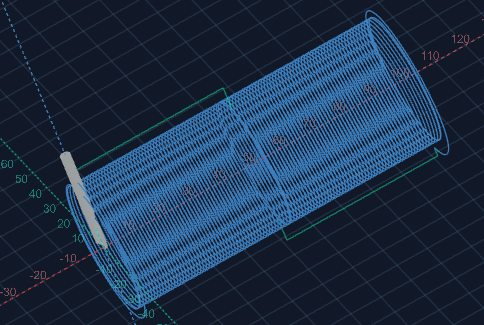
Rotary Visualization Improvements
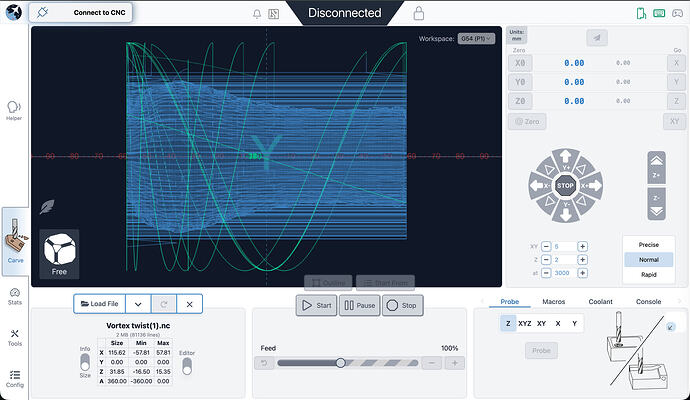
Rotary jobs are now visualized more accurately, with fixes to geometry rendering and preview alignment. This provides a much closer representation of the final machined result.
Surfacing file no longer two straight lines
Tool-Based Visualization
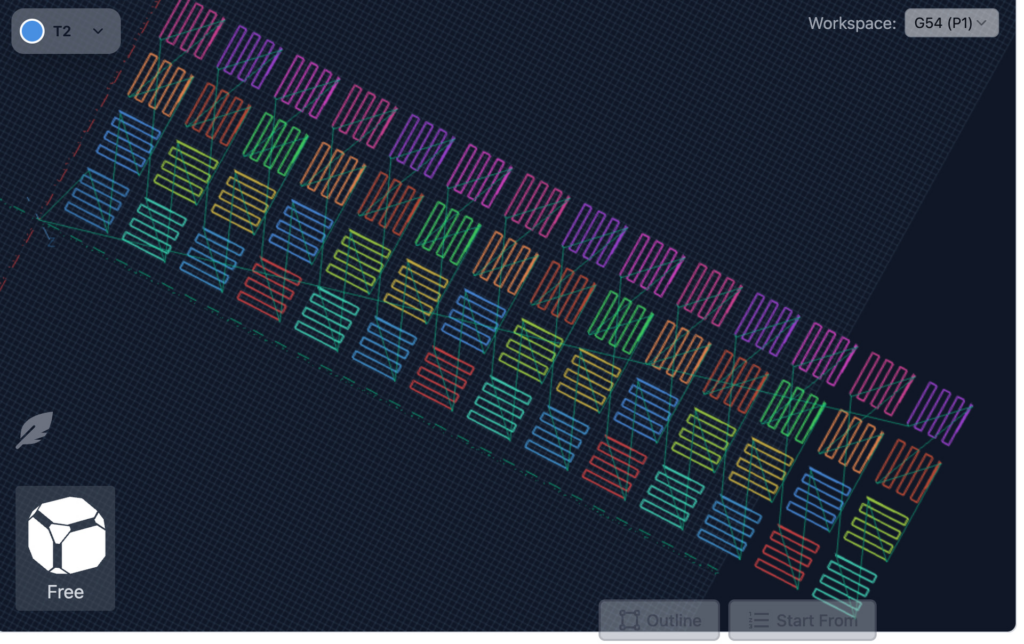
Tool changes are now visually separated by colour, making it easier to follow complex multi-tool jobs directly in the visualizer. What colour represents which tool is indicated in the tool timeline.
Toolpath separation
Processed Line Display
A new option allows you to hide processed lines entirely instead of greying them out.
For long jobs this can make the preview significantly easier to read.
Improved visualization speed
Visualization parsing had significant improvments on both speed and memory usage. The end result is that users should be able to visualize larger files faster.
Benchmarks indicate about a 50% increases in visualization and a 35% reduction in memory used.
EEPROM Editor
Advanced users now have access to a new EEPROM editor.
This tool allows you to:
View EEPROM values
Modify configuration parameters
Search for specific settings
This replaces the older legacy firmware tool and provides a more flexible interface for working with controller settings. You can find it in the Config section of gSender.
EEPROM tool in Config
Check Mode File Validation
A new Check Mode automation feature makes it easy to validate jobs before running them.
With this option enabled, on job load, you will be prompted if you want to check. If you select yes, gSender will:
Enable GRBL check mode
Run the loaded file
Report any errors found
This helps catch issues before starting a real job.
Additional Improvements
Alongside the major features above, this release also includes a wide range of smaller improvements and fixes.
Some highlights include:
Custom Ethernet ports are now supported
Improved outline behaviour and new outline options (Rapidless square – generate a square that ignores G0 movements and just reflect cutting movements)
Ethernet auto-reconnect improvements
Better portrait mode space usage (larger buttons!)
Remote mode – config is now accessible, settings are now synched between the main app and remote clients
Config tool performance adjustments
Improved job time estimates when feed overrides are active
Improved rotary job time estimation
Option to backup settings over specific time periods.
M0 / M1 pauses now properly display associated comments
Better application responsiveness on small resolutions
Better application responsiveness/use of space on portrait mode
Remote mode configuration access improvements
Updated library dependencies
Numerous bug fixes and stability improvements
Better Config reactivity when updating options that allow new options.
File associations so you can load a gcode file by double clicking it in your file explorer of choice.
Functions that require the machine to have been are disabled until homing is reported by the firmware for grblHAL devices.
Gamepad options and configuration updates – some new behaviours related to jogging.
A number of other behaviour and performance tweaks and fixes
Thank You
This release wouldn’t have been possible without the community members who tested the Edge builds, reported issues, and provided feedback throughout the cycle.
Your input helped shape many of the features and refinements included in 1.6.0.
As always, if you run into any issues or have ideas for improvements, we’d love to hear from you.
gSender 1.6.0 Edge-4 is now out, bringing a solid round of improvements, fixes, and general polish.
We’re officially in the part of the Edge cycle where the focus shifts away from big new features and toward testing, optimization, and cleanup. A lot of this release is about making things faster, smoother, and more reliable based on feedback from everyone testing Edge so far.
If you’ve been waiting to try Edge, this is a really good time to jump in. As always, reports from early testers are extremely valuable.
Visualizer parsing improvements
This release includes a major rewrite of the file parsing and visualization worker used when loading G-code files.
Performance gains:
~55% faster visualization time for most files
~75% faster visualization for rotary files
~35% less memory usage for typical files
~86% less memory usage for rotary files
What this means in practice:
Bigger files load faster
Less RAM usage while previewing
Much better handling of large jobs
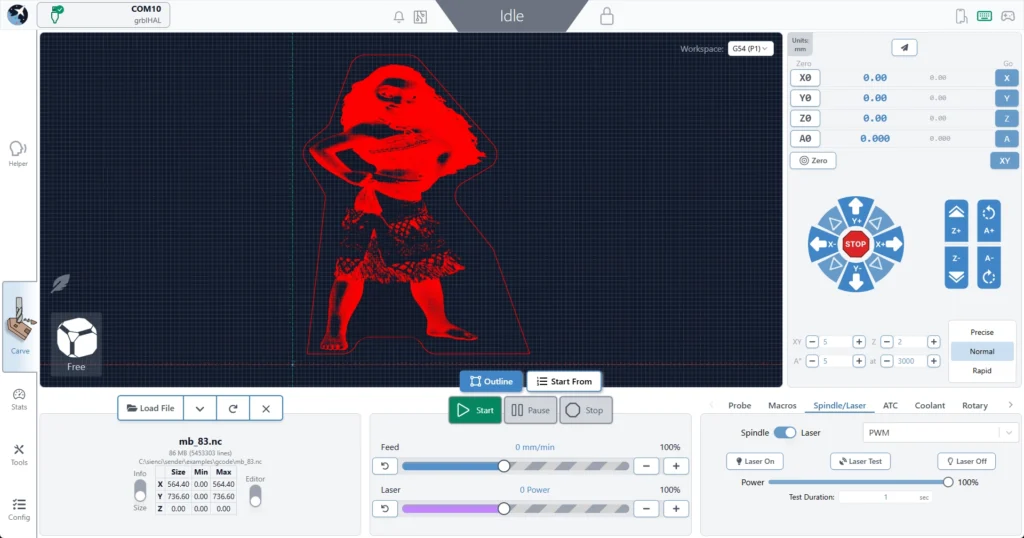
For reference, we successfully loaded an 85 MB / 5.5 million line file, which wasn’t possible in previous versions.
Connection process is generally smoother and more reliable
Better handling of reconnect scenarios
No resets in the connection workflow
Should reduce Alarm 14 and error 1s on connection and clearing alarms
We no longer assume ethernet is always grblHAL, so fluidNC/non-vanilla grbl users connecting over ethernet should properly fallback to grbl if configured as such
Responsiveness
Better support for smaller screens
Wide-but-short resolutions (like ~13xx × 7xx) should no longer cut off UI elements
Fixed some Remote Mode responsiveness regressions
Cleaner spacing in the top bar on smaller displays
Packaging
Fixed slow startup on AppImage builds caused by ASAR compression
Continued build pipeline cleanup
Smaller installs overall
Example: Mac .app size reduced from ~550 MB → <400 MB
ATC – status updates and other
Probed, unprobed, and off-rack/manual states are now separate statuses
You can always see both offset status and manual/off-rack state when applicable
Tool Timeline received a visual refresh for better clarity and information layout
Tool nicknames are now included anywhere a tool number is shown in the UI
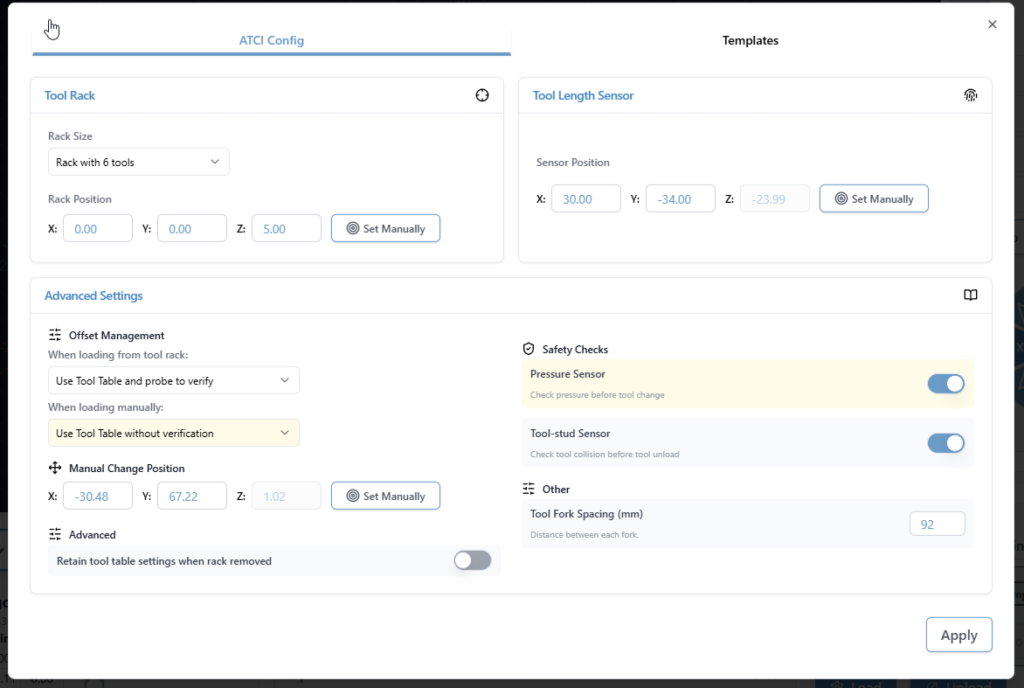
Config and Templates moves into Accessory Installation Wizard
Extremely professional placeholder images added to ATC Installation wizard while we wait for marketing
New timeline look
New machine profiles & grblHAL Core support
Updated AltMill 4×8 machine profile
Added support for new/remapped firmware values and keys for grblHAL Core
Config automatically adapts based on firmware version
Affects EEPROM-related areas including:
Restore Defaults
Config Tool
Outline improvements
Outline process improved – should be faster, should work better for all types of files. Travel direction is always consistent.
Added new option – Rapidless Square – which computes a bounding box of only the cutting movements (G1/G2/G3) and ignores G0.
Can now configure outline to use custom feed rates and G1 rather than G0 (Thanks, kieraneglin)
Inner islands no longer considered when generating hulls for details outline – so file outline should be more consistent overall
G0 ignored, just outline cutting motions
Config updates
Various logic changes to config area to improve performance
You should notice the population of entries and search to be more performative
No delay when connecting on the config page
Various improvements & fixes
Selecting the current jog preset now resets values back to configured defaults
Config imports are validated before being applied
Diagnostic PDF now clearly shows when disconnected data isn’t available
Improved Run Check on Load workflow:
Prompts before enabling check mode and running the file
Probe corner can now be changed directly in the Run Probe dialog
Warning shown when using a non-default corner (no more probing the wrong spot)
Improved grblHAL flashing UX
Spindle selection now updates correctly when configurations change
Fixed connection widget interaction issues when dropdown menus are open
Alarm descriptions now pulled directly from grblHAL firmware
Various Dark Mode polish improvements
Fixed diameter parsing for DeskProto rotary files (for real this time). This must be toggled on inside the config section under “Rotary Diameter offset”
grbl Rotary – can now pass A through natively rather than always hijack Y when rotary mode switched off. This is mostly for compatibility with fluidNC/non-standard grbl variations that natively support A axis commands.
Camera cube added to visualizer in surfacing and rotary surfacing tools
No longer show the special animation for spindle/coolant when disconnected and spindle/coolant state is indeterminate
Download
gSender Edge is beta software, so expect the occasional rough edge. You can safely install gSender and gSender Edge side-by-side.
Huge thanks to everyone testing Edge and sending feedback — it directly helps shape the final 1.6.0 release.
gSender 1.6.0-Edge-3 is rolling out with a solid set of improvements and long requested fixes.
We are approaching the feature freeze for 1.6.0, so most remaining work before the March release will focus on stability, polish, and small behaviour adjustments. It’s likely we have one more Edge release that’ll prioritize various bugs and remaining improvements. If you have been waiting to try Edge, this is a good moment to jump in. As always, reports from early testers are extremely valuable.
This update includes several notable enhancements, including major gains in load time and improvements to remote mode.
Faster load and install times
Significant changes to the packing system and build process have produced much faster startup across all tested devices.
A load time of roughly 25 seconds or longer has been reduced to about 4. Similar improvements appear on every device, including gControl.
This has been one of the most common complaints about gSender, so we are pleased with the progress and expect further gains.
Check out the load time comparisons below:
1.5.7 on PC (~25 seconds)
Edge on PC (~5 seconds)
Edge on gControl (~7 seconds)
Installation is also noticeably faster.
Silicon Mac builds, Mac Signing, and new Electron version
We’ve updated the Electron version for packaging to the latest release, which means dropping support for earlier macOS versions. The minimum OS requirements are now as follows:
macOS: Monterey (v12, released 2021) and up
Windows: Windows 10
Linux:
Ubuntu 18.04 and newer
Fedora 32 and newer
Debian 10 and newer
We are building and providing both an Intel (universal) build and now a Silicon (ARM64) version of gSender for macOS. Silicon users should notice a performance improvement.
We are now also signing our macOS builds, so hooray! Coming soon to an app store near you!
Better portrait mode
We continue refining layout behaviour to make better use of space across different display configurations.
Larger, clearer buttons in portrait mode and elsewhere
Improved spacing and alignment
More adjustments planned throughout the Edge cycle
New portrait Mode sizingNew button sizing on the gControl
A new guided installation tool walks users through setting up supported CNC accessories.
First supported workflow is ATC setup
Future plans include spindle, laser, and first time CNC setup guides
ATC configuration
The ATC configuration tool has been streamlined.
Combined and reorganized options
Improved flow and clarity
Updated interface for a smoother configuration experience
Look at all the options when it comes to ATC configuration
ATC Visualization and Tool Table
Updated colours to a designated set of 12 for better toolpath distinction. It’s now funky fresh
Tool table tool nicknames are now selectable from a database of common bits, which includes search and still the ability to type in a custom note for a specific T command.
New toolpath coloursTool table – selectable tool database
SD and FTP support
FTP support added, allowing uploads over Ethernet instead of USB only
Simplified workflow with a single refresh/list button
Automatic SD mount attempts when the tool opens
Dark mode and portrait mode updates
Progress bar improvements
Safety checks to disable the tool when connected to grbl or grblHAL devices without Ymodem or FTP support
EEPROM and configuration improvements
Added support for new settings in the upcoming grblCore release
EEPROM tool now handles all reported EEPROM settings, not only those surfaced in Config
Rotary time estimation
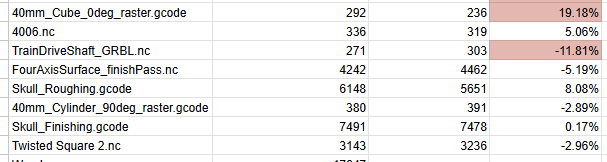
Time estimation for rotary jobs is now more accurate. Travel distance calculations now correctly account for A axis rotation, bringing estimates closer to real world results. Accuracy is approaching within 10 percent, with more refinement planned.
Some of the test file results for new rotary estimation
Visualization for rotary files has also improved. DeskProto typically sets Z to the surface and stores workpiece diameter in comments. gSender now uses that information to produce correct visualizations. Most gcode viewers cannot do this without explicit diameter data, so this is a meaningful improvement.
Better Rotary VisualizationVisualization matches end results
Remote mode
Updated look and feel
Settings now sync between desktop and remote clients, ensuring consistent preferences such as jog speeds, probe type, and units
Gamepad Updates
Fixes to certain shortcuts on gamepad firing twice, specifically the park button and probe popup
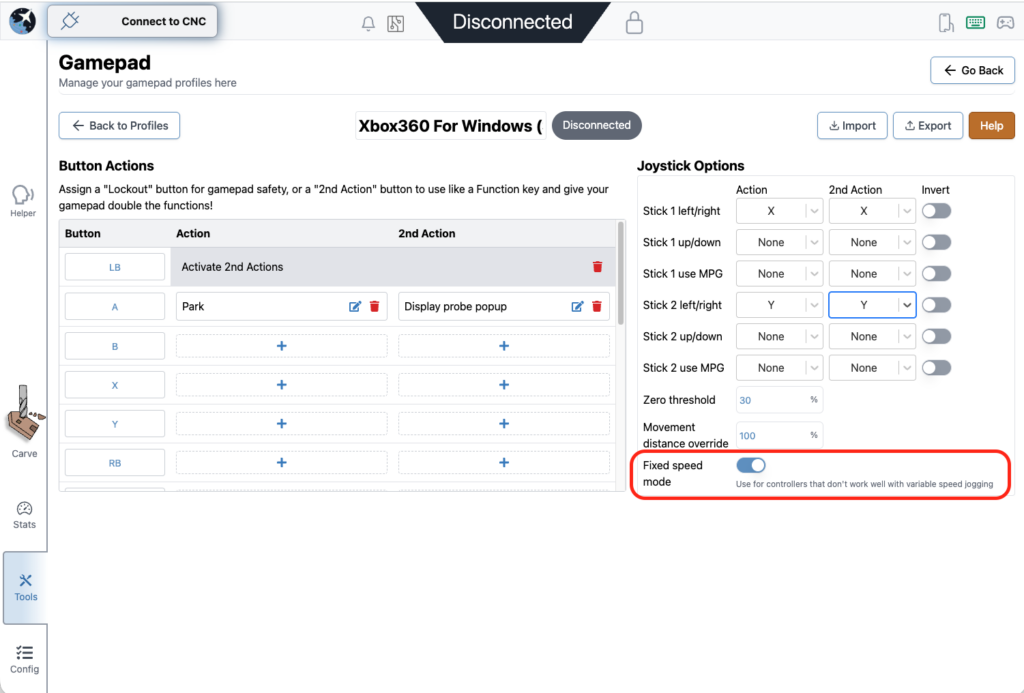
Added a new feature to disable dynamic speed and use a fixed value for thumbstick jogging
All these changes were done by a community member. Thank you for your contribution Kesmit13!
Fixed speed mode
Various fixes and improvements
ATC functionality updates
Fixed issues where tool offset was being incorrectly zeroed out on board reset
$SpindleESH now sent correctly on spindle select for core firmware
Gamepad jogging improvements, including fixed speed jogging
TLO probe offsets captured mid toolpath to keep UI elements current
Error and Alarm descriptions populated by grblHAL firmware
Helper accessible across all gSender tools, not only the carve page
Optional prompt on program close to prevent accidental exits
AltMill 4X8 machine profile added
Now using grblHAL error and alarm descriptions throughout the application
AltMill ZxY plus Spindle configurations removed
Added probe profile for BitZero 2 probe block (thanks Krudoy)
Download
gSender Edge is beta software, so expect occasional instability. You can install both gSender and gSender Edge side by side.
Thank you to everyone testing Edge and sending feedback. Your reports help shape the final 1.6.0 release.
We’re excited to announce the release of gSender v1.5.7, a version focused on refining performance, fixing long-standing quirks, and adding new functionality to make your CNC workflow smoother than ever.
Check below for a full list of changes. Updates are available via Github or follow the update prompts in-app on gSender startup.
v1.5.7 Changelog
Fixed issue with start job shortcut not firing in some situations.
Park shortcut now persists between sessions.
Unlock button now has same logic as large Alarm unlock button for Alarm 10 and 17 where it will reset and unlock for you.
Corner selection hidden for Z-only probe type.
Squaring tool calculations for custom distances are now correct.
Added support for Teensy boards in recognized devices.
Error line reporting mismatch fixed.
Stopping on start event codes should now correctly clear the planner and reset the board.
Added cut depth validation to Surfacing tool.
Auto-reconnect should work for Ethernet again.
Added import/export functionality for gamepad profiles.
Homing location now shows correctly on stats page.
Fixed issue with terminal history order.
Added new config option to run check on a file when it’s loaded in.
Fixed issue with rapid position shortcuts not memoizing positions.
GRBL spindle max/min again correctly updates the eeprom on change.
Config search behaviour updates to be more consistent with modified flag enabled.
Probe shortcut no longer causes an error 2 due to stale distance modal.
Rapid position shortcut no longer has a stale homing location value.
gSender 1.4.0 is now released, officially supporting grblHAL, rotary cutting and much much more!
The official theme for this update was fundamentals, which means improving and iterating on existing features to address any shortcomings, reliability issues, or add long requested functionalities.
As always, thank you to everyone involved in using, testing and giving feedback on Edge releases over the past 4 months. We’ve been working hard to address your feedback and are excited to bring these new features over to the general userbase!
Without further ado, let’s get into this update!
A New Spin on Carving – Rotary Support
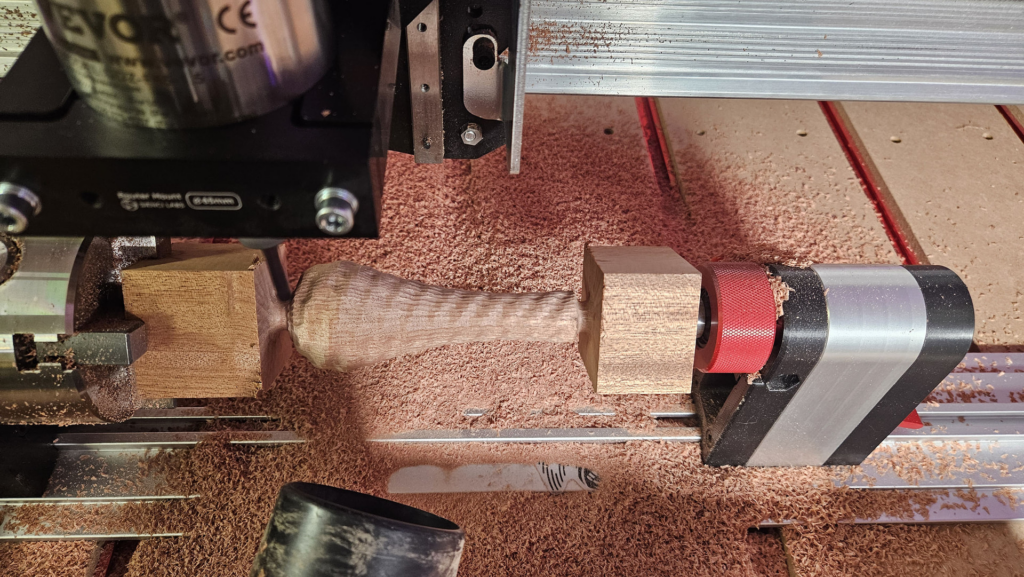
Turning to some positive news, we’re finally bringing support for Rotary axes on both grbl and grblHAL based controllers into gSender! Whether you own the Sienci Vortex or some other rotary solution, gSender has you covered in everything you might want to do.
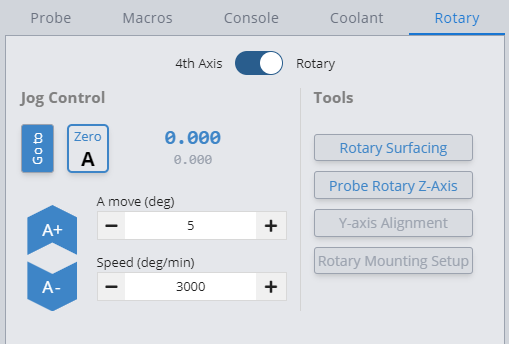
Once enabled in preferences, the user is able to control, probe, surface and carve using the A axis!
#image_title
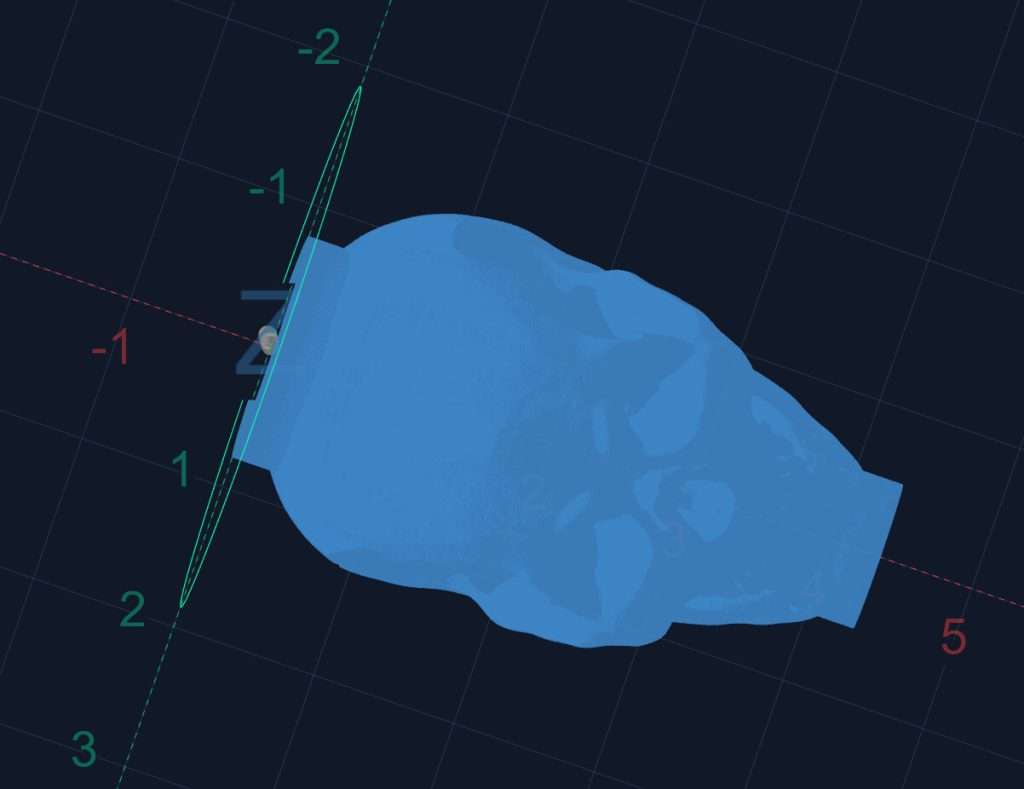
We’ve also updated the visualizer to better show the final result – so you can see your A-axis carving in all it’s glory!
Pushing Your Buttons – Better Gamepad Functionality
We’ve expanded and changed how gamepad works to give the user a whole host of new options for controlling their machine.
Joysticks are now able to jog the machine along any axis with variable speeds based on how far you’re moving the joystick.
We’ve added a new MPG mode which will let the user jog in a specific direction by rotating the joystick similar to physical MPG units.
There is also new alt modifiers for gamepad buttons, letting you map multiple functionalities to a specific button. Users are also able to assign a lockout button, preventing any gamepad buttons from firing until it is unlocked again.
Finally, we’ve altered the workflow for setting up a gamepad, letting the user map an action to a button instead of the opposite. We hope this lets users set up their new controllers quickly and easily and get back to cutting.
What did I just do? In-depth Job Stats and Maintenance Reminders
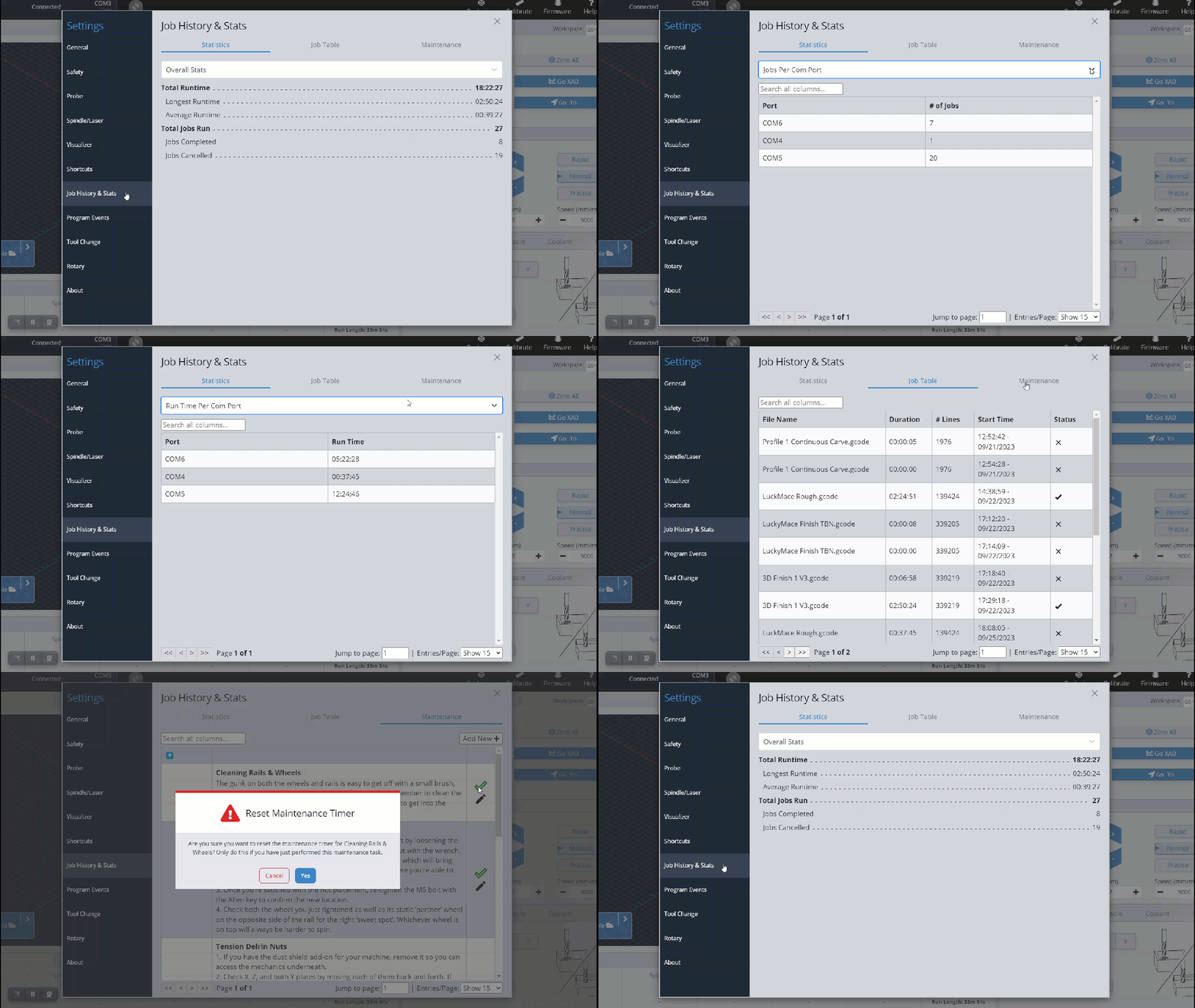
We’ve greatly expanded the job stats section to give you even more information about past jobs. Not only do we now track time run per com port, there is more in-depth tracking of individual jobs and any problems encountered.
We’ve also added maintenance reminders to keep you on track for keeping your machine in tip-top shape. Reminders are set up with expected run time before needing completion, and once you’ve approached that warning you’ll start to get reminders. Maintenance reminders are entirely customizable – set up your own tasks to keep on top of anything personal to your workflow.
Some Old Favourites and New Favourites
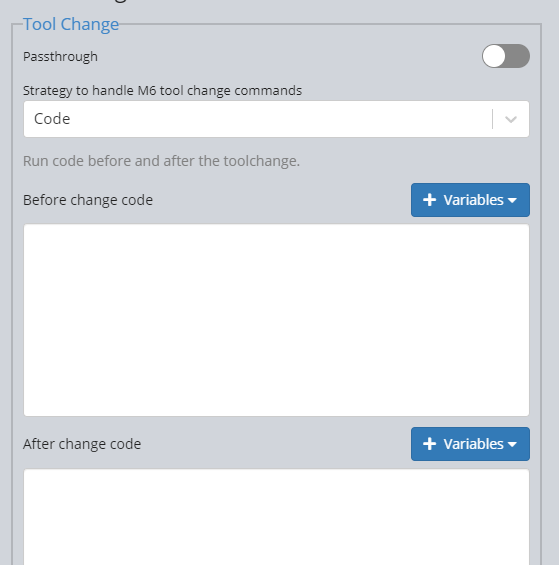
We’ve brought back code blocks for tool change to much fanfare!
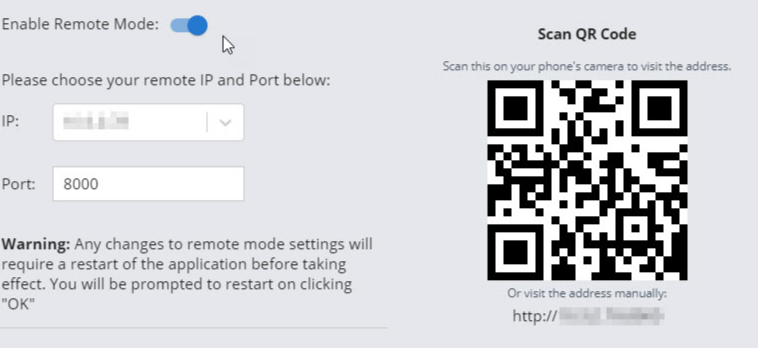
Remote mode has received a number of improvements, including workflow controls and unit selection on the remote interface on phone screen size and a QR code in-app for easier navigation on your handheld device.
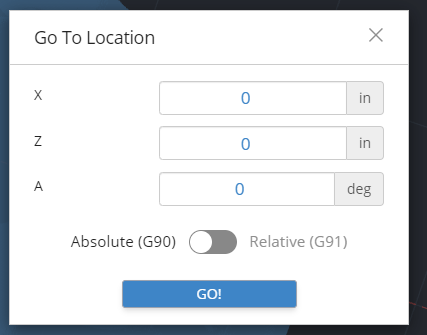
We’ve also added an easier way to go to a specific location – clicking the Go To button will now let you select a incremental or absolute position to move your machine to.
Touch Wherever You Want – Multi-corner Probing
No longer a one-trick pony, gSender now supports probing off any corner of your workpiece using both standard and auto-zero touchplates!
Selecting which corner you want is as easy as clicking a button – simply press the corner selector and the probe routine will automatically update offsets to both run and set the zero correctly at the selected corner!
Technical Notes – 32 bit no longer supported
We are officially dropping support for 32bit versions of gSender. It was a hard decision but continuing to support 32bit was a security concern for several libraries we use and we can’t be shackled long term to out of date libraries without alternatives. Version 1.2.2 should continue to work fine for the small subset of users (sub 1%) that we show as using 32 bit operating systems.
Firmware options – grblHAL Firmware Support
Our first non-grbl firmware officially supported is grblHAL – an up-and-coming solution that works on a wide variety of hardware.
Firmware flavour is selectable in the connection dropdown – by default most users will continue to use grbl, but swapping controller types is a simple click away.
We’ve updated the UI in a number of places to support all the new functionality available in grblHAL – including single axis probing, ethernet connectivity and more.
USB is no longer the only way to interact with your machine using grblHAL – so we’ve added a way to connect and run jobs using ethernet, which is more reliable overall.
grblHAL is also a bit more fluid when it comes to EEPROM options – so the firmware tool has been rebuilt to dynamically support all options are reported by the firmware itself and rebuild the table so you’ll always be able to easily update your EEPROM configuration no matter which plugins you have installed.
This is just a taste of new updates we’ve added – for all the details and changes, full notes can be found below!
Release Notes
Added Rotary Mode
gSender is now able to run 2+1 axis files on grbl and 4 axis files on grblHAL
Visualizer updated to support 4 axis rotations
A-axis DRO and jogging
Rotary probing
Added grblHAL controller support
Connect to and run jobs as normal on any grblHAL device
Connect over ethernet where hardware is supported
New grblHAL specific firmware tool that is dynamically generated based on reported settings
New UI elements where appropriate to support new functionality such as single axis homing
Gamepad improvements
Restructured logic and mapping of buttons to actions
Add secondary functionality to buttons
Added joystick MPG mode
Added lockout button to deactivate gamepad when needed
Improved job time estimation
Significantly improved initial time estimation algorithm based on machine acceleration and max speeds
Mid-job estimation uses initial estimate per line for more accurate remaining duration
Multi-corner probing – touch off any corner using both standard and auto-zero touchplates
Added Go To UI button to quickly go to an absolute or relative workspace coordinate
Clearer distinction on planned lines vs cut lines – planned lines show up as a (customizable) yellow instead of the default cut gray
Remote mode improvements
Added QR code for easier navigation to remote address on phone
Added workflow controls and unit selection to remote mode UI
Added preference to prompt on Zero to prevent accidentally resetting zero on any axis
Code block toolchange again supported
Firmware active modals now displayed in diagnostic tab
PRB values available to use in macros
Files are now parsed once per run time
Fix for DRO precision in some situations
Improved job stats area – now tracks jobs per com port, more information about each job run and the number of problems encountered
Maintenance reminders – set up and customize maintenance reminders to prompt tasks after specific run time totals have occured