
After several months of Edge releases, testing, and community feedback, gSender 1.6.0 is here.
This release represents a large step forward for gSender. Much of the work throughout the Edge cycle focused on building out deeper tooling workflows, expanding controller capabilities in order to support newer versions of grblHAL, and improving performance and stability across the application.
A huge thanks goes out to everyone who tested the Edge builds and provided feedback along the way — many of the improvements below came directly from that input.
Below is a look at the biggest changes that made it into 1.6.0.
Firmware Compatibility
This release expands compatibility with newer grblHAL firmware cores. Updates were made across the communication and configuration layers to better align with recent firmware changes and ensure gSender can properly take advantage of all new features in more recent grblHAL versions.
These improvements help maintain compatibility as the grblHAL ecosystem continues to evolve, allowing gSender to work more reliably with newer controller firmware, updated settings structures, and additional capabilities exposed by newer firmware releases.
Performance and Infrastructure Improvements
Several foundational improvements were made for 1.6.0:
Faster Startup Times
Startup performance has been significantly improved in this release.
A number of internal optimizations were made to the application initialization process, reducing the amount of work that needs to happen before the UI becomes usable. These changes include improvements to module loading, background initialization, and general application startup flow.
In practical terms, this means gSender launches noticeably faster, especially on systems where startup time was previously a concern.
For many users the application should now feel much more responsive when opening, getting you connected to your machine and ready to work sooner.
Build System Improvements
The internal build pipeline was updated, resulting in:
- Faster development builds
- Smaller packaged application size
- Improved overall maintainability
- Mac silicon version now provided and added signing for both Mac releases
Built-in G-code Editor
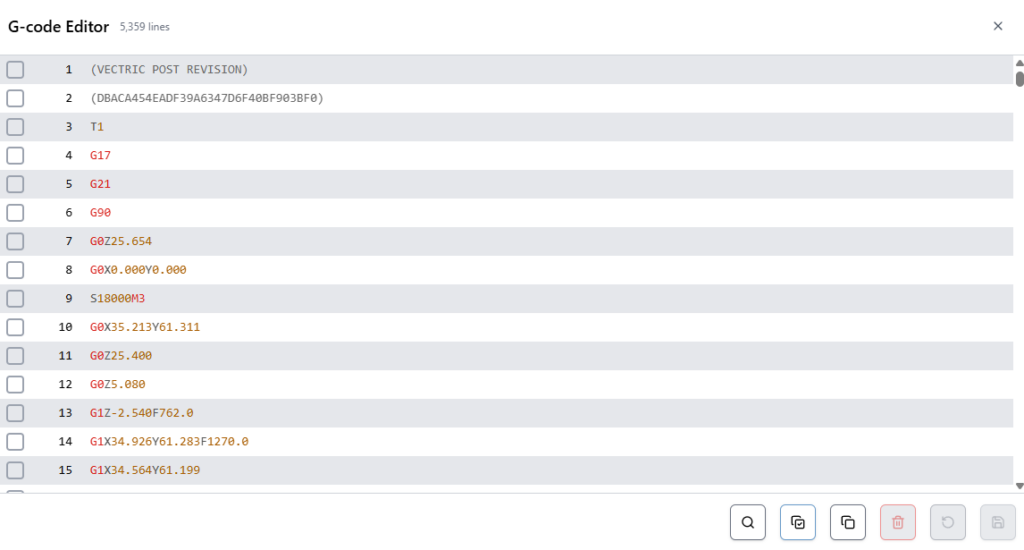
gSender now includes a built-in G-code editor for inspecting and modifying files directly inside the application.
The editor includes:
- Syntax highlighting
- Search functionality
- Quick navigation to specific terms or lines
- Basic editing and saving capabilities
The editor also acts as an additional progress indicator while running jobs, highlighting which lines have been processed.
SD Card File Management
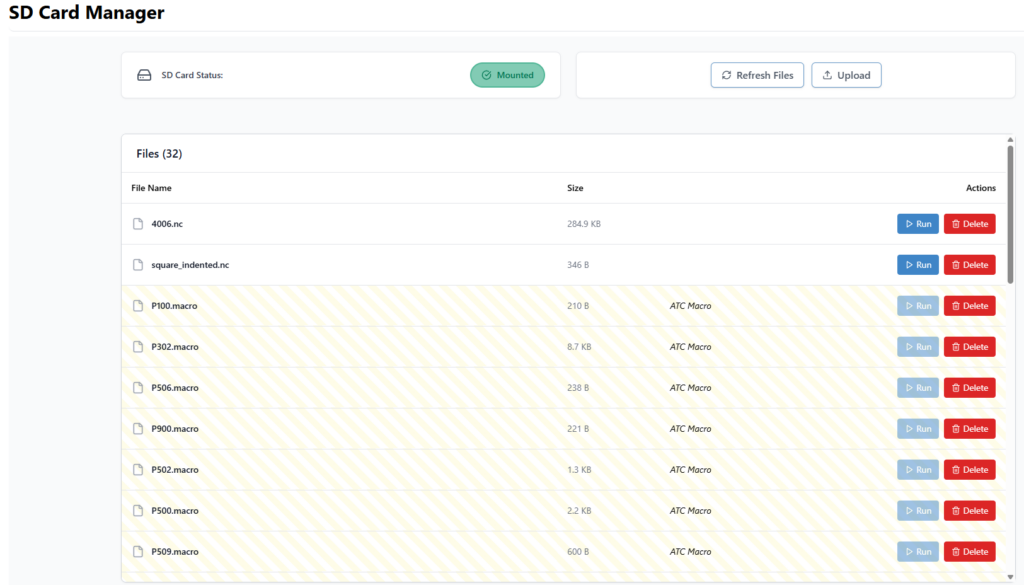
SD card functionality has been expanded significantly.
gSender can now interact directly with files stored on the controller’s SD card for grblHAL devices. It uses yModem protocol for USB connections, and FTP when connected over ethernet.
You can:
- View files on the SD card
- Upload files
- Run files
- Delete files
Files can be uploaded using drag-and-drop or file selection, making it easy to move jobs onto the controller.
When running jobs from the SD card, gSender now displays progress feedback similar to streaming jobs directly from the application.
Automatic Tool Changer (ATC) Support
One of the largest areas of work this cycle was full ATC workflow support.
gSender now includes an integrated system for managing tools, tracking tool changes, and working with the Sienci ATC more easily.
Tool Table
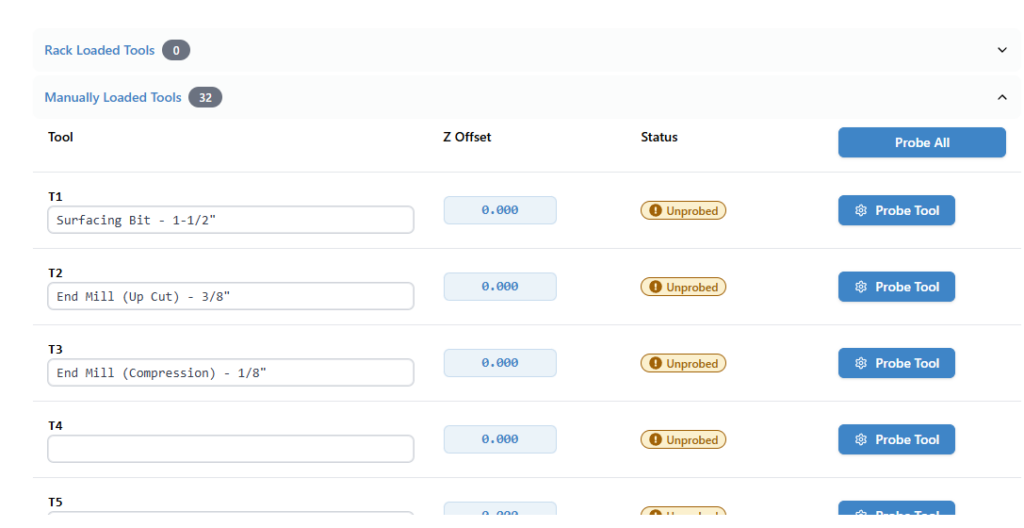
A new Tool Table allows you to manage all tool-related information in one place.
You can now:
- Store tool offsets
- Assign nicknames to tools
- Probe individual tools or complete racks
This makes it much easier to maintain consistent tool setups across jobs.
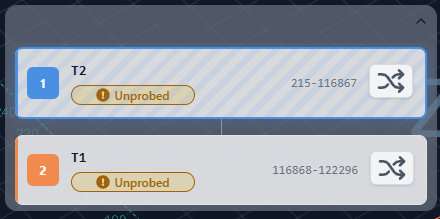
Tool Timeline
Tool changes during a job are now represented in a Tool Timeline, giving a clear view of when tool changes occur and which tool is currently active.
This helps users quickly understand multi-tool programs and track job progress more easily.
Tool Remapping
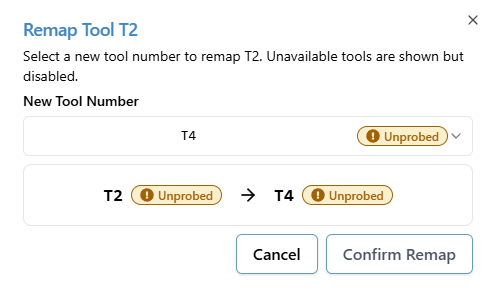
Tool remapping allows you to adapt a G-code file’s tool numbers to your machine setup without editing the file itself.
This is particularly helpful when:
- CAM tool numbers don’t match rack positions
- You want to run the same job with a different tool configuration
- Tool racks change between jobs
Remapping can now be configured directly inside gSender before running a job.
ATC Workflow Controls
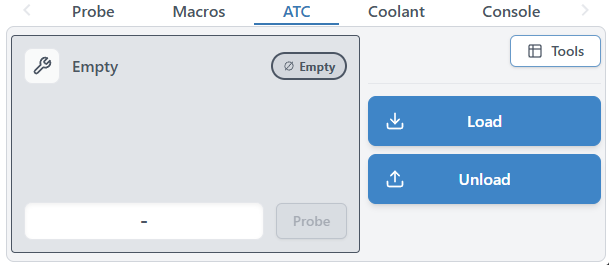
New controls were added to support day-to-day ATC operation.
You can now:
- Load tools – both manually and using the rack
- Unload tools – both manually and using the rack
These actions tie directly into ATC macros and make managing tool states much easier during operation.
Accessory Installation Tool
To make getting started with an Automatic Tool Changer easier, gSender now includes an ATC setup tool that helps guide users through the initial configuration process.
The setup tool walks through the core steps required to configure an ATC system, including importing macro templates, defining rack size and behaviour, and writing the required configuration files to the controller’s SD card. This removes much of the manual setup that was previously required and helps ensure the necessary macros and configuration files are installed correctly.
The goal of the setup tool is to simplify the process of bringing an ATC system online, reducing the chances of configuration mistakes and making it easier for users to get up and running with automated tool changes.
We’ve already also implemented a spindle install tool, to help users with setting up their spindle accessory on arrival.
Improved Visualization
Visualization has seen several improvements in this release.
Rotary Visualization Improvements
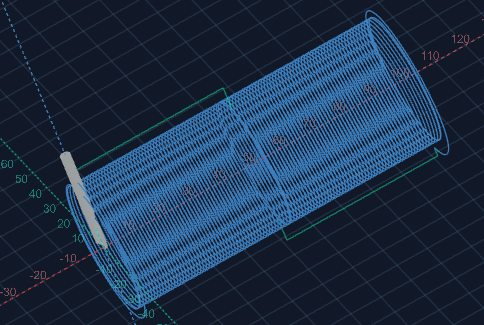
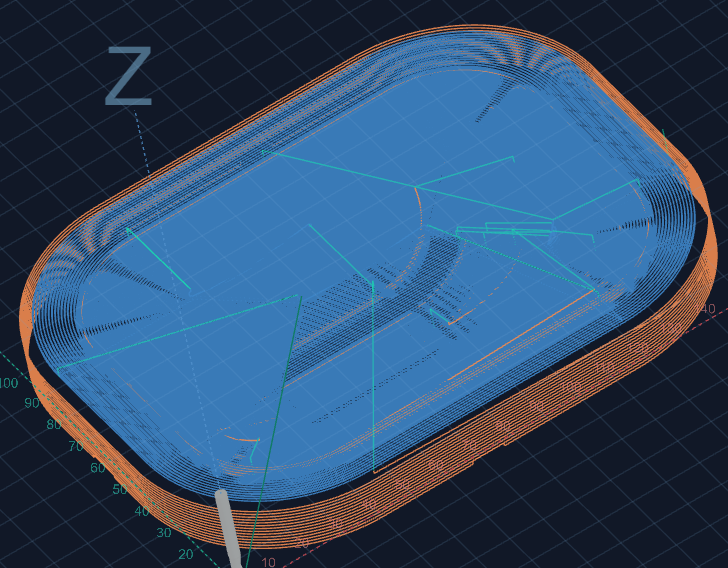
Rotary jobs are now visualized more accurately, with fixes to geometry rendering and preview alignment. This provides a much closer representation of the final machined result.
Tool-Based Visualization
Tool changes are now visually separated by colour, making it easier to follow complex multi-tool jobs directly in the visualizer. What colour represents which tool is indicated in the tool timeline.
Processed Line Display
A new option allows you to hide processed lines entirely instead of greying them out.
For long jobs this can make the preview significantly easier to read.
Improved visualization speed
Visualization parsing had significant improvments on both speed and memory usage. The end result is that users should be able to visualize larger files faster.
Benchmarks indicate about a 50% increases in visualization and a 35% reduction in memory used.
EEPROM Editor
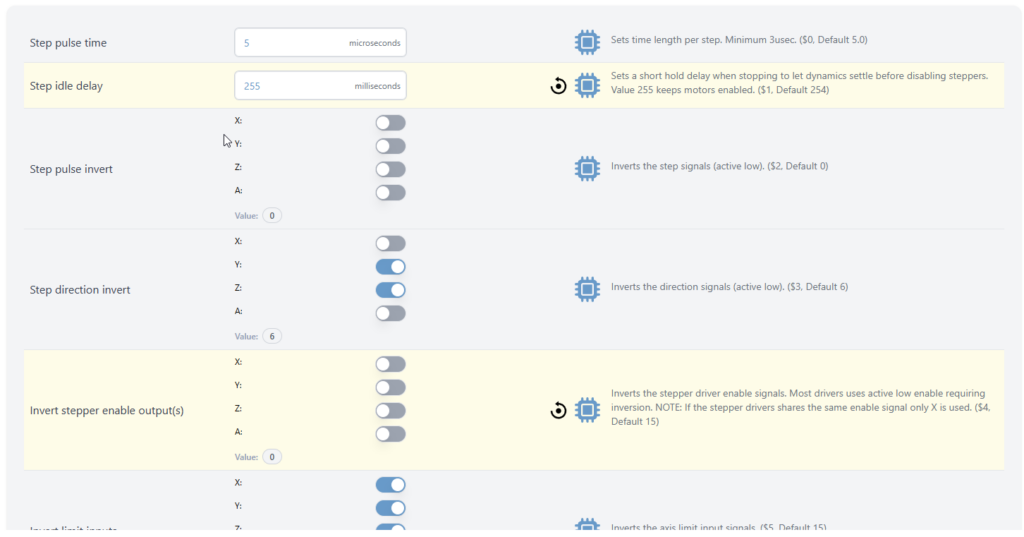
Advanced users now have access to a new EEPROM editor.
This tool allows you to:
- View EEPROM values
- Modify configuration parameters
- Search for specific settings
This replaces the older legacy firmware tool and provides a more flexible interface for working with controller settings. You can find it in the Config section of gSender.
Check Mode File Validation
A new Check Mode automation feature makes it easy to validate jobs before running them.
With this option enabled, on job load, you will be prompted if you want to check. If you select yes, gSender will:
- Enable GRBL check mode
- Run the loaded file
- Report any errors found
This helps catch issues before starting a real job.
Additional Improvements
Alongside the major features above, this release also includes a wide range of smaller improvements and fixes.
Some highlights include:
- Custom Ethernet ports are now supported
- Improved outline behaviour and new outline options (Rapidless square – generate a square that ignores G0 movements and just reflect cutting movements)
- Ethernet auto-reconnect improvements
- Better portrait mode space usage (larger buttons!)
- Remote mode – config is now accessible, settings are now synched between the main app and remote clients
- Config tool performance adjustments
- Improved job time estimates when feed overrides are active
- Improved rotary job time estimation
- Option to backup settings over specific time periods.
- M0 / M1 pauses now properly display associated comments
- Better application responsiveness on small resolutions
- Better application responsiveness/use of space on portrait mode
- Remote mode configuration access improvements
- Updated library dependencies
- Numerous bug fixes and stability improvements
- Better Config reactivity when updating options that allow new options.
- File associations so you can load a gcode file by double clicking it in your file explorer of choice.
- Functions that require the machine to have been are disabled until homing is reported by the firmware for grblHAL devices.
- Gamepad options and configuration updates – some new behaviours related to jogging.
- A number of other behaviour and performance tweaks and fixes
Thank You
This release wouldn’t have been possible without the community members who tested the Edge builds, reported issues, and provided feedback throughout the cycle.
Your input helped shape many of the features and refinements included in 1.6.0.
As always, if you run into any issues or have ideas for improvements, we’d love to hear from you.