

gSender 1.6.0 Edge-4 is now out, bringing a solid round of improvements, fixes, and general polish.
We’re officially in the part of the Edge cycle where the focus shifts away from big new features and toward testing, optimization, and cleanup. A lot of this release is about making things faster, smoother, and more reliable based on feedback from everyone testing Edge so far.
If you’ve been waiting to try Edge, this is a really good time to jump in. As always, reports from early testers are extremely valuable.
Visualizer parsing improvements
This release includes a major rewrite of the file parsing and visualization worker used when loading G-code files.
Performance gains:
- ~55% faster visualization time for most files
- ~75% faster visualization for rotary files
- ~35% less memory usage for typical files
- ~86% less memory usage for rotary files
What this means in practice:
- Bigger files load faster
- Less RAM usage while previewing
- Much better handling of large jobs
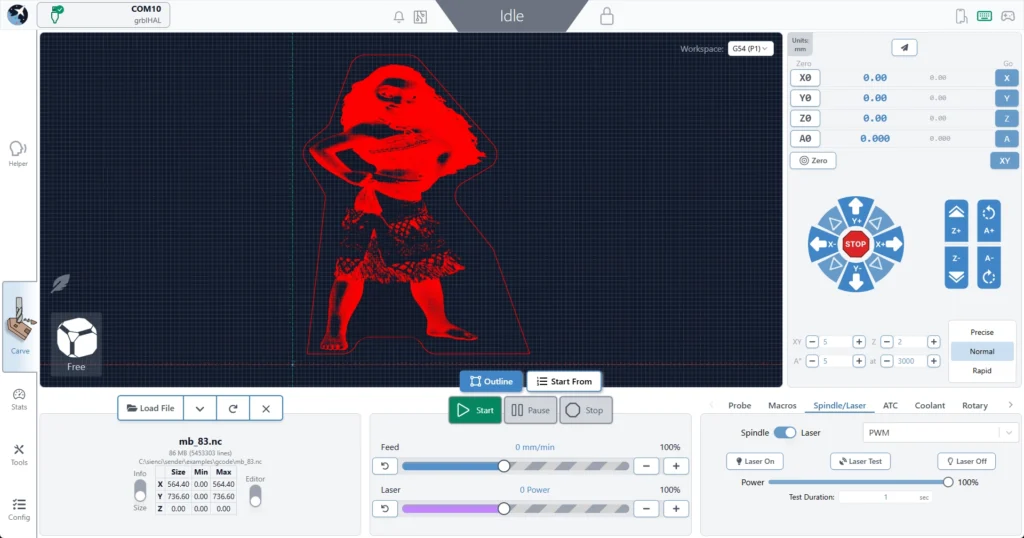
For reference, we successfully loaded an 85 MB / 5.5 million line file, which wasn’t possible in previous versions.
If you want the full breakdown of what changed:
Connection and Alarm handling flow improvements
- Connection process is generally smoother and more reliable
- Better handling of reconnect scenarios
- No resets in the connection workflow
- Should reduce Alarm 14 and error 1s on connection and clearing alarms
- We no longer assume ethernet is always grblHAL, so fluidNC/non-vanilla grbl users connecting over ethernet should properly fallback to grbl if configured as such
Responsiveness
- Better support for smaller screens
- Wide-but-short resolutions (like ~13xx × 7xx) should no longer cut off UI elements
- Fixed some Remote Mode responsiveness regressions
- Cleaner spacing in the top bar on smaller displays
Packaging
- Fixed slow startup on AppImage builds caused by ASAR compression
- Continued build pipeline cleanup
- Smaller installs overall
- Example: Mac .app size reduced from ~550 MB → <400 MB
ATC – status updates and other
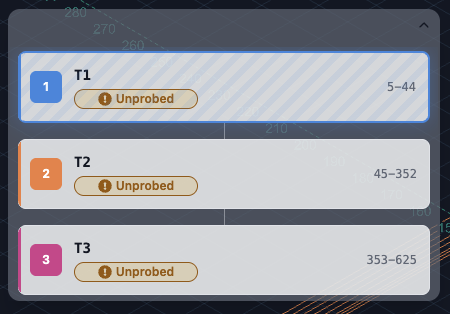
- Probed, unprobed, and off-rack/manual states are now separate statuses
- You can always see both offset status and manual/off-rack state when applicable
- Tool Timeline received a visual refresh for better clarity and information layout
- Tool nicknames are now included anywhere a tool number is shown in the UI
- Config and Templates moves into Accessory Installation Wizard
- Extremely professional placeholder images added to ATC Installation wizard while we wait for marketing
New machine profiles & grblHAL Core support
- Updated AltMill 4×8 machine profile
- Added support for new/remapped firmware values and keys for grblHAL Core
- Config automatically adapts based on firmware version
- Affects EEPROM-related areas including:
- Restore Defaults
- Config Tool
Outline improvements
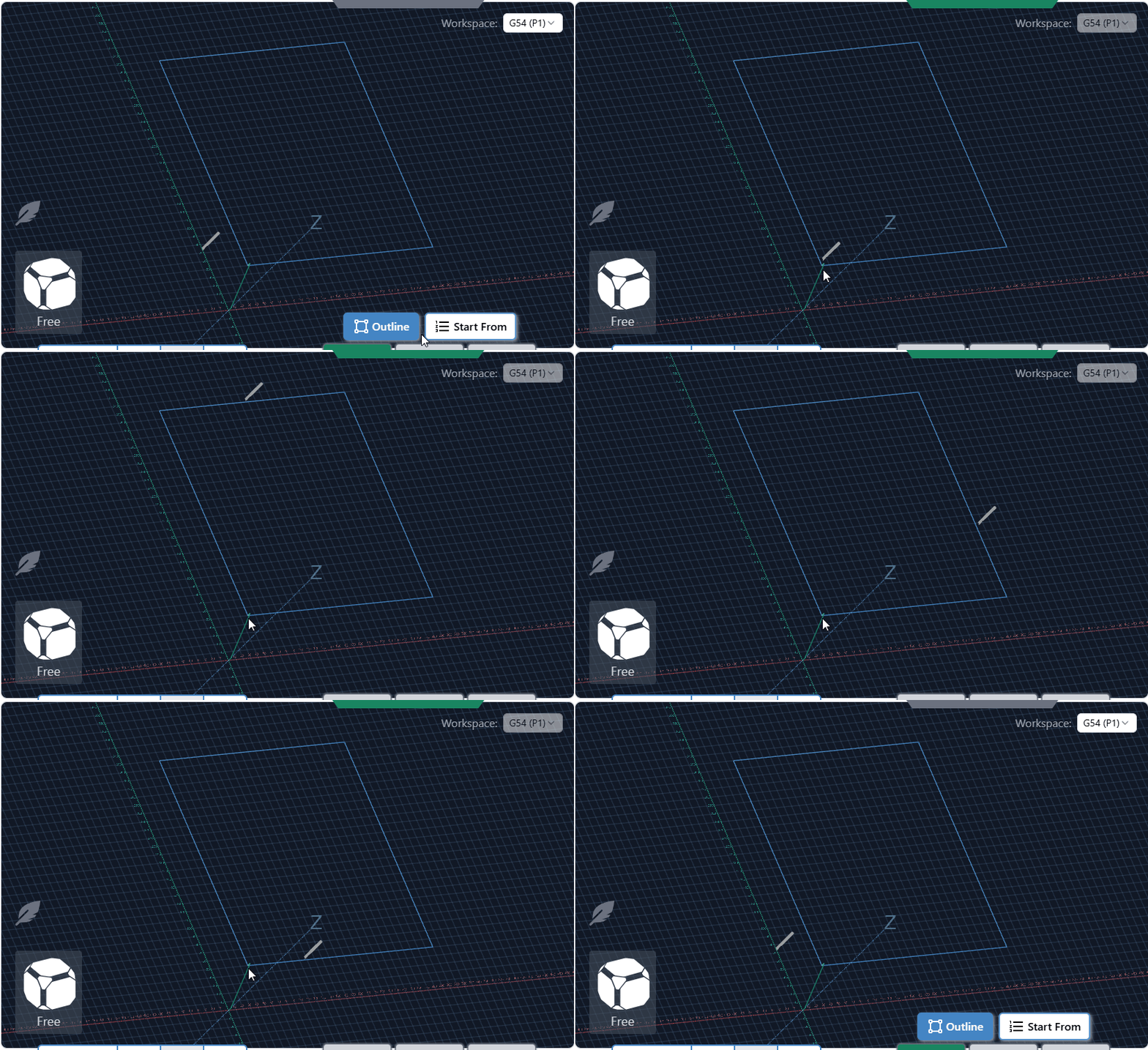
- Outline process improved – should be faster, should work better for all types of files. Travel direction is always consistent.
- Added new option – Rapidless Square – which computes a bounding box of only the cutting movements (G1/G2/G3) and ignores G0.
- Can now configure outline to use custom feed rates and G1 rather than G0 (Thanks, kieraneglin)
- Inner islands no longer considered when generating hulls for details outline – so file outline should be more consistent overall
Config updates
- Various logic changes to config area to improve performance
- You should notice the population of entries and search to be more performative
- No delay when connecting on the config page
Various improvements & fixes
- Selecting the current jog preset now resets values back to configured defaults
- Config imports are validated before being applied
- Diagnostic PDF now clearly shows when disconnected data isn’t available
- Improved Run Check on Load workflow:
- Prompts before enabling check mode and running the file
- Probe corner can now be changed directly in the Run Probe dialog
- Warning shown when using a non-default corner (no more probing the wrong spot)
- Improved grblHAL flashing UX
- Spindle selection now updates correctly when configurations change
- Fixed connection widget interaction issues when dropdown menus are open
- Alarm descriptions now pulled directly from grblHAL firmware
- Various Dark Mode polish improvements
- Fixed diameter parsing for DeskProto rotary files (for real this time). This must be toggled on inside the config section under “Rotary Diameter offset”
- grbl Rotary – can now pass A through natively rather than always hijack Y when rotary mode switched off. This is mostly for compatibility with fluidNC/non-standard grbl variations that natively support A axis commands.
- Camera cube added to visualizer in surfacing and rotary surfacing tools
- No longer show the special animation for spindle/coolant when disconnected and spindle/coolant state is indeterminate
Download
gSender Edge is beta software, so expect the occasional rough edge. You can safely install gSender and gSender Edge side-by-side.
Huge thanks to everyone testing Edge and sending feedback — it directly helps shape the final 1.6.0 release.
You can find our Edge releases on GitHub:
https://github.com/Sienci-Labs/gsender/releases/tag/v1.6.0-Edge-4