

The AutoSpin T1 is an exciting new product designed to mash spindle capabilities with a traditional router. In a way, you can think of this as a replacement for the Makita RT0701 router that has been the staple for so many hobby CNC machines.
It also serves as an intermediate product for users considering a spindle. The AutoSpin T1 offers speed control and on/off functionality through a signal cable similar to a spindle, which allows several benefits including:
- Improved safety, as the router can turn off when a cut finishes or is cancelled
- On the fly router speed control, allowing users to change the speed without touching the router
- Added convenience of being able to automatically turn on when a job starts
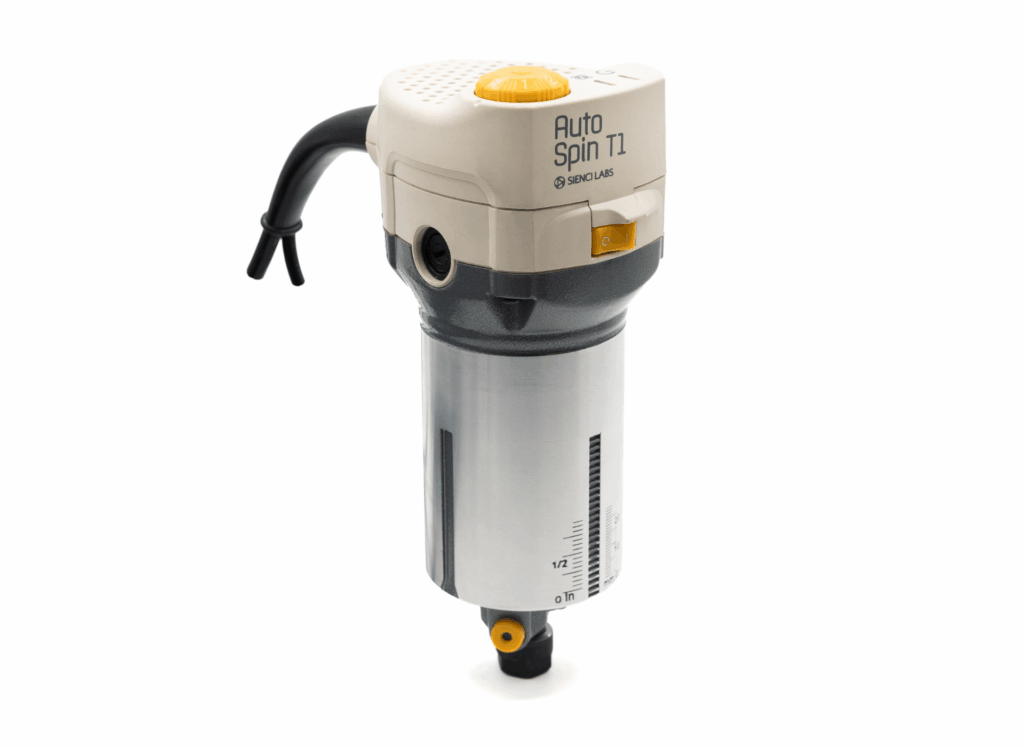
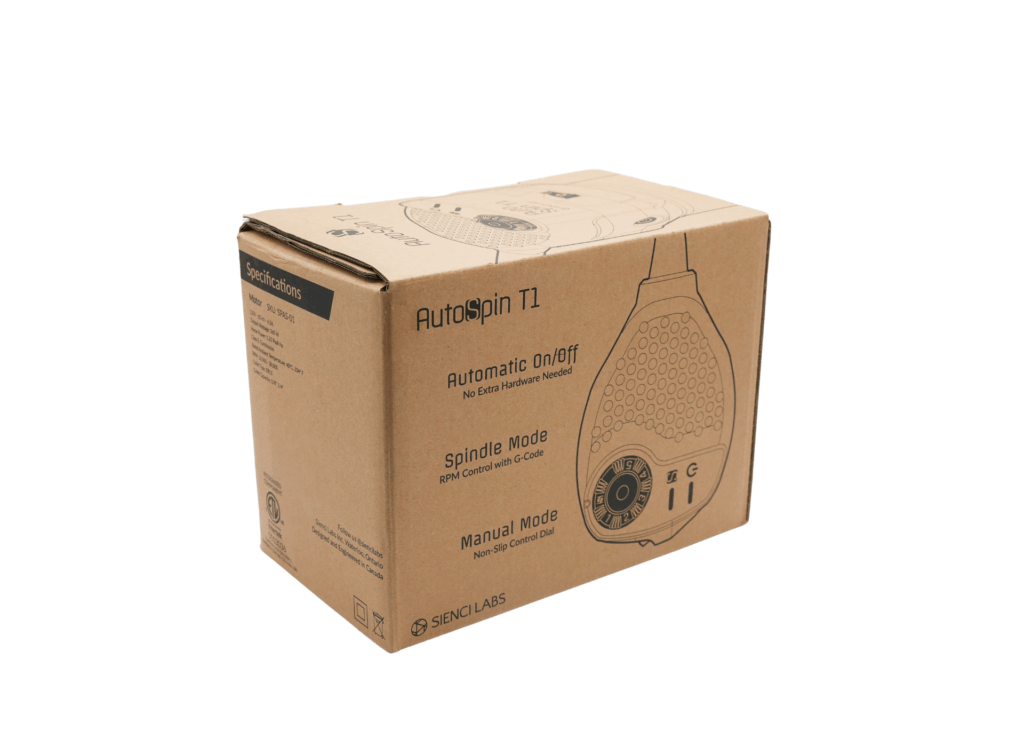
While spindle systems have continued to gain in popularity, many entry level CNC machines still continue to use a Makita RT0701 or similar style router. The AutoSpin T1 aims to cater to our most entry level and budget-sensitive group of users.
We initially designed this with the LongMill in mind, but we also recognize this style of router is commonly used in other machines, including Shapeokos, Onefinitys, XCarves and more. With the help of some of our broader community members, we’ve tested the AutoSpin T1 compatibility with many other hobby CNC machines, which means we can bring this technology to many more people.
Development
Although the concept behind the T1 is simple, this project is a culmination of many, many months of research development.
One of the key reasons for us to develop this router started when we experienced a small batch of Makita RT0701 routers having overheated bearing issues. We found that after a few minutes of use, some Makitas would have extremely hot collets, which we suspected was due to friction from the bearing holding the shank. Upon autopsy of the routers, we found that Makita started using bearings from two different manufacturers, one of which was the root of some of the overheating problems.
This actually became such a growing issue that we actually ended up discussing bearing issues with product managers at Makita. We also did a ton of research and testing on different bearings and styles to ensure that when we went to build our own router it would not have the same issues. Given that we bundle a Makita router with most of our LongMills, we knew that we would have a large enough volume of AutoSpin routers to produce as replacements, which provided the motivation to develop our own.
Up to this point, the Makita RT0701 has, and still continues to be an extremely reliable router. We’ve had very few issues overall, even counting the overheating bearing issues. While we initially considered moving away from the universal motor system that the Makita uses, we eventually came back to the same system given how reliable, well used and inexpensive it was compared to other systems.
Speed Control Optimization
One of the most powerful features of the Makita router is its ability to compensate for load changes. With a traditional, uncontrolled motor, as soon as a load is applied, the speed of the motor goes down. In a CNC application, the load on the motor changes constantly, but the speed of the motor must stay the same to ensure that the chipload of the end mill can stay the same. This is especially difficult because the slower the end mill turns, the higher the load on the motor gets, which means that with an uncontrolled motor, a stall can happen pretty quickly under heavier loads.
What we found was that the speed control of the Makita router was actually extremely good, with compensation happening less than 3/10ths of a second.
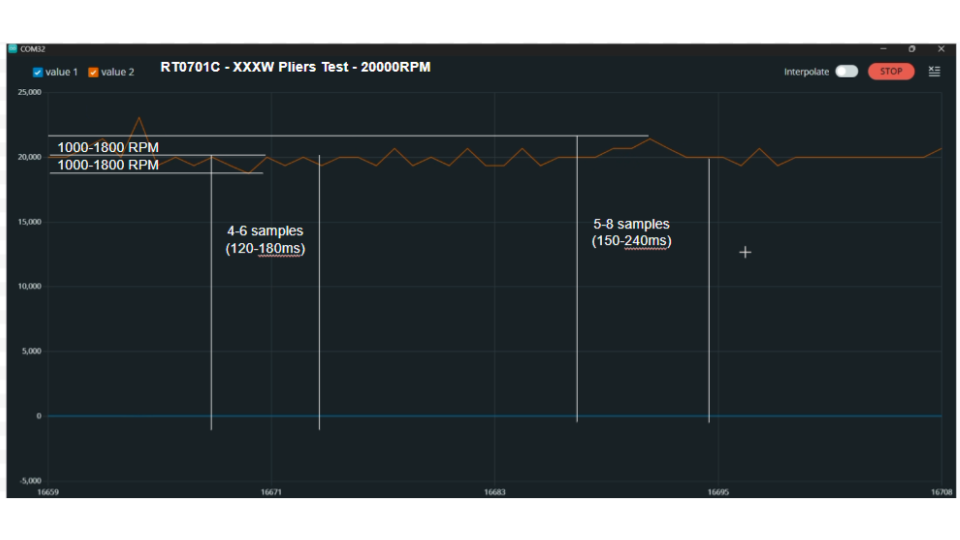
Given that we were working on building our own custom electronics to allow for the use of PWM speed control, a lot of tuning went into the motor to ensure a fast response.
Lastly, with regards to PWM control, we also found out that we needed to ensure that our electronics supported a wide variety of PWM signals. We found that each controller had a different signal speed, which meant that we needed to ensure the motor controller itself needed to be able to interpret the signal reliably.
CNC Compatibility
Given the popularity of the Makita RT0701, we naturally built the body size of the router at 65mm and most of the shared dimensions. However, differences include:
- A longer cable
- Detented speed potentiometer
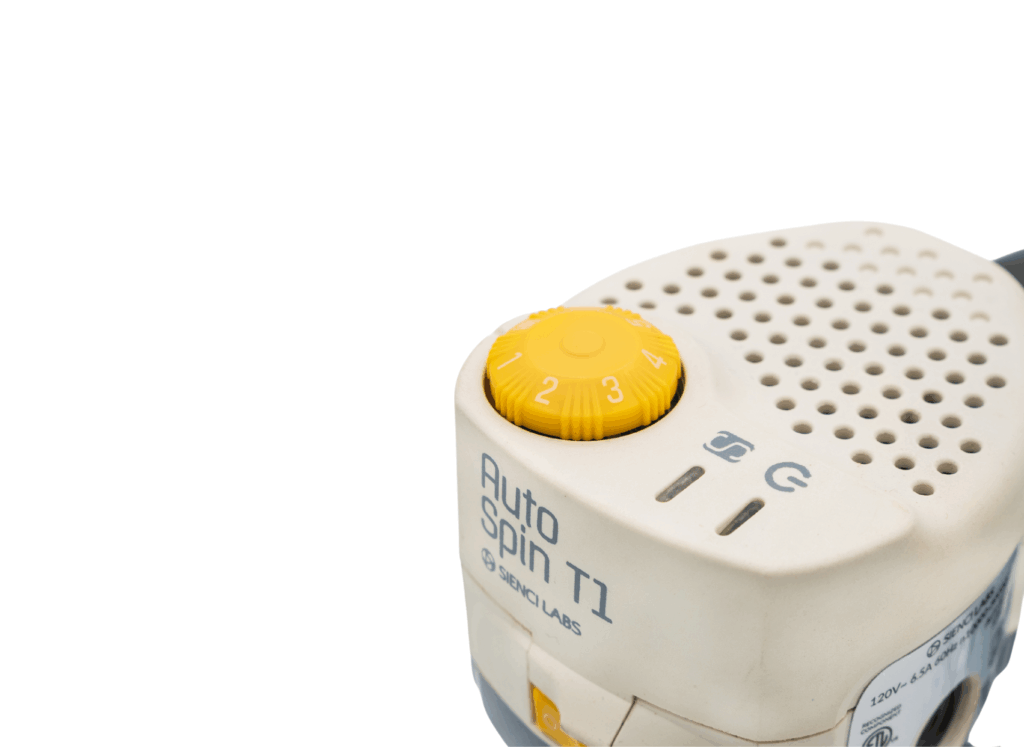
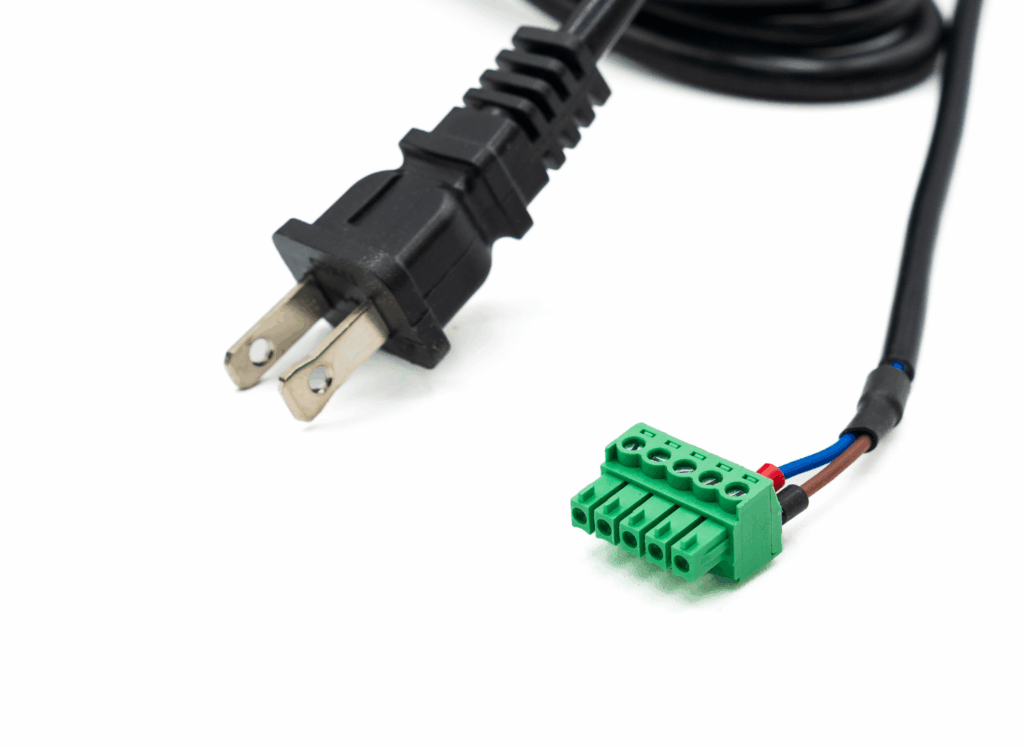
Additionally, we’ve created the wiring for the PWM signal cable to be adaptable with factory provided plugs to allow plug and play functionality with most common hobby CNC machines. Users can also hardwire their PWM signals.
Safety Compliance
To ensure that the product is safe and can be sold in North America, the AutoSpin T1 has been certified under UL1004-1 standards. Additionally, we believe that the AutoSpin is safer than the typical router, as it can be shut off and turned on remotely through the controller, which means that if the machine needs to be stopped in software, the controller can (and should) be configured to turn off the router automatically as well.
Who is this for?
The AutoSpin T1 is directed as a default option for low to middle end hobby CNC machines or a drop in replacement for hobby CNC machines that already use a similar 65mm size router. Here are some of the key features:
- ER11 collet system, allowing for use of a standardized and readily available collet system
- Higher quality bearings ensuring smoother operation and longevity over budget routers
- Signal wire, allowing most hobby CNC controllers to control On/Off and speed between 10,000 to 30,000 RPMs, as well as the ability to be controlled manually
- Longer AC cable
Controller Compatibility
The AutoSpin T1 has been tested with:
- Masso controller
- Buildbotics controller
- The LongBoard (found in the MK1 and MK2)
- SLB and SLB-EXT
- Carbide 3D controller
Thank you to our beta testers for their testing and feedback!
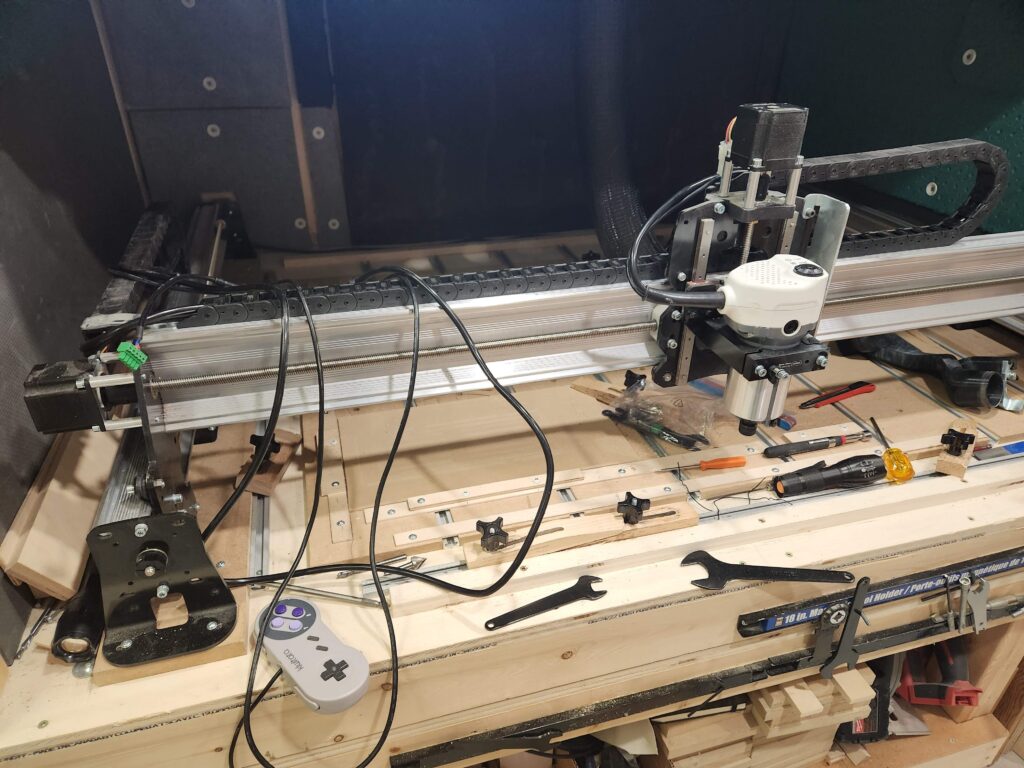
Virtually any controller that has a 5V PWM output for spindle control will work with the AutoSpin T1.
The AutoSpin T1 can also work independently without using the controller for speed control. The AutoSpin T1 can be turned on and off, and have the speed be controlled with the potentiometer dial at the top of the router. To ensure reliable operation in manual mode, the potentiometer dial is detented, which prevents the dial from moving during cutting and high vibration operation.
Spindle vs AutoSpin T1
There are notable similarities and differences between spindles and the AutoSpin T1 that can help you determine what is right for you:
- Spindles are generally more expensive than the AutoSpin
- Spindles require more complicated wiring and setup
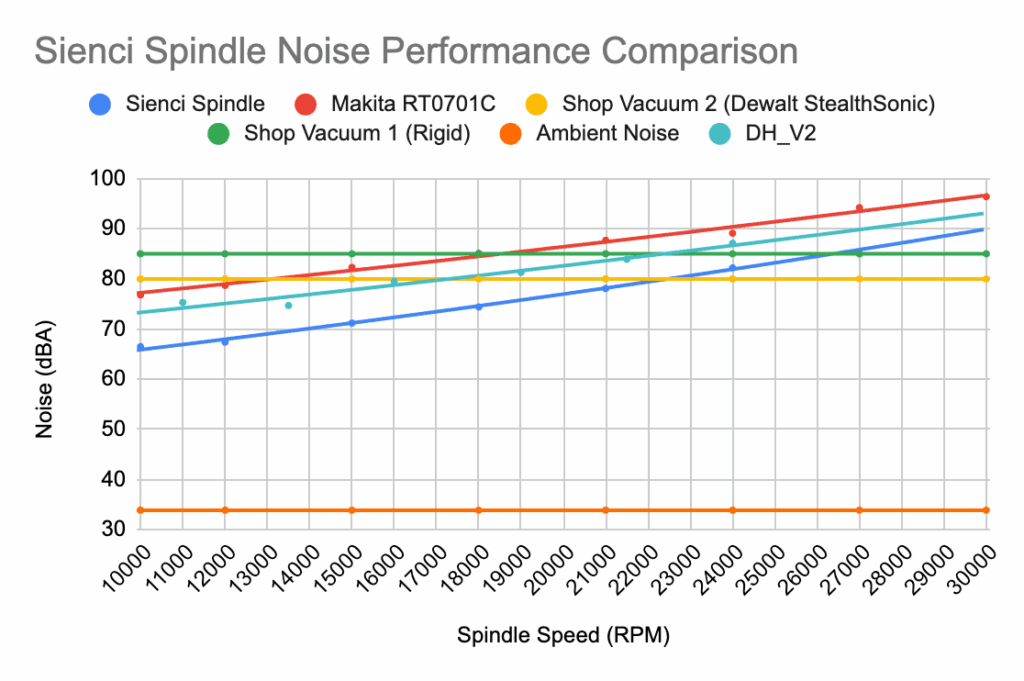
- Spindles are generally quieter and efficient, and can output more power
- Both can be turned on and off, as well as have their speed controlled by the CNC controller
The AutoSpin T1 is best for users who:
- Want to have their setup be as simple and compact as possible
- Already use and are happy with the power and versatility of a router
Addressing Power Ratings
One of the biggest general considerations users will make between a router and spindle will revolve around power ratings. We believe the way that power ratings are advertised in the industry can be misleading and don’t tell the full picture of how a motor performs in real life.
Wattage: Most spindles and routers will have a power rating in watts. Common wattages are 1.5KW and 2.2KW for some entry level spindles. For the Makita RT0701, you’ll see 1.25HP as the rated power. For all of these ratings, they typically indicate the peak input wattage. This indicates the maximum amount of power the motor can handle for a short period of time. This doesn’t indicate how long it can handle it for or under what conditions.
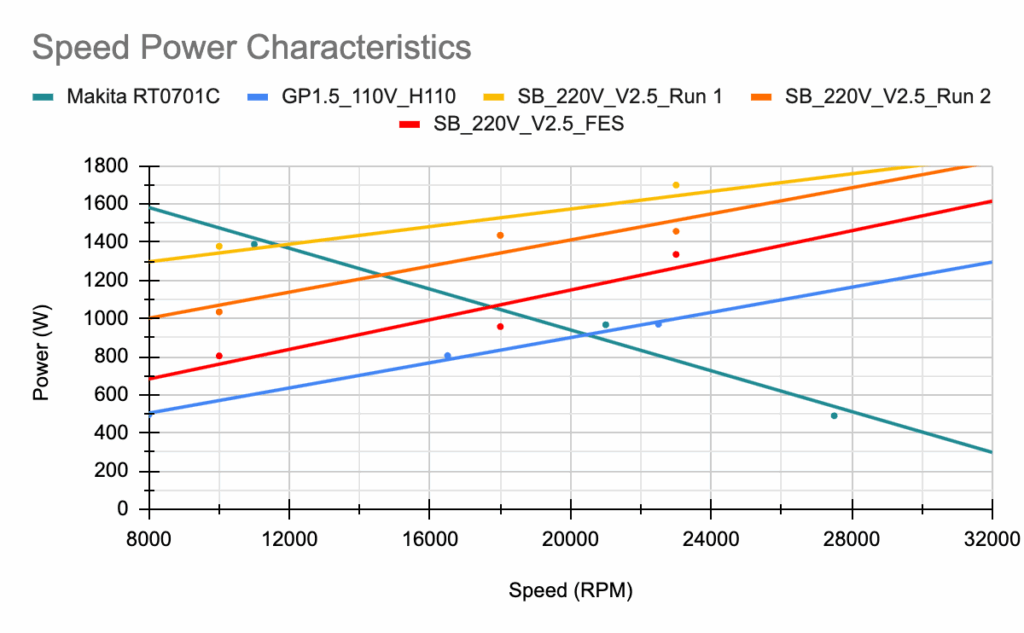
Like car engines, there is a relationship between power output, torque and speed. In a standard 3 phase spindle, torque generally remains flat in the operating speed of the motor, and only reaches peak output power at its maximum speed. This means that the spindle at a lower RPM does not fully use its capacity.
For the universal motor in the AutoSpin T1, the torque of the motor is highest at its minimum RPM, and diminishes as the speed increases.
In practice, this means that a router can actually perform quite well, especially at lower speeds. As you can see in the graph, the green line shows the line power output of the Makita RT0701 and the blue line shows a typical 1.5KW spindle. And as we’ve noted in our tests, the cutting performance actually lines up with the tests, where it is easier to stall a spindle at low RPM compared to a router.
Another thing to note is the rating system used for power tools in general. You can often see tools rated for 1.25HP, 2HP, and even 3HP at times. Based on a typical 120V 15A outlet found in North America, we can reasonably expect 1800 watts, or about 2.4HP. The reason why power tools can be rated so high is because a circuit can handle above 1800 watts momentarily without the circuit tripping. So as we mentioned earlier, these ratings are for peak power, not average or constant power.
Due to this, in the eyes of the certification, the motor is only “rated” for an output of approximately 350 watts at 30,000RPM, even though in practice, this can vary widely.
All this is to say that in practice, when working with typical tooling up to ¼” (which is what we expect most users to be working with the ER11 collet system) users will find the power of the AutoSpin more than adequate.
Makita RT0701 vs AutoSpin T1
There are also some notable similarities and differences between the Makita RT0701 and AutoSpin T1:
- The cable on the AutoSpin T1 (14ft / 4.3m) is longer than the Makita RT0701, which makes it more suitable for CNC machine use.
- Both use similar components and have very similar form factors.
- Both have a 65mm diameter body, making it compatible with any 65mm router mount.
- The AutoSpin T1 can be controlled with a PWM signal, found in most hobby CNC controllers. This allows the AutoSpin to be turned on and off by the controller, plus, it can adjust and change speeds on the fly.
In a way, the AutoSpin T1 is an improved version of the Makita RT0701 and serves as a drop in replacement for customers who want to add features to their machine with minimal changes.
Production Schedule
Beta testing was conducted and concluded in mid-2025.
We are now in production for the AutoSpin T1. We expect units to arrive late January and to start shipping out by mid-February.
Pricing
The AutoSpin T1 router is positioned at a competitive price point to the Makita router: $149 USD / $199 CAD (vs $119.99 USD / $165 CAD.)