

gSender 1.7.0-Edge-2 is now available for testing. This adds a number of new features, improvements, and expands on the plugin system and plugin SDK to give developers more freedom in their plugin development.
We’re very excited about some of the new features like the g-code stepper and improvements to the Plugin system and visualizer.
Your feedback is important, so all comments on each Edge version are taken to heart among the team and acted on as needed.
As always, Edge is beta software – if you are afraid of something going wrong, do not opt into using it.
Edge is able to be installed alongside gSender 1.6.x so feel free to use both and compare.
Jogging and Gamepad
Jogging is now smoother and safer across the UI, keyboard, and gamepad.
We’ve updated continuous jogging to use a steady stream of smaller movements instead of one large move. This helps prevent runaway jogging if a stop command is missed, while also keeping motion smoother and more responsive.
Gamepad jogging also gets a noticeable improvement, with less of the stuttering or jittery movement that could happen when holding the stick.
We’re interested in seeing how this behaves across multiple hardware options – especially non grbl/grblHAL controllers like fluidNC.
Changes
- Smoother gamepad jogging and more responsive speed changing based on joystick presses.
- Re-implemented how jogging is handled for all parts of the UI when it comes to continuous jogging – now sends a series of streamed smaller jog movements instead of one large movement
- Reduced possibilities of continuous jogging running away
G-code Step through
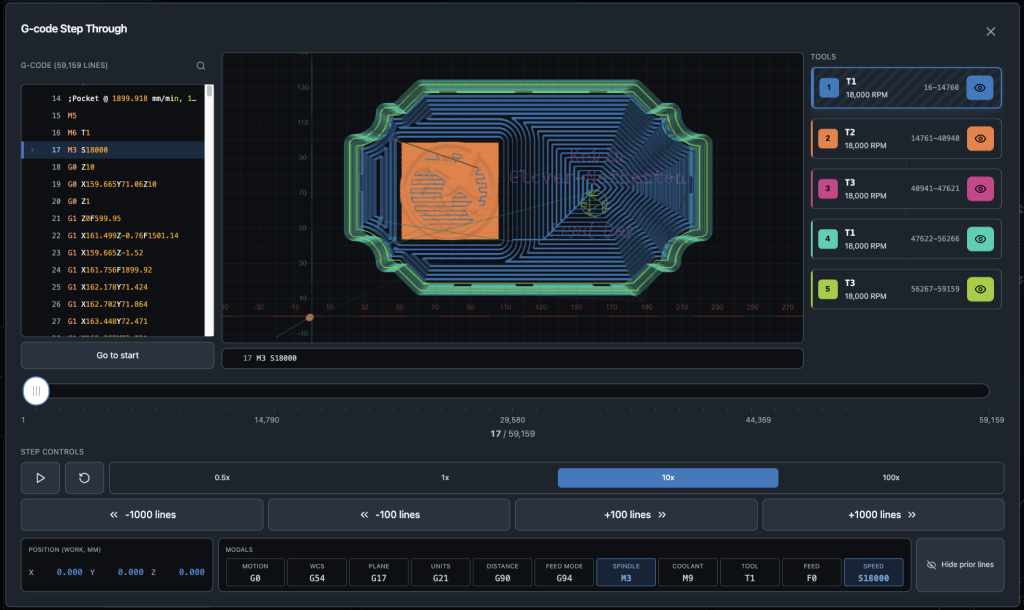
One functionality we’ve been asked for repeatedly is better ways to interact with and simulate toolpaths before running. We’ve added various validation tools and check mode in the past, but some people prefer a more manual process.
The g-code stepper tool hopefully addresses that by letting users simulate the file at various speeds, see positions and modals per line and even hide specific portions of the toolpath.
You can run a file to see the movements ahead of time, or manually scrub through by dragging the timeline.
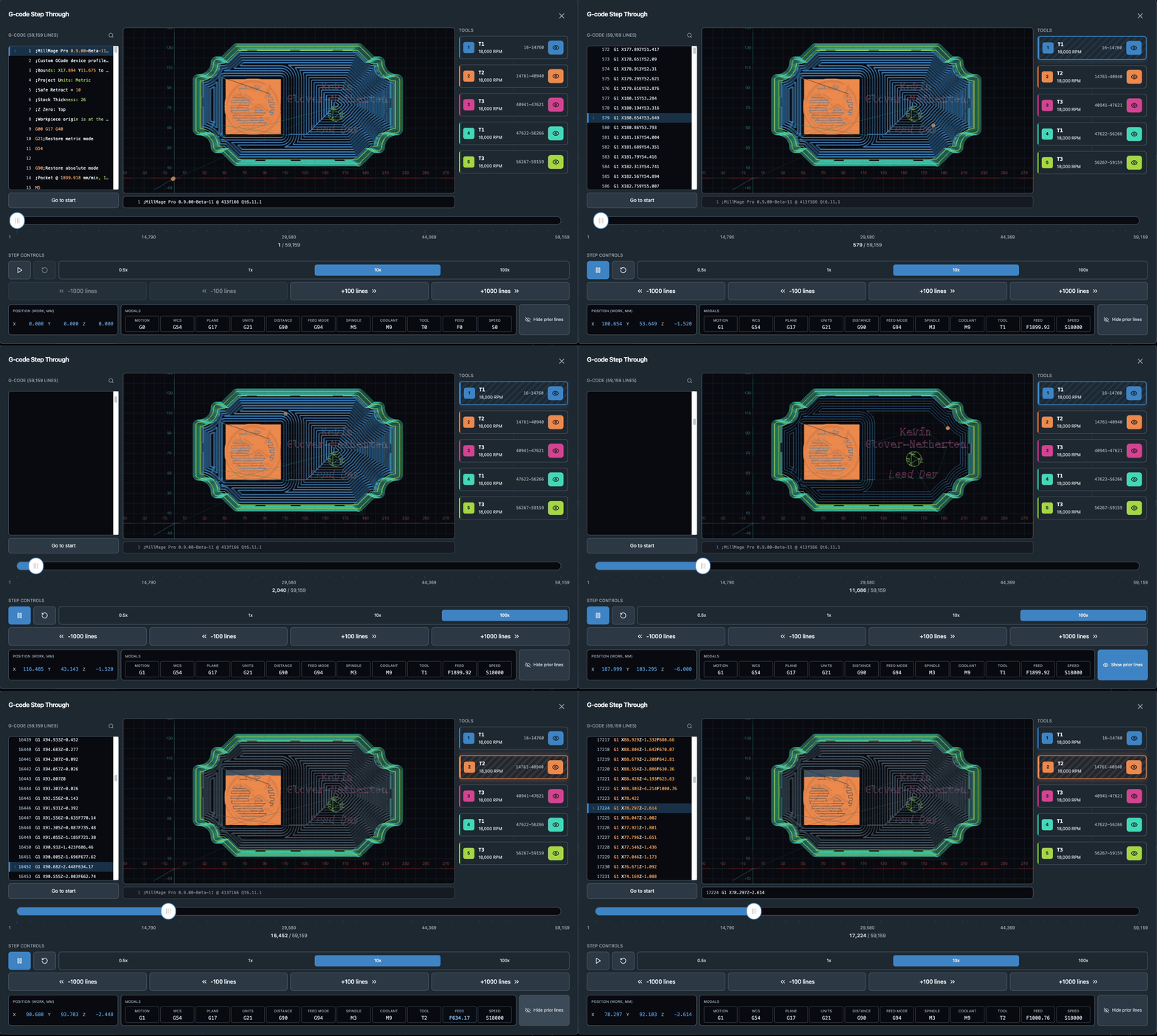
Your X, Y, Z and A rotations are all shown on a line by line basis, and any modal changes are highlighted to make it obvious.
Working with a multi tool file and want to isolate specific tool sections? You can hide specific tools with a single click to see just what it will cut.
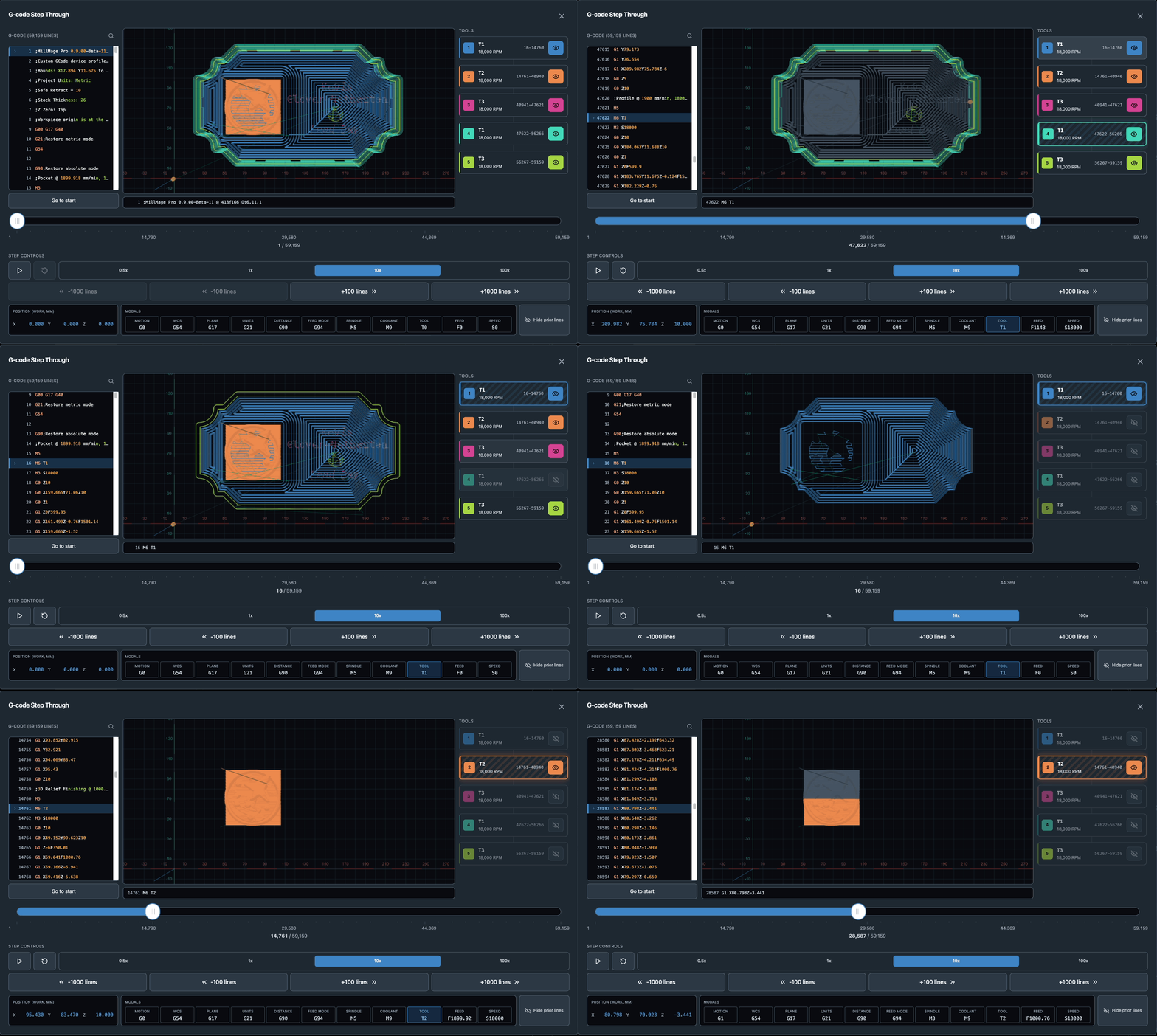
We hope this is a useful addition to gSender, and work well with existing features like Start From Line to reduce the guesswork of what line to start from or the need to go to external g-code viewing tools.
Changes:
- Added g-code stepper tool – available to open in the file information area
- Added ability to toggle off specific sections of a toolpath by tool
- Added ability to jump to a specific line by tool
- Quick toggle to grey out or hide simulated lines
- Added ability to simulate file run using time estimates, default 10X speed
- Added modal and position view
Plugin SDK functionality
The Plugin SDK is evolving to add additional functionalities for plugin developers. The main additions this time are the ability to add parsers and event listeners for plugins to get responses back from the firmware, and storage APIs, so plugins can save settings or values for the next time it runs.
We’re hoping this make it a bit more feature complete and adds some advanced functionalities for plugin developers with more advanced use cases.
Changes:
- Added ability to register response parsers that run on app start, not just plugin page
- Added ability to register parsers/listeners on plugin pages
- Added ability to query machine and read back all responses until the next OK response
- Added plugin storage and the ability to get or set specific keys, or getAll/setAll for JSON objects. Storage is entirely key-value pairs so easy to interact with. These values are written to the store to persist between sessions
- Added way to register plugins on Carve page to add accessible functionality there
Plugin UX
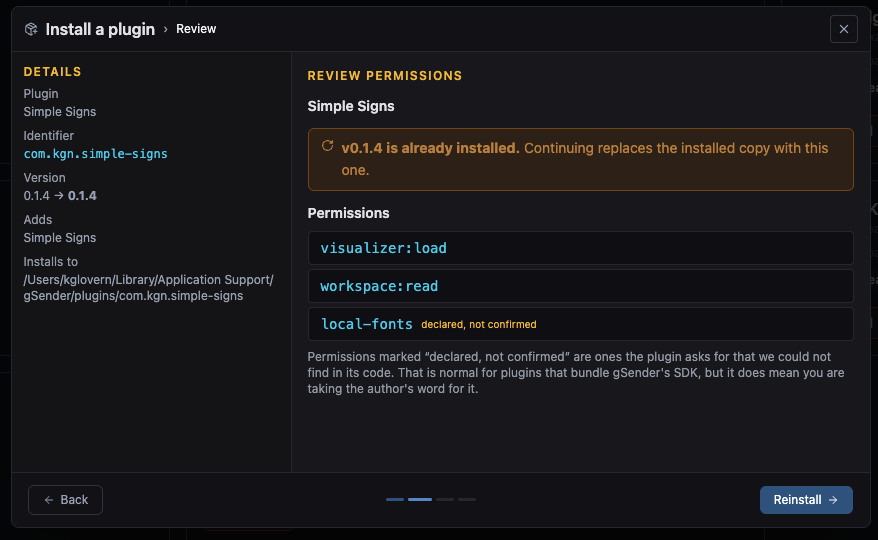
The installation and upgrade process for plugins has been made a bit more intuitive, and the UX improved to hopefully make the process as seamless as possible.
You can now change and configure your plugin directory if you want to change where they install from the default AppData directory.
You now get a guided process when installing or updating plugins – this lets you see the permissions used ahead of time, as well as notify if it’s replacing/upgrading an existing version.
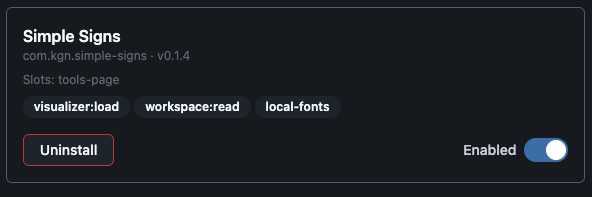
You can now also easily uninstall plugins, which persists any data but removes the files from your install directory
Changes
- Added uninstall button to plugin page cards
- Added permissions used by plugin on plugin page card
- Added config option to select new Plugin install directory
- Added guided install process for plugins – which will warn on replace or downgrade
- Permissions now more visible during install process and validated against codebase where able to
- Restart prompt is automatic and refresh plugins listing automated on plugin page
This along with resource updates should result in a smoother setup process and less confusion for our users.
Remote mode improvements
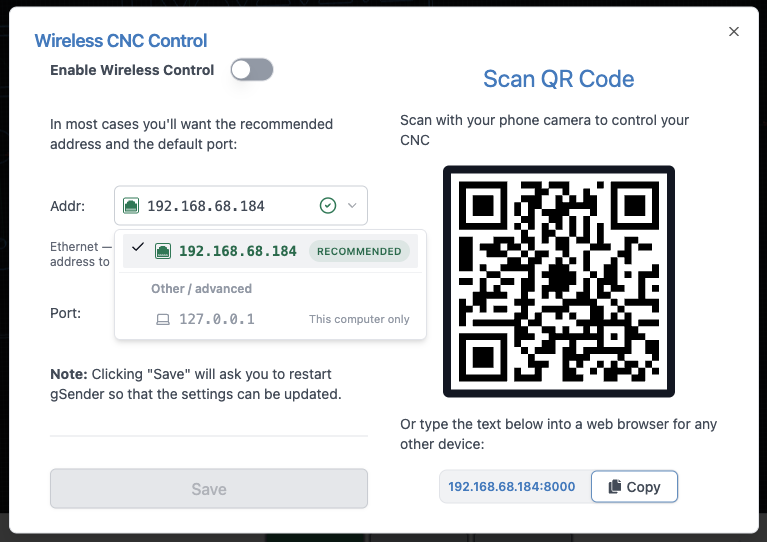
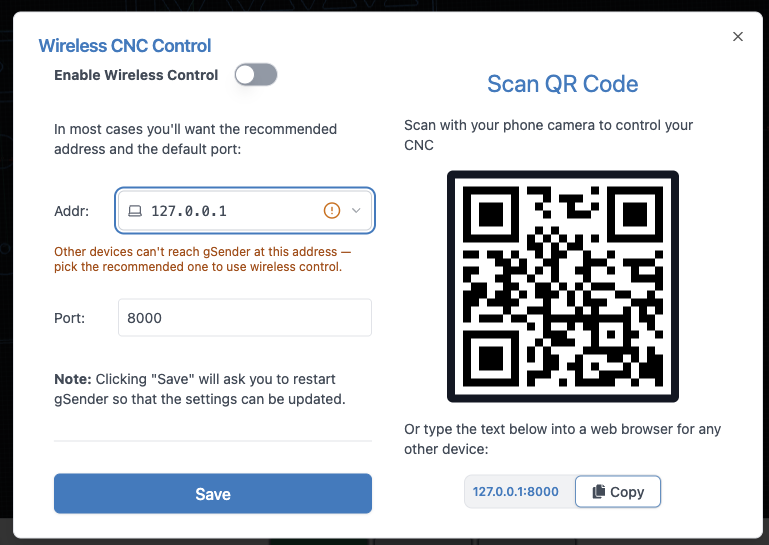
Remote mode setup can be a bit confusing, so we’ve made some UX improvements to this area. Specifically, we now determine the most likely addresses that you’ll want to use for remote connection and highlight it. We also determine type of address listed, and can warn when it will likely not result in a usable remote connection. There’s further validation based on your selected option, to make it clearer when a specific IP might not work
This along with resource updates should result in a smoother setup process and less confusion for our users.
Visualizer improvements
Nothing too major here outside of exposing APIs for camera choice – the new visualizer uses Perspective camera by default, a divergence from the old gSender visualizer, but we’re adding some ways to toggle back and forth for users.
Baseline, gSender shows your toolpath in perspective, which is closer to how you’d naturally look at the job in the real world. Things farther away appear a little smaller, which helps give the toolpath a sense of depth and makes it easier to understand 3D moves, height changes, and the overall shape of the job while you move around the view.
Orthographic view removes that depth effect and makes the toolpath look more like a flat technical drawing. That can be really useful when you care more about exact position than depth, especially when looking straight down at the job. For example, gSender’s top-down click-to-move view automatically switches to orthographic mode so shapes, spacing, and positions are easier to judge accurately. Perspective is usually the better all-around view, while orthographic is handy when you want a clearer, more precise look at where things are on the work area.
- Fixed perspective issues on visualizer camera – this is now toggleable in Config to use perspective camera or Orthographic camera, which is closer to how the old gSender visualizer behaved.
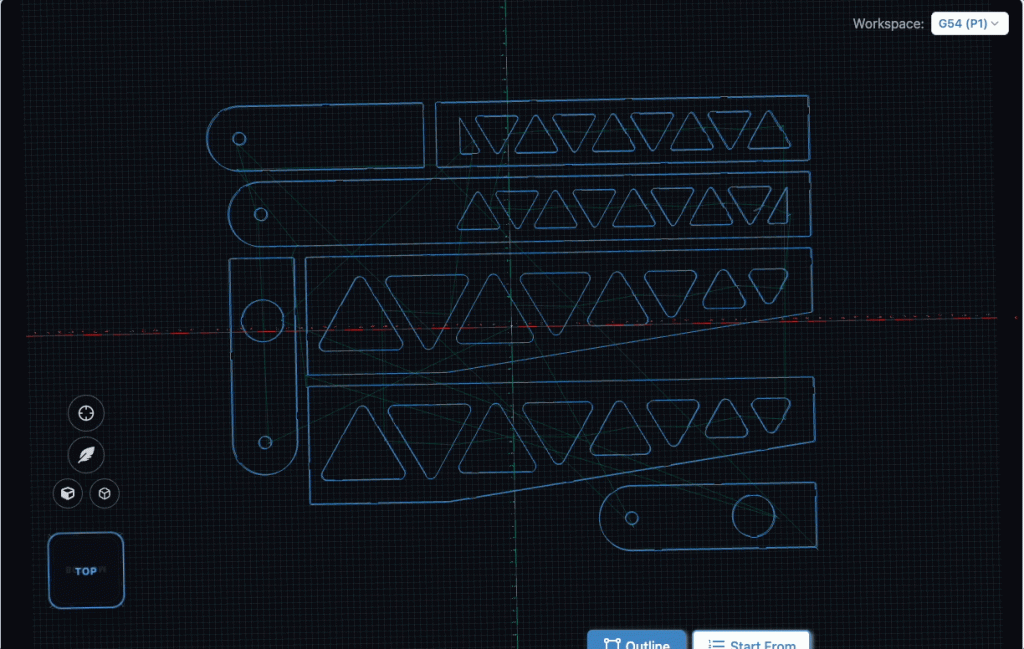
- Added Toggle for isometric corner view and Perspective/Orthographic camera
- Click to move will now swap to Orthographic camera for more accurate picking on arm and swap back on action completion or cancellation.
- Fixed camera cube sizing on portrait mode overlapping buttons and styling somewhat (less opaque)
- Added visualizer APIs for hiding specific portions of a toolpath
- Flipped inversion on camera cube movement and camera cube itself
Accessory Installation – AutoSpin and Vacuum Table setup wizard
Continuing to improve our setup and configuration for our accessories, AutoSpin has been moved to the Accessory Installation section of tools, to help users setup and test their new AutoSpin. We support setting up on both grbl and grblHAL. We’ve also added an early version of the Vacuum table setup, to help prepare mounting our new vacuum system.
Changes:
- AutoSpin configuration moved into Accessory Installation wizard
- AutoSpin setup button removed from Config
- Vacuum table mounting and grid wizard added
Console Improvements
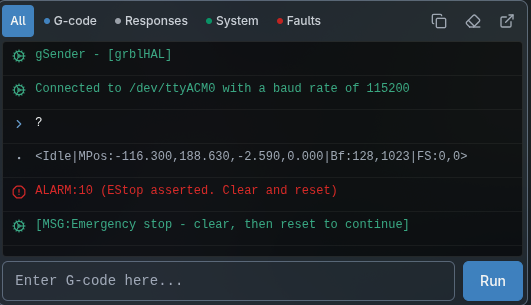
The console has been updated to have better touch support, making scrolling noticeably easier. This has long been a pain point so we’re happy to address it.
We’ve also added filters if you want an easier time finding a specific message type. Right now those filters are gcode (things you’ve sent), responses (things the controller has sent), messages (both gSender and controller MSG) and faults (alarms/errors).
- Added better touch support handlers to console – should result in smooth touch scrolling
- Add jump to end button when not at the end of console content
- Added filters based on console message type – g-code, responses, messages, and faults
- Moved copy last 50, clear, and popout to new filter bar instead of hamburger menu.
Pendant UI Improvements
- Fix visualizer load functionality so you should be able to load a file by clicking an empty visualizer again
- Fix config toggle not restarting in some situations
- Config toggle now prompts for both enabling and disabling
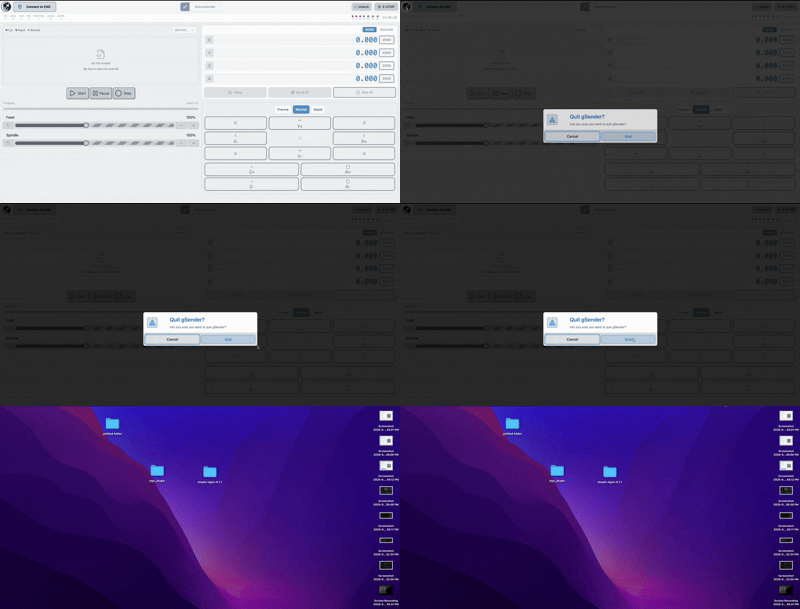
- Added way to quit pendant UI in kiosk mode by holding the gSender icon in the top right to prompt if you want to exit.
Other changes
A large amount of this is related to catching up Edge-2 with 1.6.4 release. Some changes landed only in Edge.
- LongMill MK3 profile updates
- Removed corner selection on probing – default and only value is now bottom left.
- Added $290, $291, $292, and $293 (individual homing pulloffs) to Homing Config section
- Pause button now disabled in hold state on controller
- Notifications for alarms and errors are again notifying in the main carve page notifications section
- Added tool input for surfacing to let you pick up a specific tool for ATC setups
- Console copying works again
- Job stop modal no longer hidden behind g-code editor
- Various dependency updates
- Updated file association icon to differentiate it from the application icon
- Config now remembers your scroll location when navigating between it and other parts of the application and shows subsections in the navigation menu.
- Various updates to emitted data for controller events
- Failed homing on grbl will now prompt the user to re-home on unlock so homing state isn’t lost
- Added ATC validations for tool number in situations where tool table is compiled in
- Updated various renders across the application to be more modern
Download
gSender Edge can be downloaded on Github, and installed alongside the main version of gSender.
gSender Edge is beta software, so prepare for the fact that things might go wrong.
https://github.com/Sienci-Labs/gsender/releases/tag/v1.7.0-Edge-2